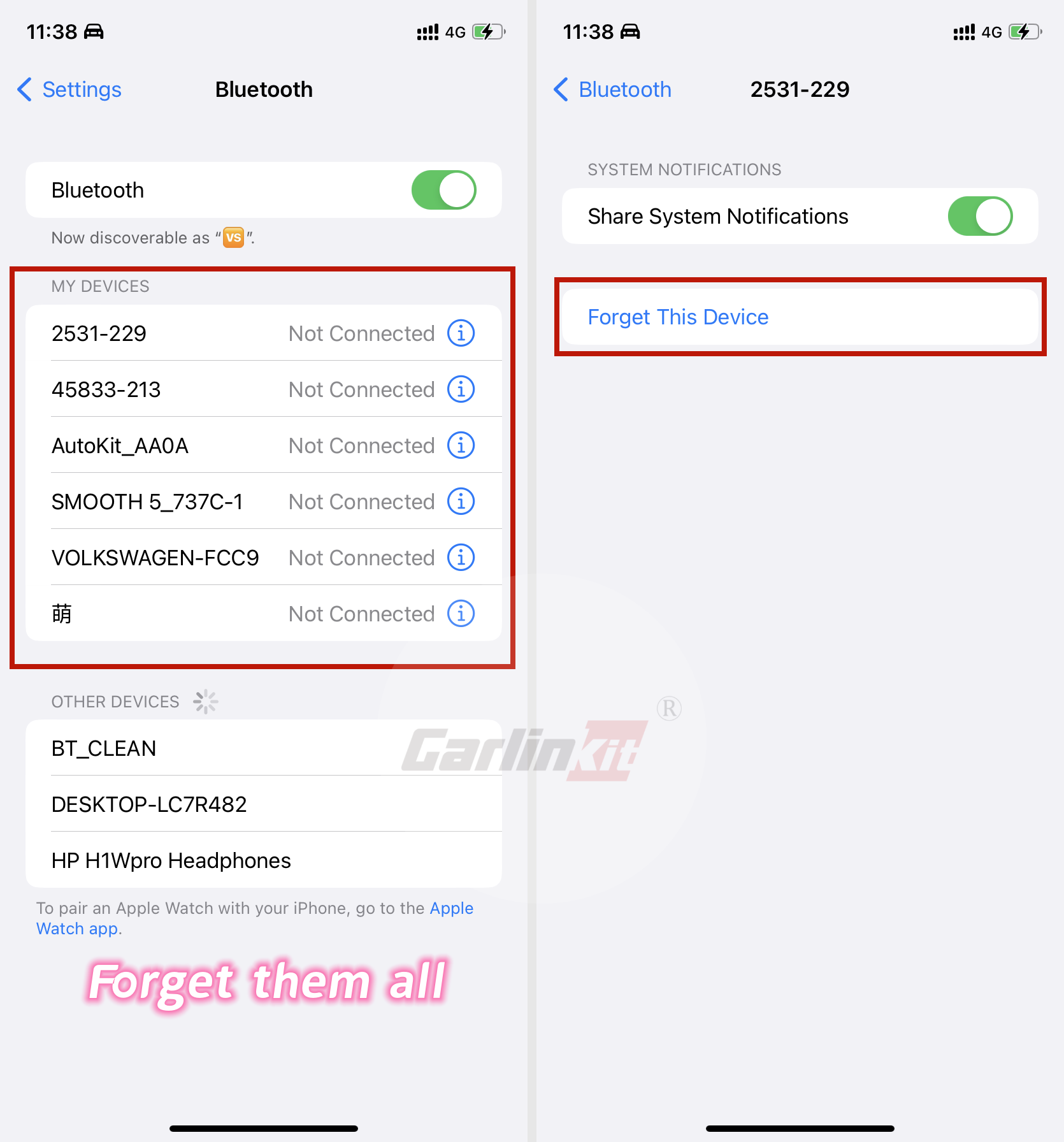




If CarlinKit A2A is unable to connect to wireless Android Auto. Please ensure that the wireless Android Auto function is enabled on your cellphone. Then, please try the following methods:
Clear Google service cache
Your phone->setting->apps->google play services->stroage->clear cache
Clear Android Auto cache
Your phone->Setting->Connections->WiFi->Autokit***->Enter the password(12345678)
On some VW models (car host: Harman MIB 2), there may be some problems with the Carlinkit A2A connection, the solution are below:
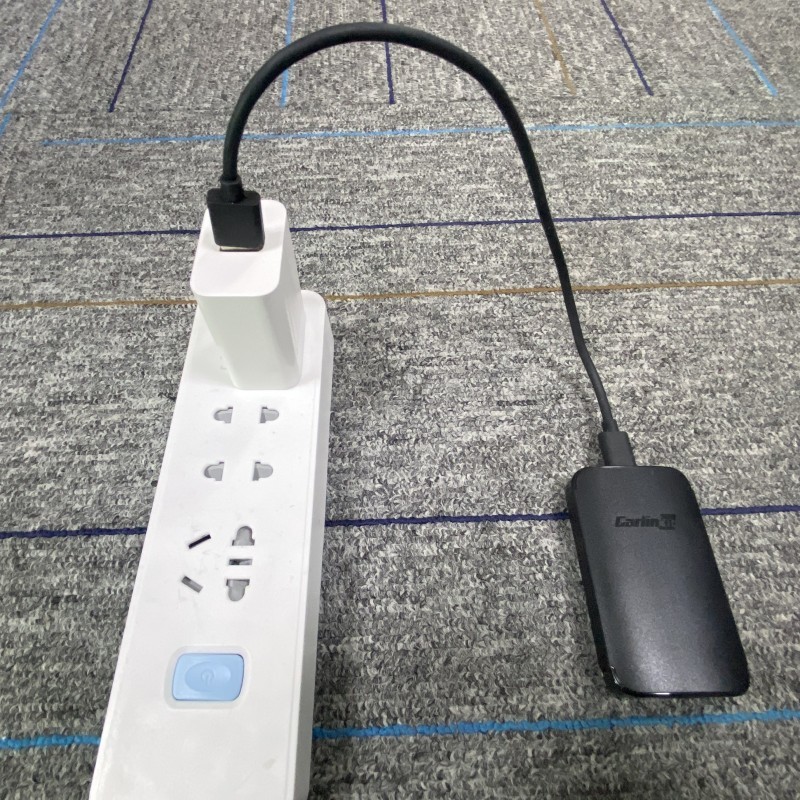
1. Connect the Carlinkit A2A to the charger-power.
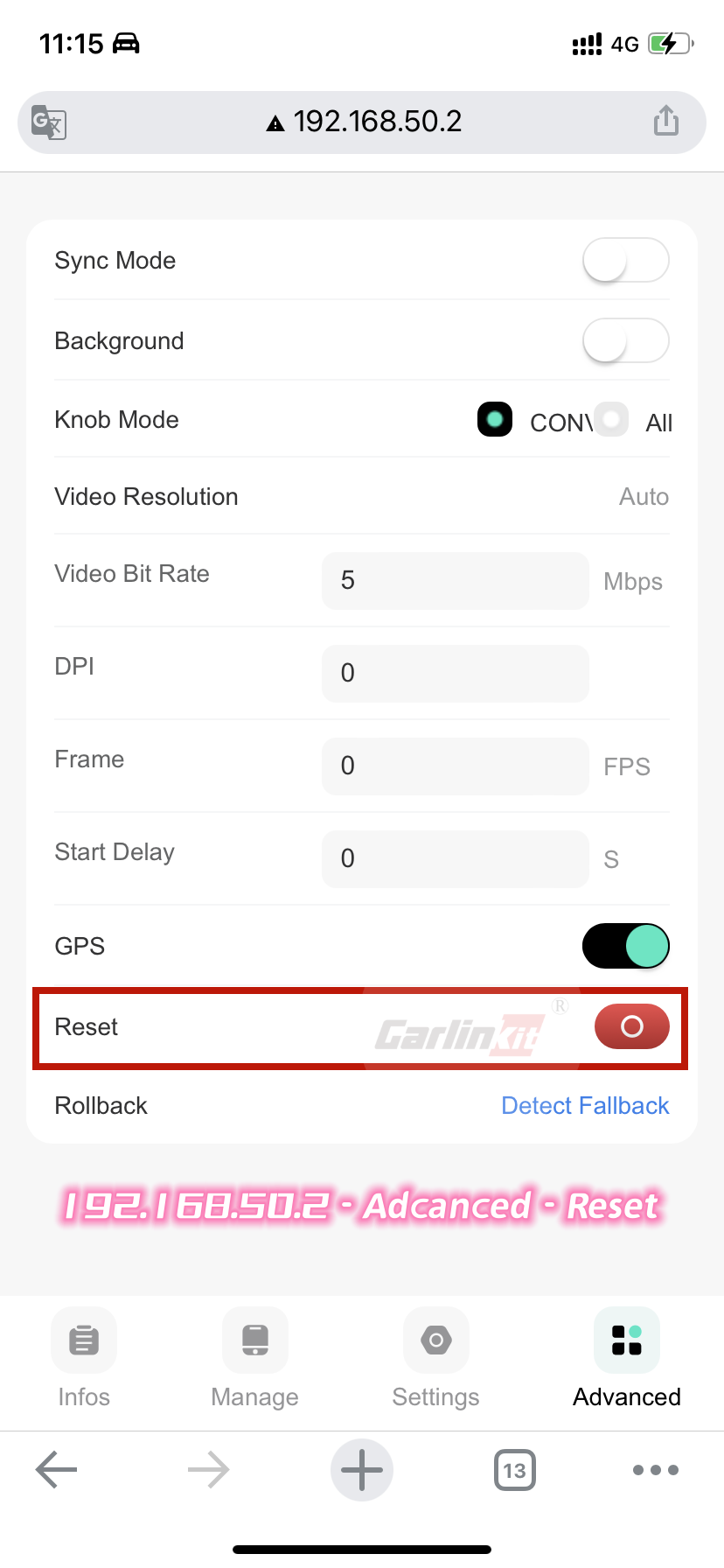
2. 192.168.50.2, reset Carlinkit A2A.
3. Delete the car Bluetooth connection record on the phone.
4. Reset Automotive Head Unit/Radio.
5. Plug Carlinkit A2A into the car host and reconnect.
Photo Guide
Connect the Carlinkit A2A to the charger-power
192.168.50.2, reset Carlinkit A2A
Delete the car Bluetooth connection record on the phone