




Vad är Carlinkit T2C Tesla Apple CarPlay-adapter?
Carlinkit T2C är speciellt designad för Tesla och hjälper Tesla att uppgradera med trådlös Carplay/Android Auto. Den fungerar utan SIM-kort och låter dig använda full CarPlay-funktionalitet via din webbläsare.

Funktioner:
✅Spela och spela, ta med Apple Carplay och en bekväm upplevelse till din Tesla.
Med Carlinkit T2C Tesla-dongeln kan du sömlöst uppgradera din Tesla med trådlös Apple CarPlay och Android Auto. Njut av att lyssna på musik via dina favoritapplikationer, ring telefonsamtal och ring Siri med bara din röst. T2C bevarar Teslas ursprungliga bilskärm operativsystem samtidigt som den förbättras med ett interaktivt gränssnitt, vilket säkerställer en snabb start på Tesla CarPlay och smidigare drift.


✅Siri assistentstöd, gör det lättare att köra.
Om du kör din Tesla ensam och ingen annan kan hjälpa dig att använda skärmen, kan Carlinkit T2C ge dig ett hjälpmedel för att manipulera din Tesla. Väck bara Siri som du gör på en iPhone, och sedan kan du beordra din Tesla. Carlinkit T2C gör din bilresa säkrare och bekvämare.

✅Sök efter "Carplay" i sökfältet för att utforska mer körglädje.

✅Fler navigeringsalternativ för säker körning och exakt navigering.
Med T2C Carplay Tesla Adapter kan du ha fler alternativ för att välja navigeringsappar, som Waze och Google Maps. Den stöder mer kartmjukvara som kan uppdateras i realtid.

✅Delad skärmfunktion.
Förbättra din Tesla-upplevelse med delad skärmfunktion för Tesla Apple CarPlay. Navigera enkelt mellan appar och njut av sömlös multitasking med vår Carlinkit T2C trådlösa adapter.

✅Stabilare och smidigare drift med 2,4G+5,0G-Wifi.
Upplev förbättrad stabilitet och sömlös drift med Carlinkit T2C:s 2.4G+5.0G WiFi-anslutning. Njut av en smidigare trådlös anslutning för din Tesla Apple CarPlay.

✅Hur använder man Carlinkit T2C i din Tesla?
Om du vill lägga till trådlös Carplay/Android Auto till din Tesla-bil, se till att din telefon är iPhone 6/IOS 10 eller högre. För Android-telefoner måste de stödja Android Auto. Du kan sätta i SIM-kortet eller dela telefonens hotspot för att enheten ska få åtkomst till internet.
Anslut T2C med din Tesla efter att bilen äri växel. (Vid den tiden kan du logga in på bilskärmens webbläsare för att gå in på http://tespuch.com)

T2C stöder språkändring, versionsuppgraderingar etc i anslutningsgränssnittet.
LED-instruktioner
LED 1: Mobiltelefonens sammankopplingsstatus. Blinkar långsamt efter lyckad sammankoppling.
LED 2: WIFI-anslutningsstatus. Grönt ljus fortsätter att lysa efter en lyckad anslutning.
LED 3: Strömstatusindikering. Den gröna lampan fortsätter att lysa efter påslagning.
LED 4: 4G-statusindikering. Grönt ljus fortsätter att lysa efter nätverk.

Lämplig för bilar och mobiltelefoner:
Tillämplig modell: För Tesla alla seriemodeller.
Om din årsmodell är före 2018 måste följande villkor uppfyllas när du använder T2C:
- Webbläsarstöd krävs.
- WiFi-stöd krävs (äldre bilar kanske inte kan söka efter 5G-signaler, så du måste byta till 2.4G för mobilenhetens anslutning).
- Teslas webbläsare måste uppgraderas till Chrome 94 eller en nyare version.
Stöd iPhone 6 och nyare IOS 10 eller högre.
Stöd Android-telefoner med Android 11.0+.
Obs: Tesla-förare bör fokusera på vägen även när Tesla Autopilot-modellen är på.
Carlinkit T2C-parametrar:
| Modell | CPC200-T2C |
| MFI | 337S3959 |
| Strömingång | 5V±0,2V⎓1,0A |
| Energiförbrukning | 3W |
| WiFi-frekvens | 802.11a/b/g/n/ac, 2,4G+5G |
| Bluetooth-version | 4.2 |
| Material | ABS+PC |
| Färg | Svart |
| Ytbehandling | CD-mönster |
| Tryckmetod | Spänne |
| Kompatibel mobiltelefon | iPhone 6 och senare, iOS 10 och senare |
| Kompatibel bil | För Tesla all series-modell |
| Upplösning | Adaptiv (behåll den ursprungliga protokollupplösningen) |
| Språk | Växla automatiskt efter fordonets språkmiljö |
| Datum kabel | USB-A till USB-C*1 L=500mm |
| Anslutningstips | Trådlös anslutning |
Packlista:
Förpackningslåda * 1, Produkt * 1, Datakabel * 2, Produktmanual*1


Kompatibla lista:
Anpassad för Tesla-fordon
Tesla Model Y
Tesla Model S
Tesla modell 3
Tesla CyberTruck
Tesla Model X (kan ibland uppleva kompatibilitetsproblem med vår produkt, så vi rekommenderar det inte för ägare av denna fordonsmodell.)
Tips:
- T2C är endast lämplig för Tesla-modellbilar. Om den du köpte med SIM-kortsport kan du använda den med eller utan SIM-kort. Om du sätter i ett SIM-kort (iPhone eSIM-kort fungerar också), förbrukar SIM-kortet bara en liten mängd data, navigering, musik och andra applikationer som använder mobiltelefonens trafik och använder inte T2C:s SIM-kortstrafik.
- Följande länder och regioner kan inte använda Carlinkit T2C-produkter: Taiwan, Hongkong, och Australien.
- När du använder Carlinkit T2C i Israel, om det finns en situation där boxens WiFi inte kan hittas av både mobiltelefonen och bilen, försök att ändra T2C Wi-Fi-kanalen till 36-44 ( Anledningen är att Israel endast stöder kanalerna 36-44, och T2C-boxen är som standard 149).
- T2C är kompatibel med iPhone 6 eller IOS 10 och högre. Samt Android-telefoner som stöder Android Auto.
- För att uppgradera T2C Tesla Apple Carplay-dongeln, se VIDEOTUTORIALEN .


337 Utmärkta recensioner

Unit needed to have firmware updated. Followed onscreen fix. Finally connected. Needed to add Waze to my Tesla.
Thank you for taking the time to share your feedback, and we sincerely apologize for the inconvenience caused by the firmware update process. We completely understand how frustrating it can be to receive a unit that requires updating straight out of the box.
Please rest assured that we will take your feedback seriously and work on improving this in future shipments to ensure customers receive the most up-to-date units possible.
In the meantime, if you need any further assistance, please feel free to contact our support team at support@carlinkitcarplay.com. We'll be more than happy to guide you through the process.
Perfetto. Funziona alla grande su la mia tesla Model s
Ringraziamo sinceramente per il tuo feedback positivo sul nostro prodotto: 'Super' e 'Perfetto'!È un piacere sapere che esso funziona alla grande sulla tua Tesla Model S.
Siamo impegnati a fornire prodotti di alta qualità per i nostri clienti, e il tuo commento ci motiva a fare di meglio.Se avrai bisogno di assistenza in futuro, non esitare a contattarci.
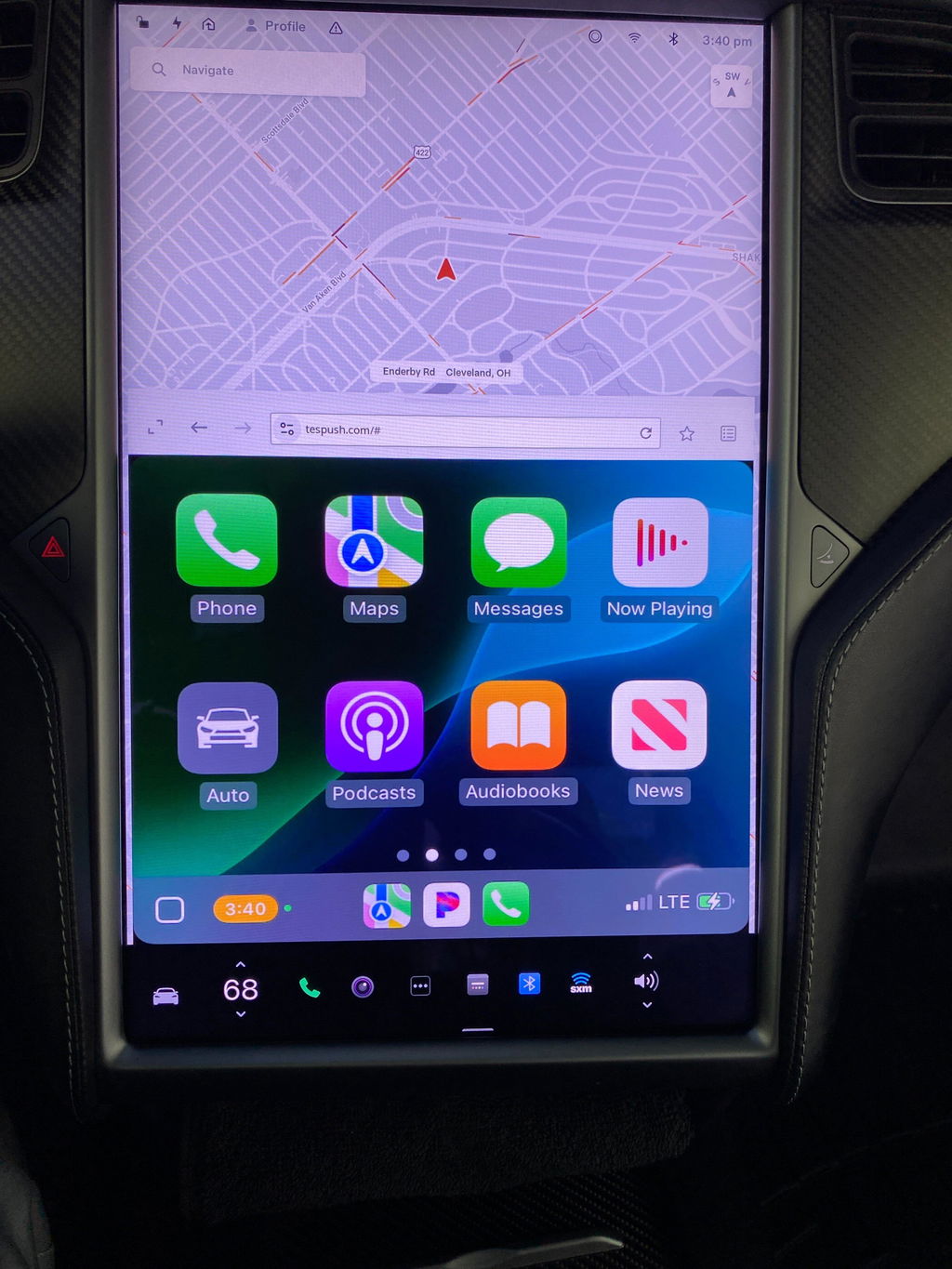
The Tesla CarPlay Adapter seems to be working. I really enjoy having Apple Carplay in the Tesla. I would recommend it to anyone driving a Tesla. I like the touch screen interface and playing Pandora.
Alles in allem ist das kleine Gerät top!
Was leider gegen eine 5 Sterne Bewertung spricht,
Mein Model S verbindet sich meist nicht selbstständig mit dem WLAN des T2C.
Wenn es sich dann doch das eine oder andere mal selbsttändig mit meinem Model S verbindet, kommt ewig der Einstellungsbildschirn, da es sich nicht mit meinem iPhone (14 Pro Max) verbindet.
Nichts desto trotz ist dies alles verschmerzter, da ich endlich wieder Apple CarPlay im Auto habe. und dies sogar Wireless.
Dies macht mich sehr glücklich!
Wenn in Zukunft die Defenzite per Firmware Update in den Griff bekommen werden können, habe wir hier ein Perfektes und Preiswertes Gerät um Wireless CarPlay auf jeden Webbrowser zu bekommen!
Ich liebe es!
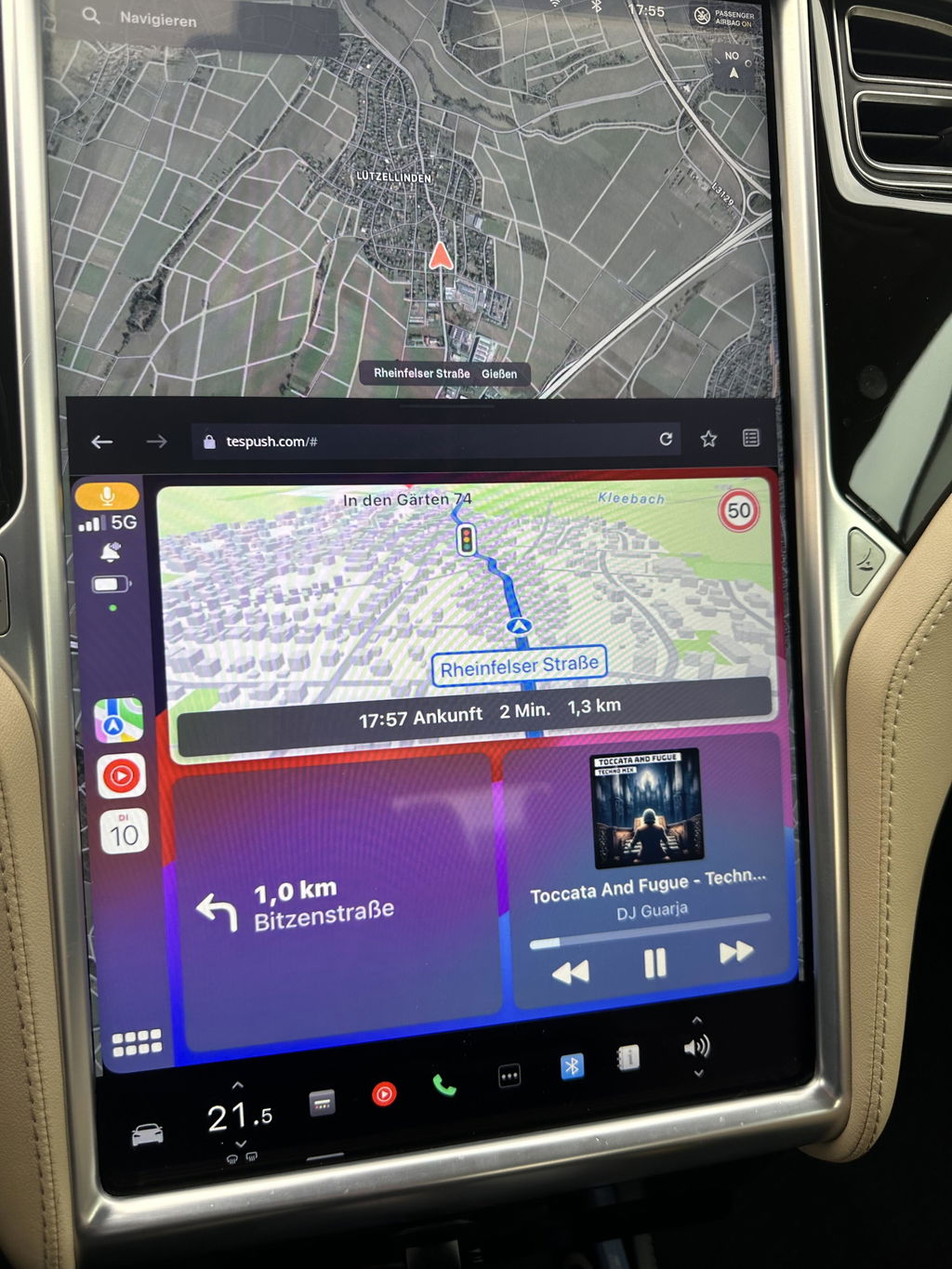
Works well, though a bit capricious. Needs to be rebooted regularly (uplug-replug, fast) when you re-enter your car, and gets disconnected when driving if your phone is out of network. But it does the job 95% of the time. I now have Waze, WhatsApp, GoogleMaps, Apple Music, etc. On my Tesla, for a very reasonable price. Thank you!
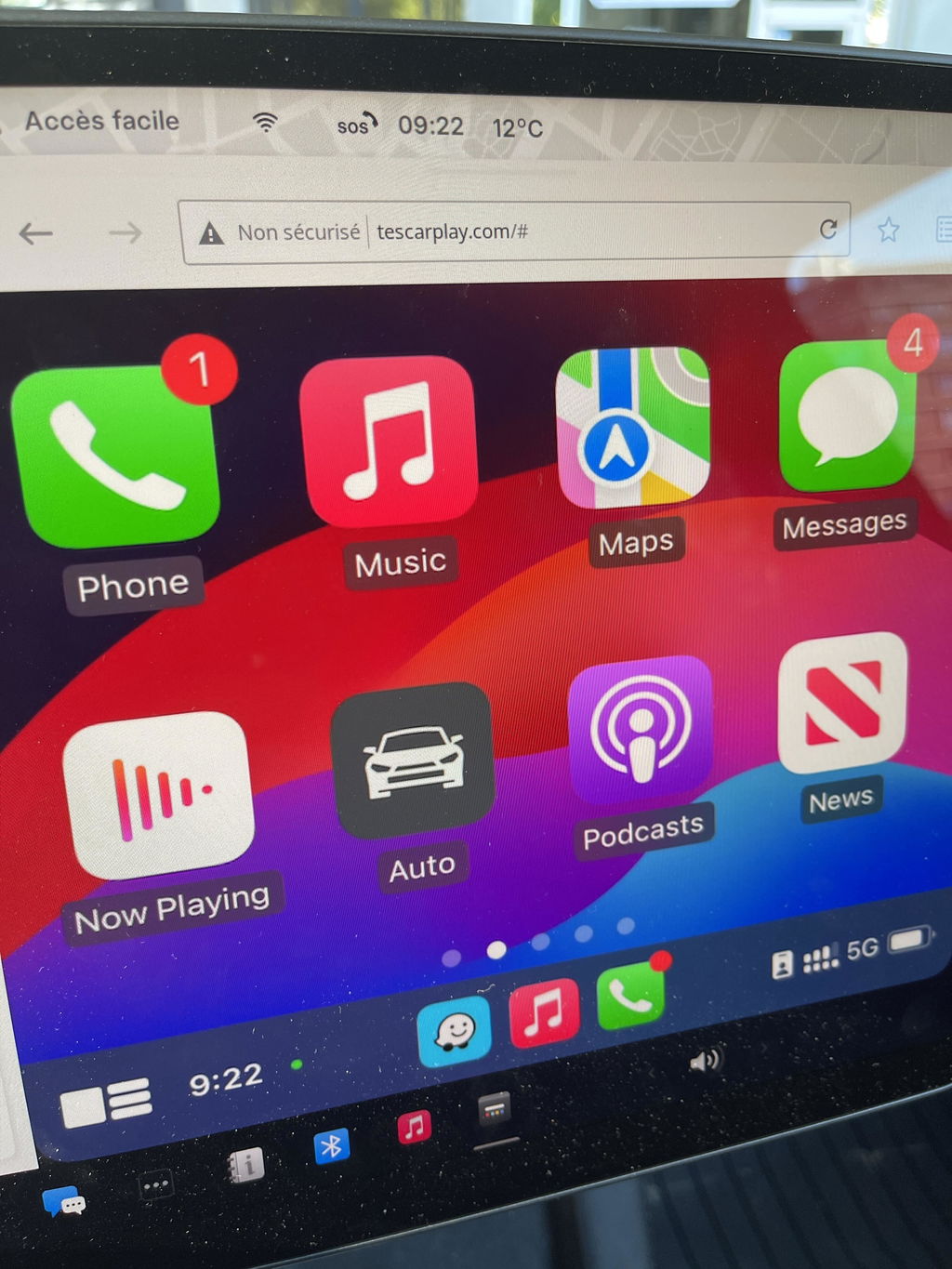
Product arrived quickly and in order, works great.
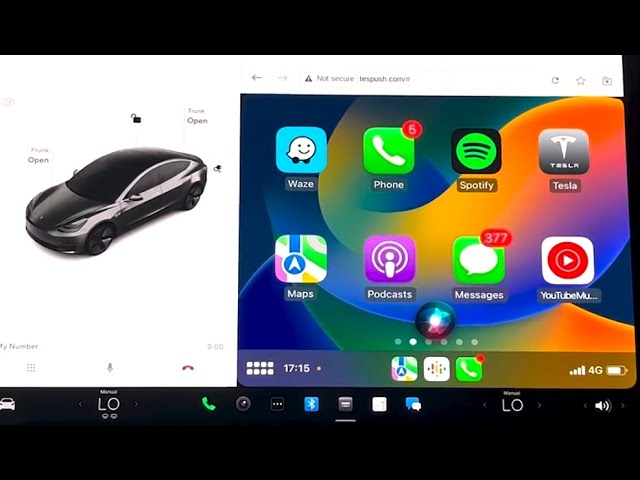
Wow, very impressed! Once everything we setup properly (CarPlay, Bluetooth, phone wifi sharing, "stay connected while in drive", etc — which took all of 3 mins) it started working right away. I found the "video" render mode instead of "picture" to be the smoothest, even with HD graphics on. Very happy with the product!
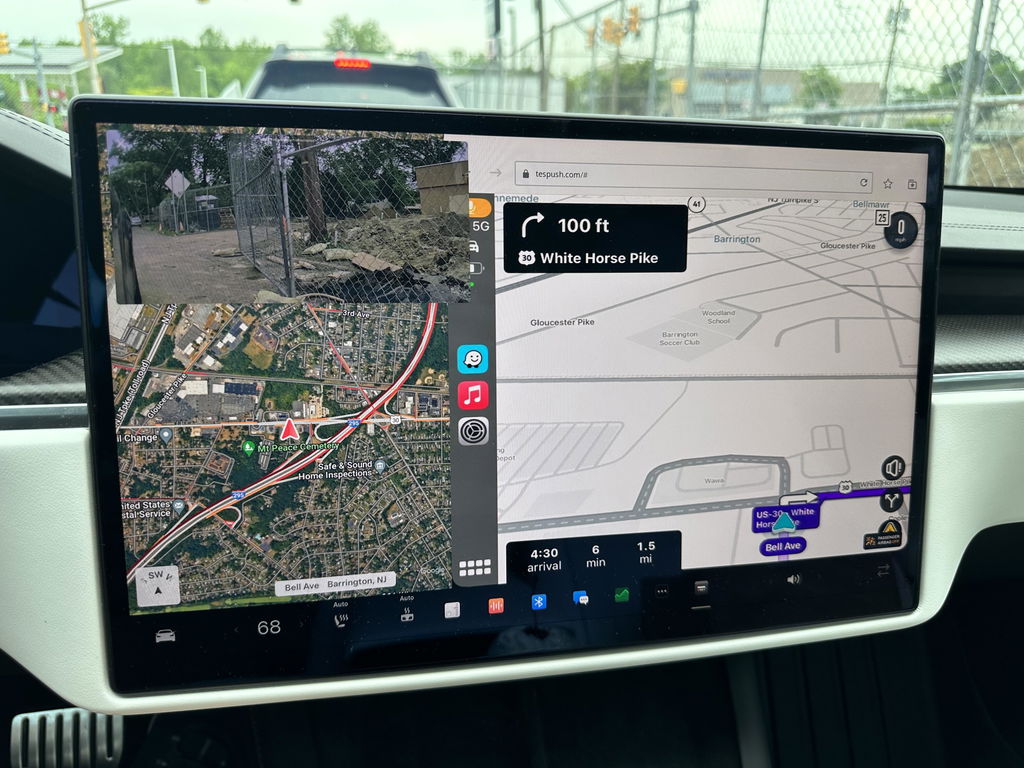
Have been using with my Tesla model 3. Not using SIM card. Works fantastic. Great to get Waze on Tesla screen. However sometimes the screen disappears and needs refreshing. But still love this device.
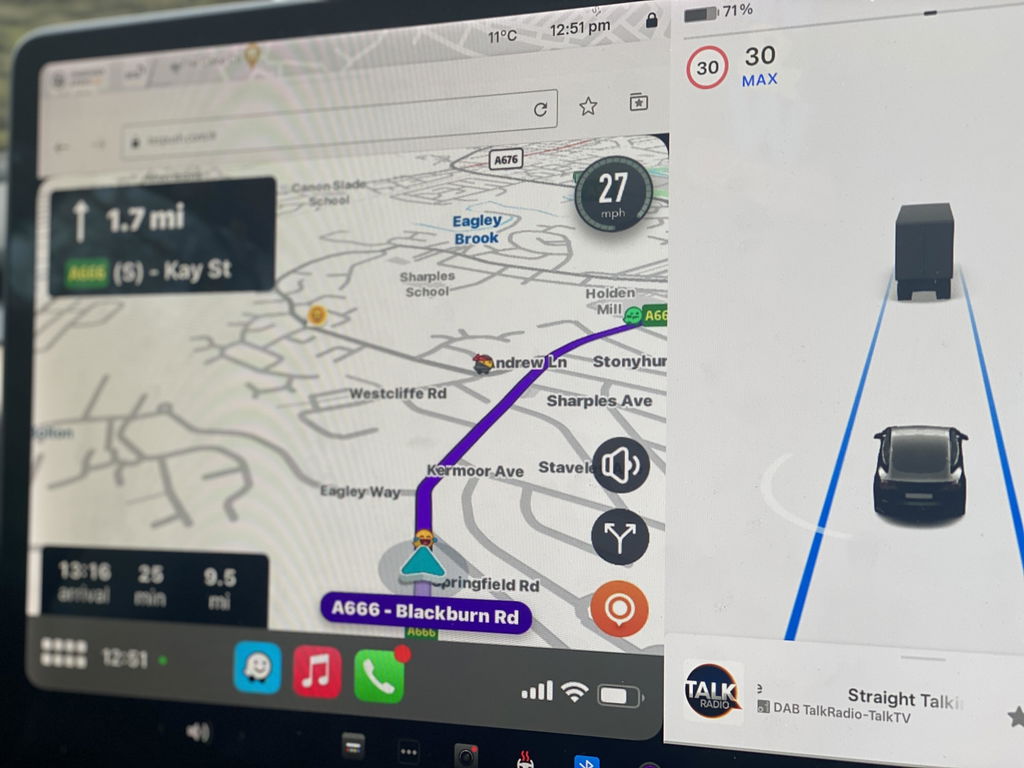
Definitely follow the latest YT video as it is much less complicated than the old instructions that it ships with. Working great and as advertised.
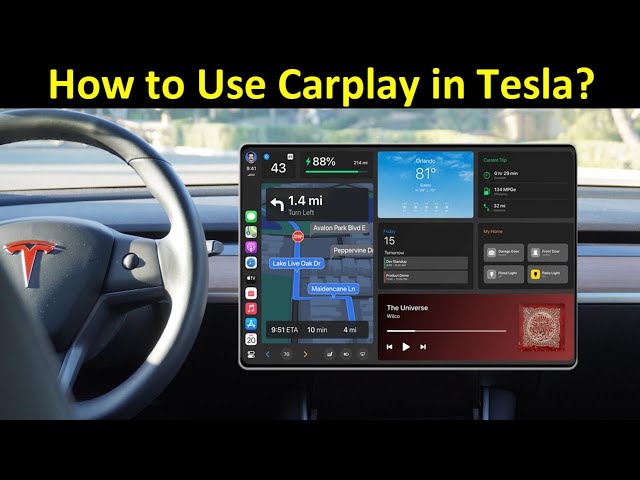
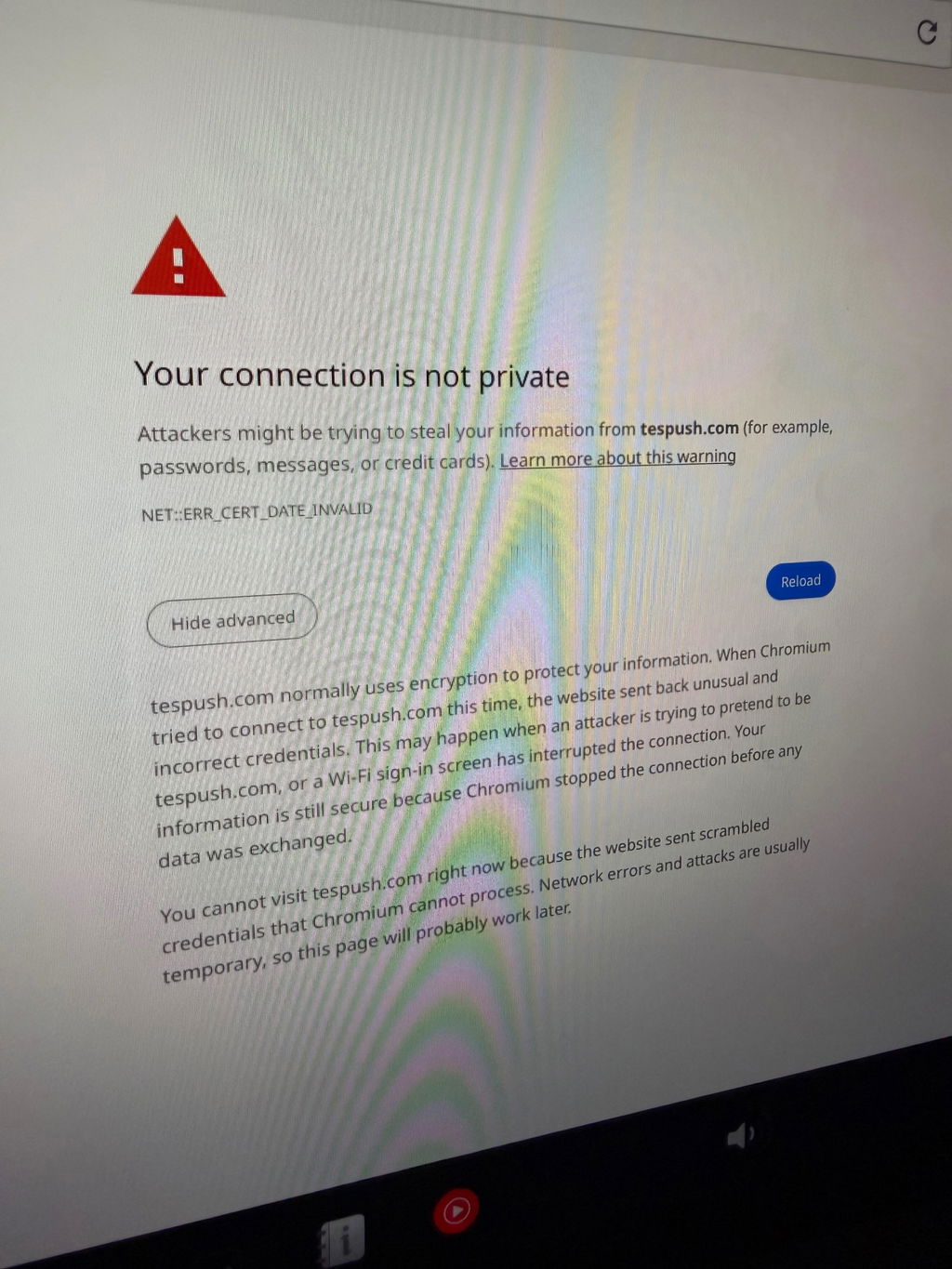
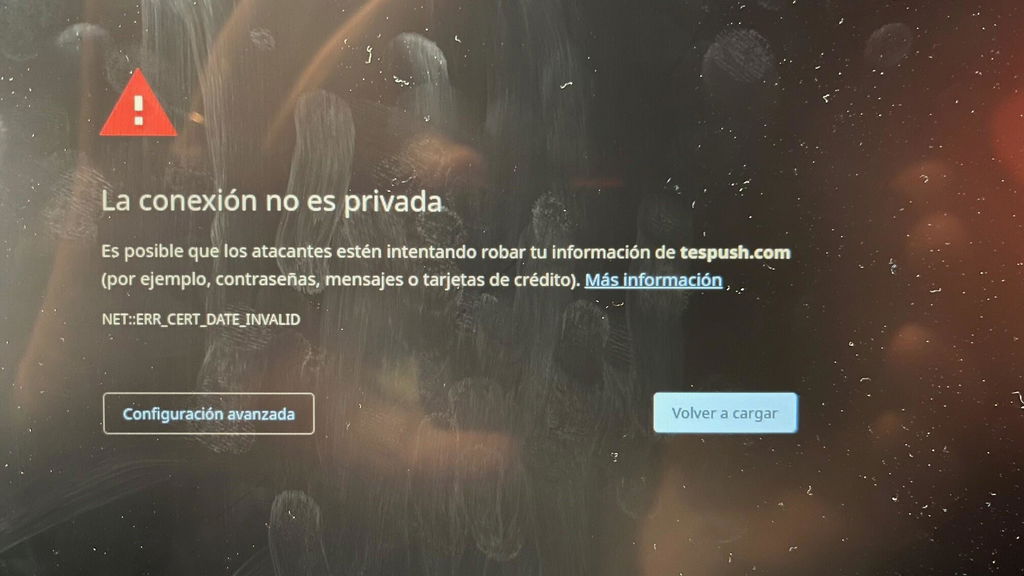
Equipment easy to install and start up. I had a problem when I started it because I got an ERROR: NET::ERR_CERT_DATE_INVALID I contacted the Carlinkit support department by email and in 3 days they sent me instructions to update the firmware and get it working.
You have all the features of Carplay and in my case I wanted WAZE which works very well.
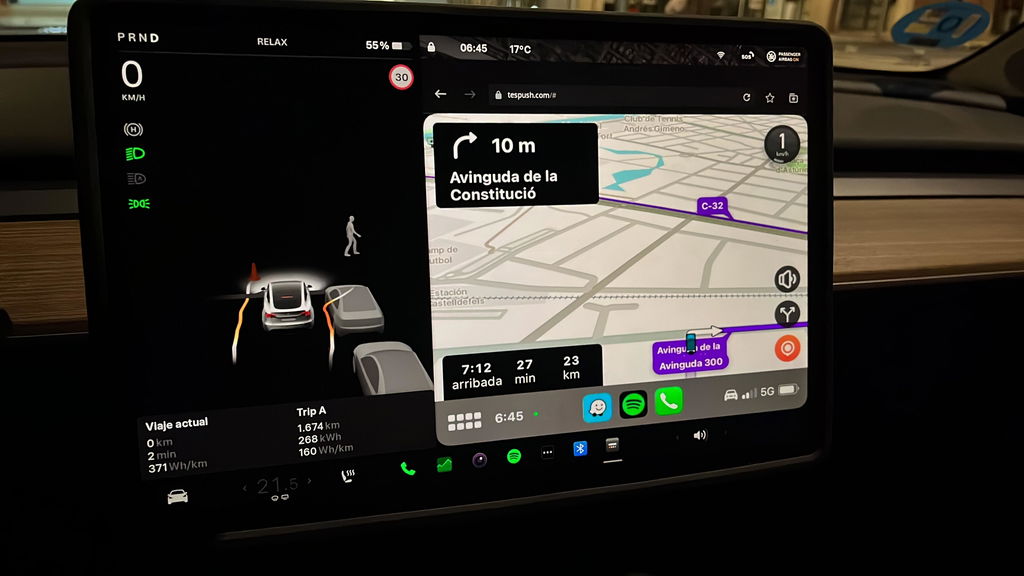
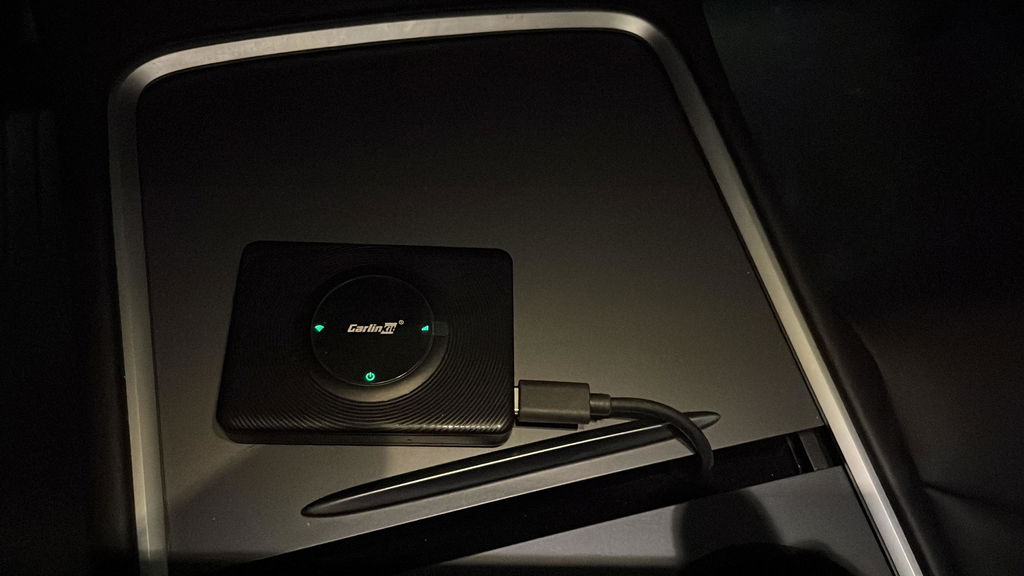
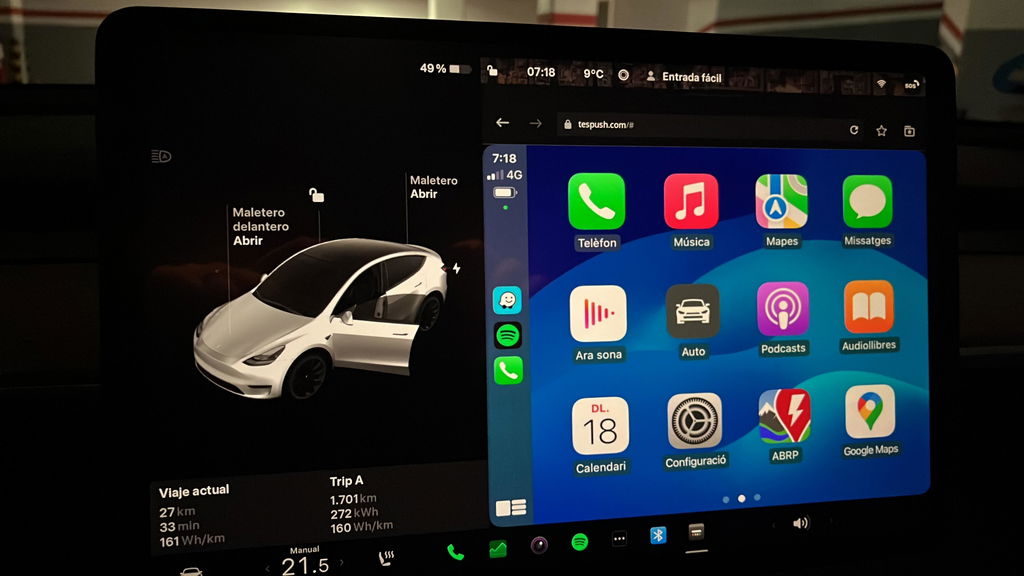
I like it and will be keeping it. I’m trying to optimize the connection at home to stop it from connecting to my phone when I don’t want it to (leave it switched on, unplug it, add a USB switch, disable CarPlay on the phone as I enter the house) but in the car it does the job nicely. The audio is clear (because it’s Bluetooth directly between car and phone) and it is fully functional for Hey Siri, phone calls etc. The Tesla browser window is a good size so the CarPlay map displays are large and easy to use. After buying the unit it is free to use now that it doesn’t require a SIM and I am expecting to not pay for Premium Connectivity when my trial expires since I get live traffic, and streaming audio through CarPlay. In theory, it pays for itself in the first 12 months.
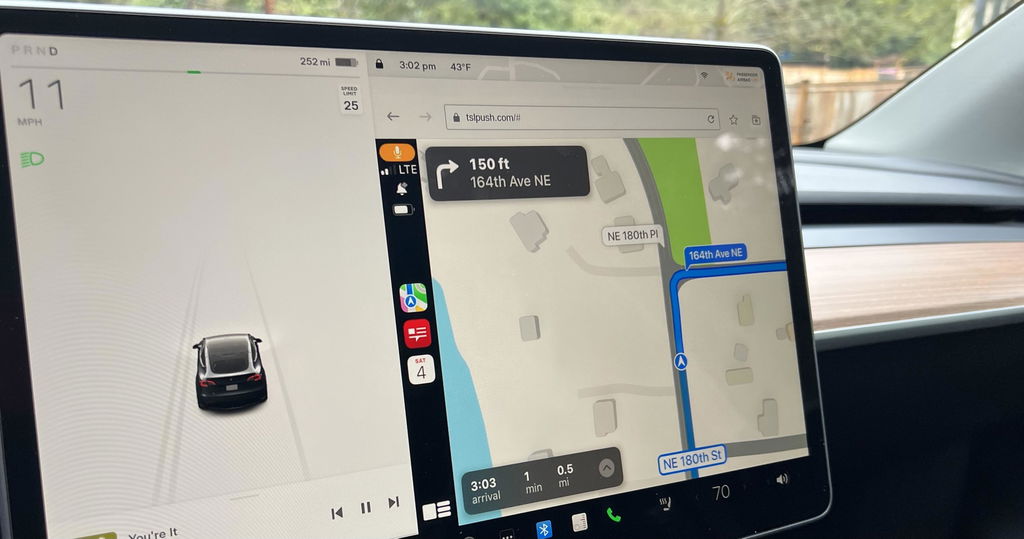
This should be part of the Tesla, OEM software.
The t2c is a very interesting device, works using my iPhone as a personal hotspot, device connects to my Tesla through Bluetooth and displays Apple CarPlay using the Tesla browser.
Initially had lots of browser crashes, usually within minutes of connecting, now fixed with Tesla V11 and t2c firmware updates. Ran for an hour yesterday with no glitches, so bumping up to 4 stars. Only issue is that you have to reconnect your personal hotspot to your car, which is more of a Tesla issue!
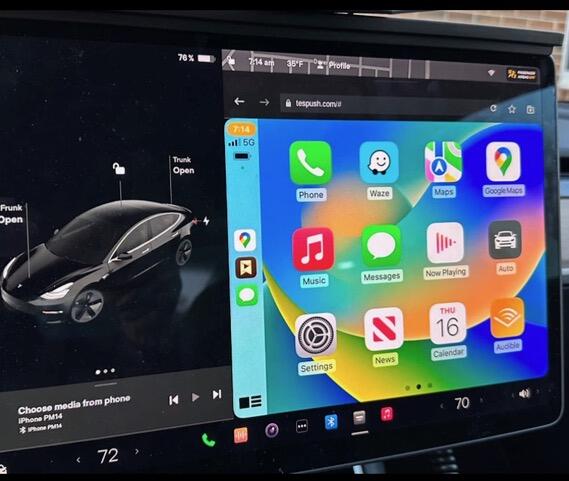
Over all a good purchase. Sometimes can be a bit fussy booting up after leaving the car and returning. This is easily dealt with by de- powering the carlink unit and then re starting it. Also you must make sure that he Tesla’s wifi is on and that carlink net is selected as sometimes the wifi defaults to off when the car is locked and left. Once Carlink is up and running, it’s very stable and works well.
I’m really pleased to be able to enjoy Apple CarPlay in my Tesla.
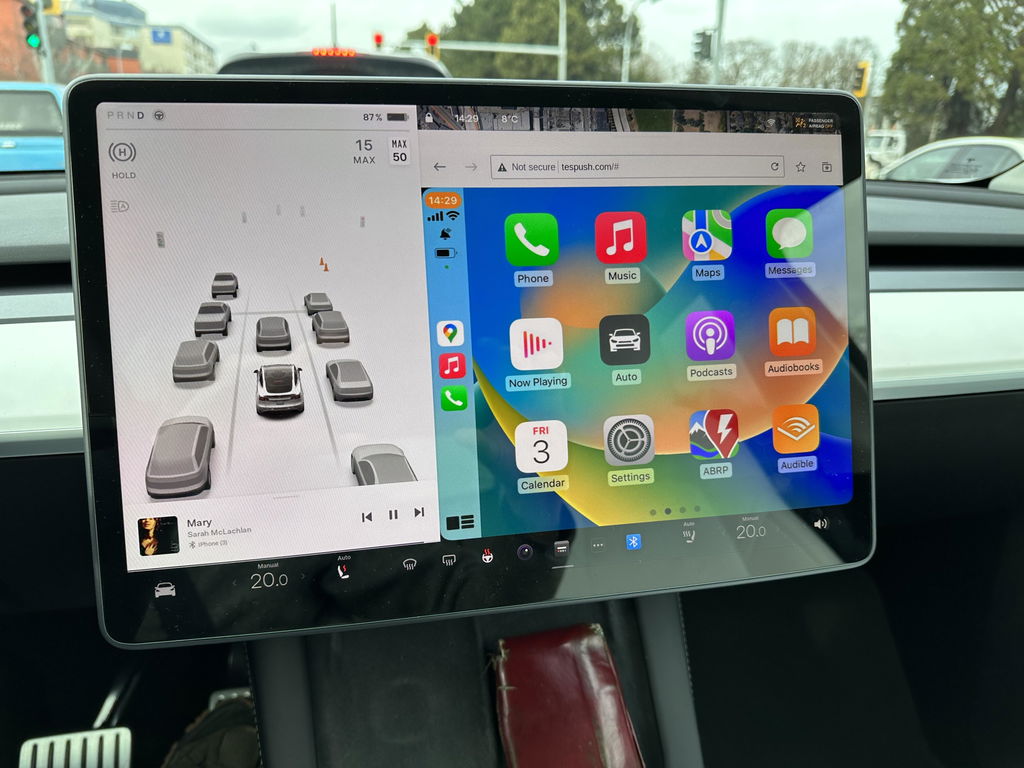
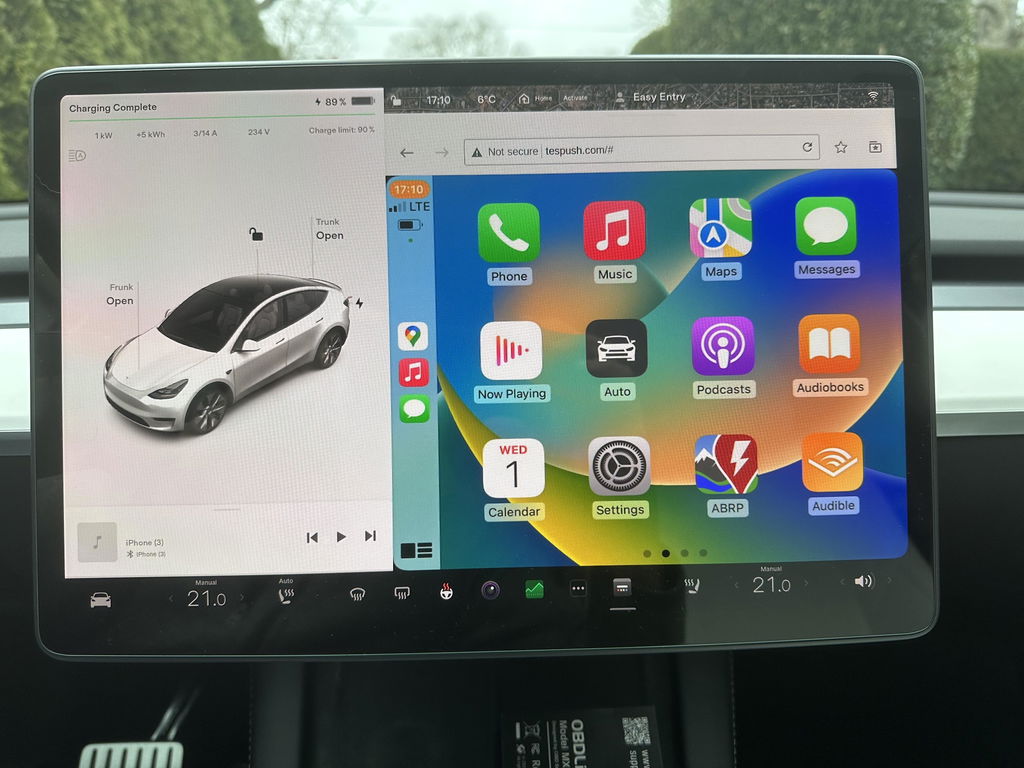
In a world where many gadgets don’t work. It worked perfectly. Simple to install and easy to use.
Thank you for your review! We're happy to hear the T2C was simple to install and works perfectly. If you ever need any help, our support team is always here. Enjoy your CarPlay!
This device is easy to set up and use. However, I have a 2018 model S and the screen is vertical, not horizontal like the newer models. The CarPlay display seems to be designed for the horizontal display not the vertical display. The right most portion of the screen looks like it’s been chopped off. Also, at least for my car the icons are huge, like it was designed for a low res display. Just be aware that for those model years that still have the vertical screen.
Thank you for sharing your feedback. For the vertical screen display issue on your 2018 Model S, please contact our support team at Support@carlinkitcarplay.com to get the appropriate firmware.
I tried to install in a 2026 Tesla Model 3 and had extreme difficulty in getting the Carlinkit to connect. After a dew days and many, many attempts (following the directions exactly as well as doing multiple internet searches for help), I was able to get it to connect once (with very poor resolution), but it quickly disconnected and was never able to connect again. Some of the issues may be on me since many others appear to have it working, but it should not be as hard and frustrating to connect a simple box for this function. I found an alternate mirroring app for 25% the price, no box, no use of a USB port and works flawlessly.
I opted to keep using the Tesla built in system
Thanks for your genuine review. We understand you prefer Tesla’s native system. Please reach out if you need support later.
Carlinkit T2C Tesla Apple CarPlay Adapter
Works great
Thank you so much for your positive feedback! We’re glad to hear the Carlinkit T2C works perfectly for your Tesla. Enjoy your wireless CarPlay experience! Feel free to reach out to us anytime should you need further support.
Bought the carlinkit for the Tesla . Connecton to the car was a breeze. Apple play works well. At times the apple car play gets disconnected on its own , maybe due to poor internet connection.
Overall a good product for those who wants to use applecarplay/android auto on their Tesla
Thanks for your valuable feedback! We’re delighted the adapter pairs seamlessly with your Tesla and works well with Apple CarPlay.
Intermittent disconnections usually stem from weak Wi-Fi network signals. You may enable the 'Remain connected in Drive' option to boost stability, or upgrade the device firmware for better signal performance.
We’re glad our unit meets the core demand of Tesla drivers to access wired CarPlay/Android Auto wirelessly, and appreciate your fair overall evaluation of our product.
Best Regards,
Carlinkit Carplay team
Sometimes it loses the GPS position
Working as stated.
Thank you for the kind review! 😊 It's great to hear that the T2C is performing just as expected — that's exactly what we aim for. Wishing you many smooth and enjoyable journeys with your Tesla!
Best Regards,
Carlinkit Carplay team
Took some time to get it to work. There are multiple steps ie wifi connection, software update etc. Once complete it works great.
Thanks for your feedback! Glad you got it set up successfully after going through the setup steps including Wi-Fi pairing and firmware update.
Feel free to reach out anytime if you need further assistance later.