




Was ist der Carlinkit T2C Tesla Apple CarPlay-Adapter?
Der Carlinkit T2C wurde speziell für Tesla entwickelt und unterstützt Tesla beim Upgrade mit kabellosem Carplay/Android Auto. Es funktioniert ohne SIM-Karte und ermöglicht Ihnen die Nutzung der vollen CarPlay-Funktionalität über Ihren Browser.

Merkmale:
✅Play and Play, bringen Sie Apple Carplay und ein komfortables Erlebnis in Ihren Tesla.
Mit dem Carlinkit T2C Tesla-Dongle können Sie Ihren Tesla nahtlos auf die drahtlosen Funktionen Apple CarPlay und Android Auto aufrüsten. Genießen Sie das Hören von Musik über Ihre Lieblingsanwendungen, das Tätigen von Telefonanrufen und das Herbeirufen von Siri mit nur Ihrer Stimme. Der T2C behält das ursprüngliche Betriebssystem des Autobildschirms von Tesla bei und erweitert es gleichzeitig um eine interaktive Schnittstelle, was einen schnellen Start von Tesla CarPlay und einen reibungsloseren Betrieb gewährleistet.


✅Siri-Assistent-Unterstützung erleichtert das Fahren.
Wenn Sie Ihren Tesla alleine fahren und niemand sonst Ihnen bei der Bedienung des Bildschirms helfen kann, könnte Ihnen Carlinkit T2C eine Hilfe zur Manipulation Ihres Tesla bieten. Wecken Sie einfach Siri wie auf einem iPhone, und schon können Sie Ihren Tesla steuern. Carlinkit T2C macht Ihre Autofahrt sicherer und bequemer.

✅Suchen Sie in der Suchleiste nach „Carplay“, um mehr Fahrspaß zu entdecken.

✅Mehr Navigationsoptionen für sicheres Fahren und präzise Navigation.
Mit dem T2C Carplay Tesla-Adapter haben Sie mehr Optionen bei der Auswahl von Navigations-Apps wie Waze und Google Maps. Es unterstützt mehr Kartensoftware, die in Echtzeit aktualisiert werden kann.

✅Split-Screen-Funktion.
Verbessern Sie Ihr Tesla-Erlebnis mit der Split-Screen-Funktionalität für Tesla Apple CarPlay. Navigieren Sie mühelos zwischen Apps und genießen Sie nahtloses Multitasking mit unserem drahtlosen Carlinkit T2C-Adapter.

✅Stabilerer und reibungsloserer Betrieb mit 2,4G+5,0G-WLAN.
Erleben Sie verbesserte Stabilität und nahtlosen Betrieb mit der 2,4G+5,0G-WLAN-Konnektivität des Carlinkit T2C. Genießen Sie eine reibungslosere drahtlose Verbindung für Ihr Tesla Apple CarPlay.

✅Wie verwende ich Carlinkit T2C in Ihrem Tesla?
Wenn Sie Ihrem Tesla-Auto drahtloses Carplay/Android Auto hinzufügen möchten, stellen Sie bitte sicher, dass Ihr Telefon über ein iPhone 6/IOS 10 oder höher verfügt. Android-Telefone müssen Android Auto unterstützen. Sie können die SIM-Karte einlegen oder den Hotspot des Telefons freigeben, damit das Gerät auf das Internet zugreifen kann.
Bitte verbinden Sie den T2C mit Ihrem Tesla, nachdem das Auto einen Gang eingelegt hat. (Zu diesem Zeitpunkt können Sie sich im Browser des Autobildschirms anmelden und http://tespuch.com eingeben.)

T2C unterstützt Sprachänderungen, Versions-Upgrades usw. in der Verbindungsschnittstelle.
LED-Anweisungen
LED 1: Mobiltelefon-Verbindungsstatus. Langsames Blinken nach erfolgreicher Verbindung.
LED 2: WIFI-Verbindungsstatus. Grünes Licht leuchtet nach erfolgreicher Verbindung weiter.
LED 3: Stromstatusanzeige. Das grüne Licht bleibt nach dem Einschalten an.
LED 4: 4G-Statusanzeige. Grünes Licht bleibt nach der Vernetzung eingeschaltet.

Passend für Auto und Handy:
Anwendbares Modell: Für Tesla alle Serienmodelle.
Wenn Ihr Modelljahr vor 2018 liegt, müssen bei der Nutzung von T2C folgende Bedingungen erfüllt sein:
- Browserunterstützung ist erforderlich.
- WLAN-Unterstützung ist erforderlich (ältere Autos können möglicherweise nicht nach 5G-Signalen suchen, daher müssen Sie für die Verbindung des Mobilgeräts auf 2,4G umstellen).
- Der Browser von Tesla muss auf Chrome 94 oder eine neuere Version aktualisiert werden.
Unterstützt iPhone 6 und neueres IOS 10 oder höher.
Unterstützt Android-Telefone mit Android 11.0+.
Hinweis: Tesla-Fahrer sollten sich auch dann auf die Straße konzentrieren, wenn das Tesla-Autopilot-Modell eingeschaltet ist.
Carlinkit T2C-Parameter:
| Modell | CPC200-T2C |
| MFI | 337S3959 |
| Leistungsaufnahme | 5 V ± 0,2 V ⎓ 1,0 A |
| Energieverbrauch | 3W |
| WiFi-Frequenz | 802.11a/b/g/n/ac, 2,4 G+5 G |
| Bluetooth-Version | 4.2 |
| Material | ABS+PC |
| Farbe | Schwarz |
| Oberflächenbehandlung | CD-Muster |
| Pressverfahren | Schnalle |
| Kompatibles Mobiltelefon | iPhone 6 und höher, iOS 10 und höher |
| Kompatibles Auto | Für alle Tesla-Serienmodelle |
| Auflösung | Adaptiv (behalten Sie die ursprüngliche Protokollauflösung bei) |
| Sprache | Automatische Umschaltung entsprechend der Fahrzeugsprachenumgebung |
| Datumskabel | USB-A auf USB-C*1 L=500mm |
| Verbindungshinweise | Kabellose Verbindung |
Packliste:
Verpackung * 1, Produkt * 1, Datenkabel * 2, Produkthandbuch * 1


Kompatible Liste:
Angepasst für Tesla-Fahrzeuge
Tesla Modell Y
Tesla Modell S
Tesla-Modell 3
Teslas CyberTruck
Beim Tesla Model X (es kann gelegentlich zu Kompatibilitätsproblemen mit unserem Produkt kommen, daher empfehlen wir es nicht für Besitzer dieses Fahrzeugmodells.)
Tipps:
- T2C ist nur für Tesla-Modellautos geeignet. Wenn Sie das Gerät mit einem SIM-Karten-Anschluss gekauft haben, können Sie es mit oder ohne SIM-Karte verwenden. Wenn Sie eine SIM-Karte einlegen (iPhone eSIM-Karte funktioniert auch), verbraucht die SIM-Karte nur eine geringe Menge an Daten, Navigation, Musik und anderen Anwendungen, die den Datenverkehr des Mobiltelefons nutzen, und nutzt nicht den Datenverkehr der T2C-SIM-Karte.
- Die folgenden Länder und Regionen können keine T2C-Produkte von Carlinkit verwenden: Taiwan, Hongkong undAustralien.
- Wenn Sie Carlinkit T2C in Israel verwenden und das Box-WLAN nicht sowohl vom Mobiltelefon als auch vom Auto gefunden werden kann, versuchen Sie bitte, den T2C-WLAN-Kanal auf 36-44 zu ändern ( Der Grund dafür ist, dass Israel nur die Kanäle 36–44 unterstützt und die T2C-Box standardmäßig auf 149 eingestellt ist.
- T2C ist mit iPhone 6 oder IOS 10 und höher kompatibel. Sowie Android-Telefone, die Android Auto unterstützen.
- Informationen zum Upgrade des T2C Tesla Apple Carplay-Dongle finden Sie im VIDEO-TUTORIAL .


337 Hervorragende Bewertungen

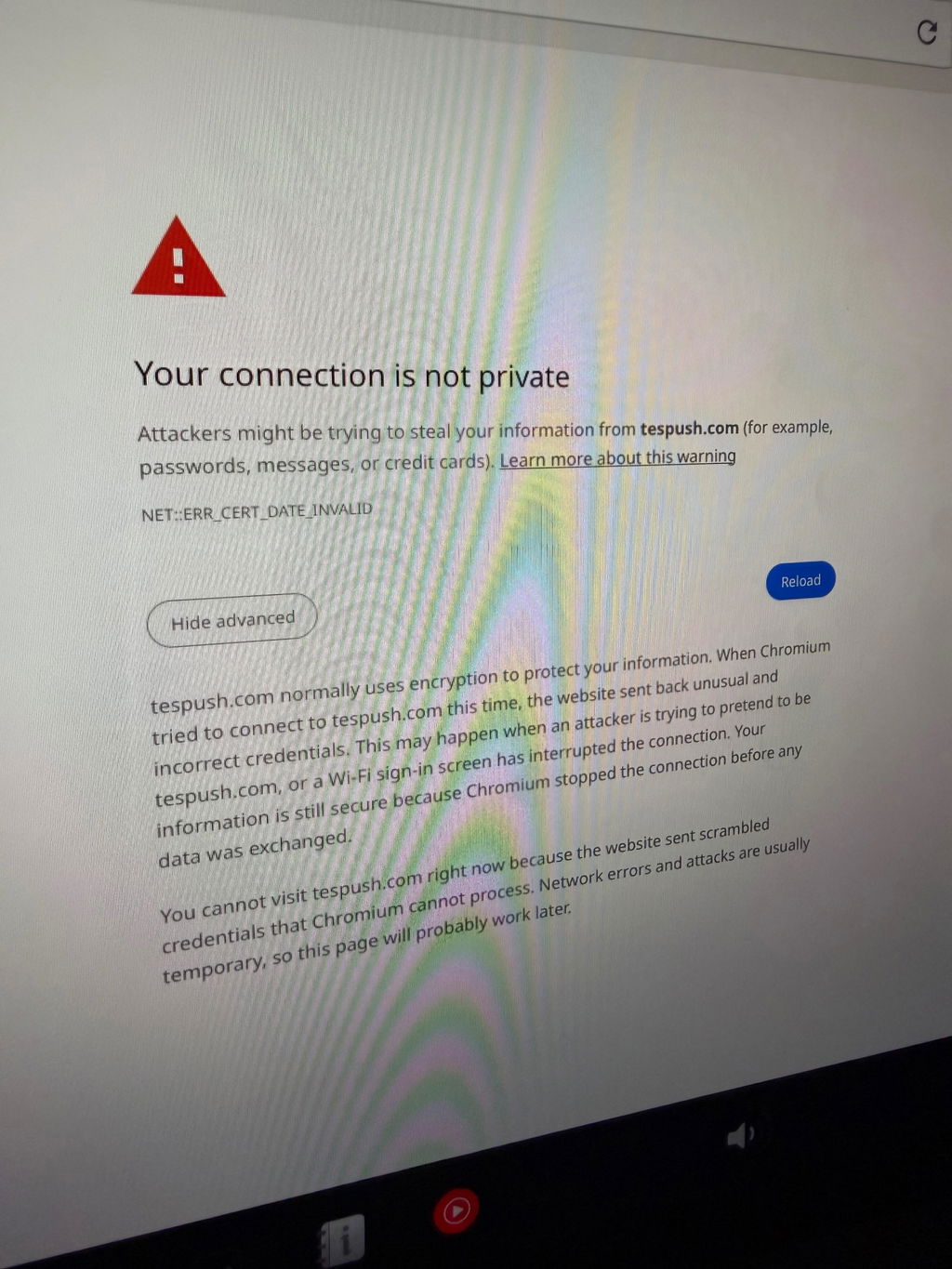
Unit needed to have firmware updated. Followed onscreen fix. Finally connected. Needed to add Waze to my Tesla.
Thank you for taking the time to share your feedback, and we sincerely apologize for the inconvenience caused by the firmware update process. We completely understand how frustrating it can be to receive a unit that requires updating straight out of the box.
Please rest assured that we will take your feedback seriously and work on improving this in future shipments to ensure customers receive the most up-to-date units possible.
In the meantime, if you need any further assistance, please feel free to contact our support team at support@carlinkitcarplay.com. We'll be more than happy to guide you through the process.
Perfetto. Funziona alla grande su la mia tesla Model s
Ringraziamo sinceramente per il tuo feedback positivo sul nostro prodotto: 'Super' e 'Perfetto'!È un piacere sapere che esso funziona alla grande sulla tua Tesla Model S.
Siamo impegnati a fornire prodotti di alta qualità per i nostri clienti, e il tuo commento ci motiva a fare di meglio.Se avrai bisogno di assistenza in futuro, non esitare a contattarci.
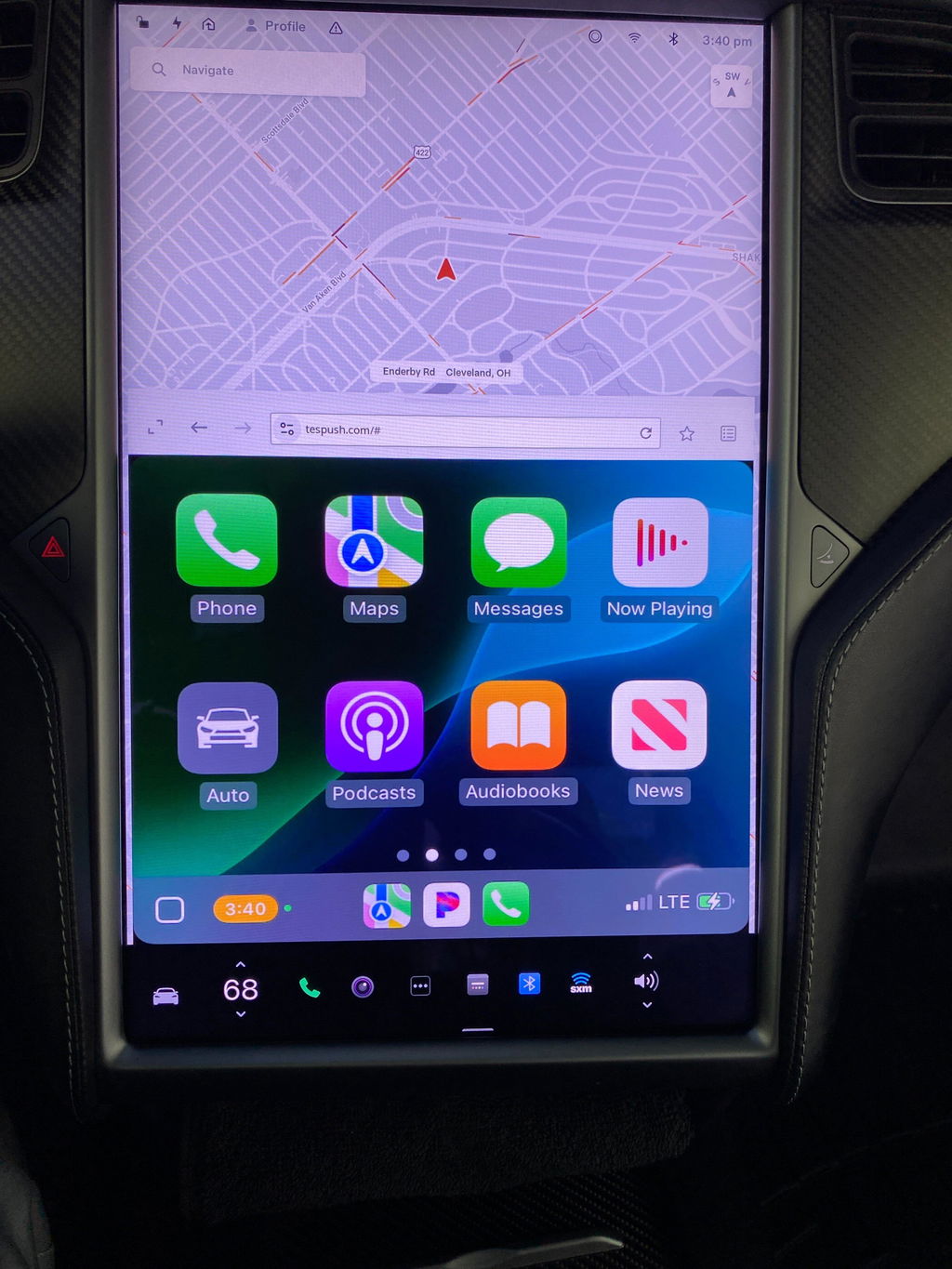
The Tesla CarPlay Adapter seems to be working. I really enjoy having Apple Carplay in the Tesla. I would recommend it to anyone driving a Tesla. I like the touch screen interface and playing Pandora.
Alles in allem ist das kleine Gerät top!
Was leider gegen eine 5 Sterne Bewertung spricht,
Mein Model S verbindet sich meist nicht selbstständig mit dem WLAN des T2C.
Wenn es sich dann doch das eine oder andere mal selbsttändig mit meinem Model S verbindet, kommt ewig der Einstellungsbildschirn, da es sich nicht mit meinem iPhone (14 Pro Max) verbindet.
Nichts desto trotz ist dies alles verschmerzter, da ich endlich wieder Apple CarPlay im Auto habe. und dies sogar Wireless.
Dies macht mich sehr glücklich!
Wenn in Zukunft die Defenzite per Firmware Update in den Griff bekommen werden können, habe wir hier ein Perfektes und Preiswertes Gerät um Wireless CarPlay auf jeden Webbrowser zu bekommen!
Ich liebe es!
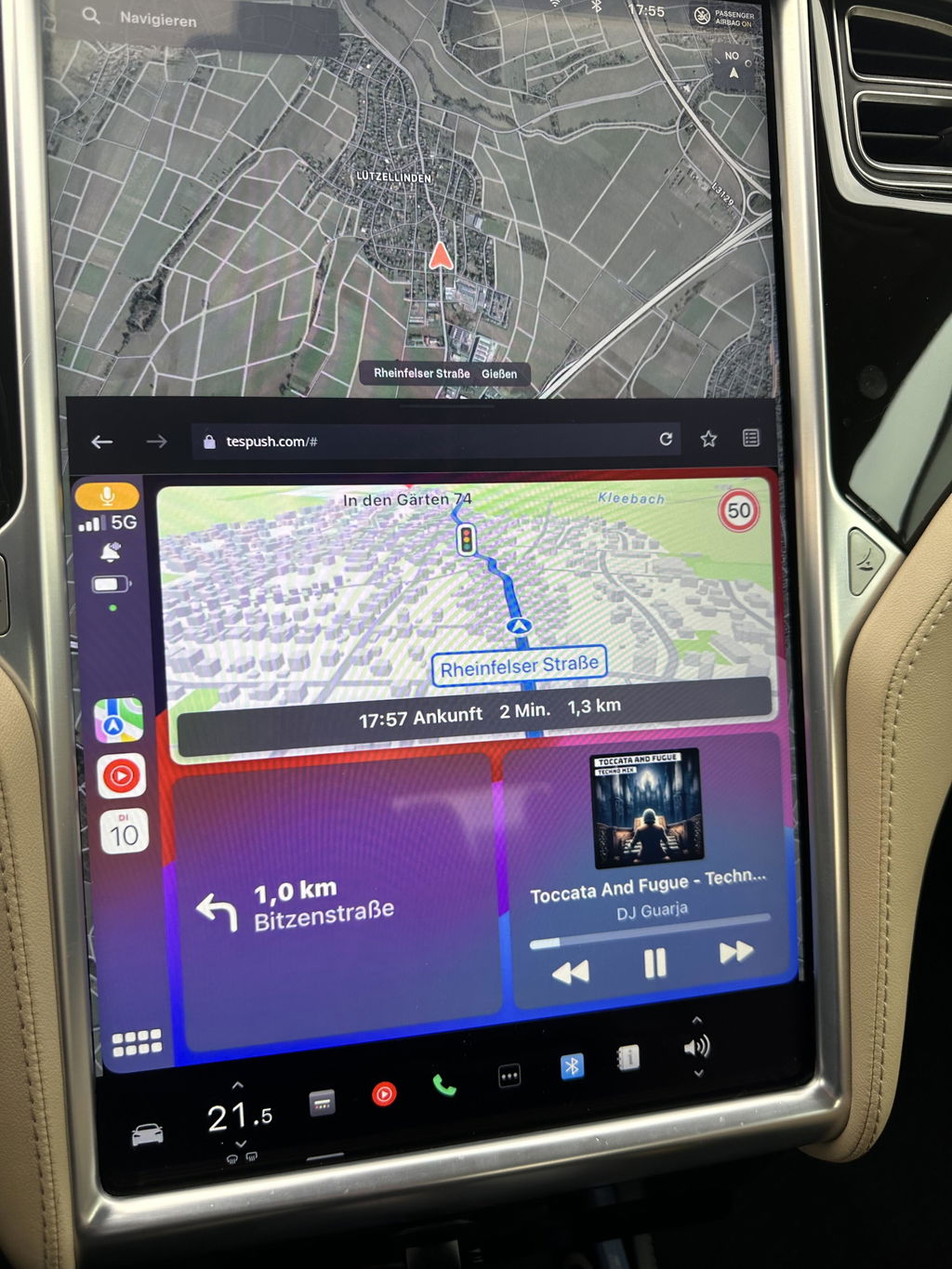
Works well, though a bit capricious. Needs to be rebooted regularly (uplug-replug, fast) when you re-enter your car, and gets disconnected when driving if your phone is out of network. But it does the job 95% of the time. I now have Waze, WhatsApp, GoogleMaps, Apple Music, etc. On my Tesla, for a very reasonable price. Thank you!
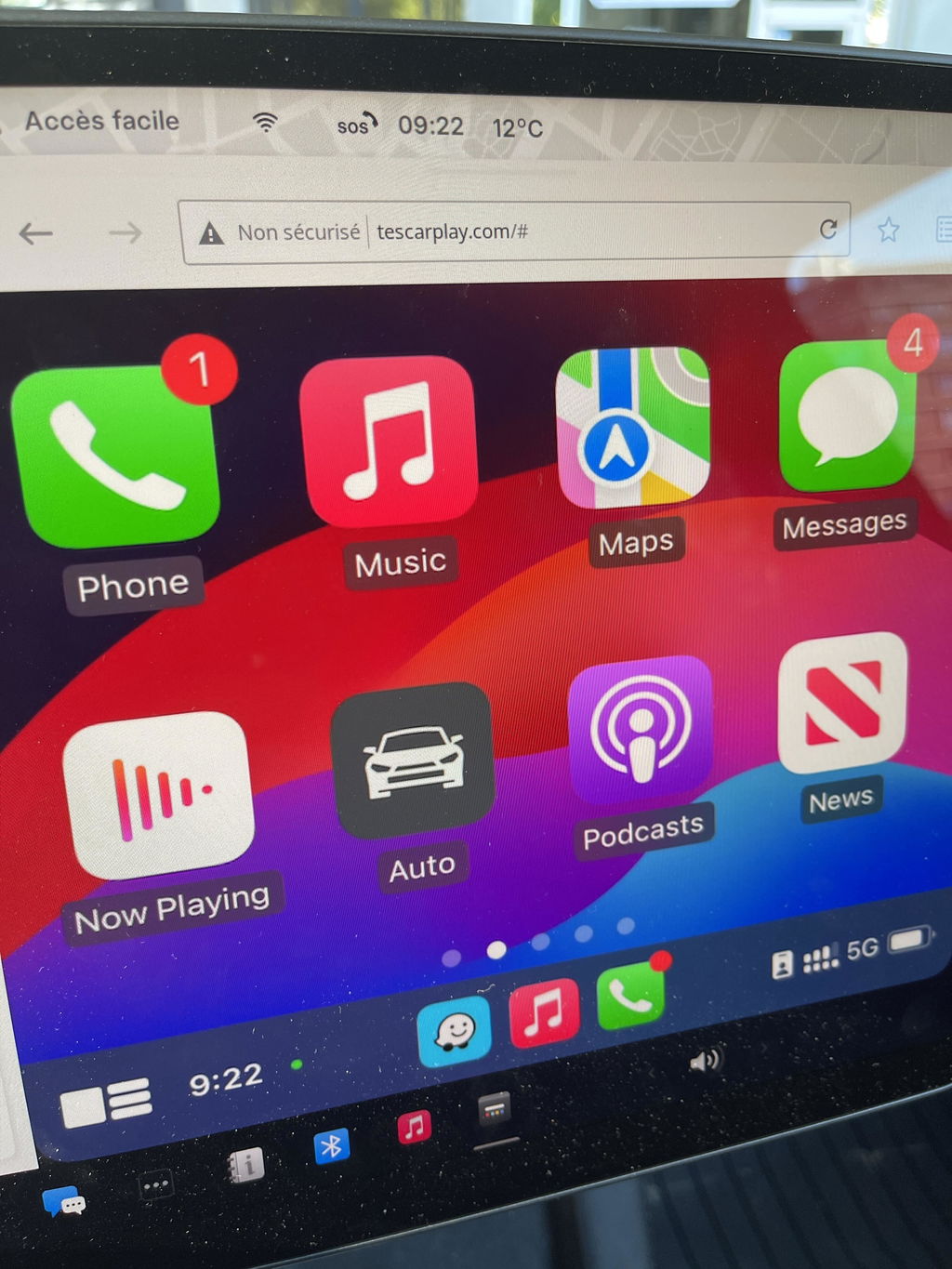
Product arrived quickly and in order, works great.
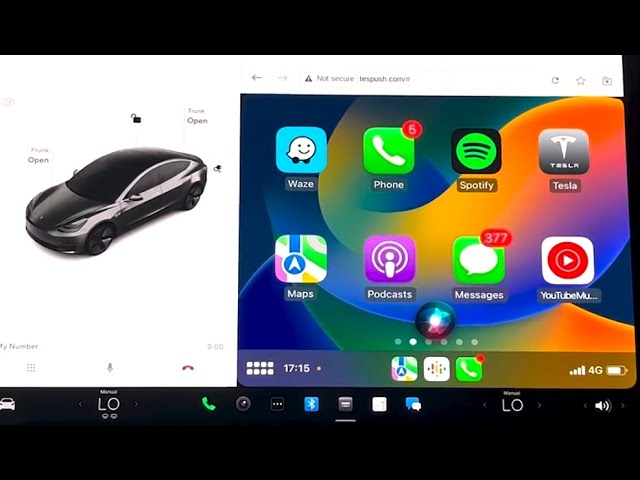
Wow, very impressed! Once everything we setup properly (CarPlay, Bluetooth, phone wifi sharing, "stay connected while in drive", etc — which took all of 3 mins) it started working right away. I found the "video" render mode instead of "picture" to be the smoothest, even with HD graphics on. Very happy with the product!
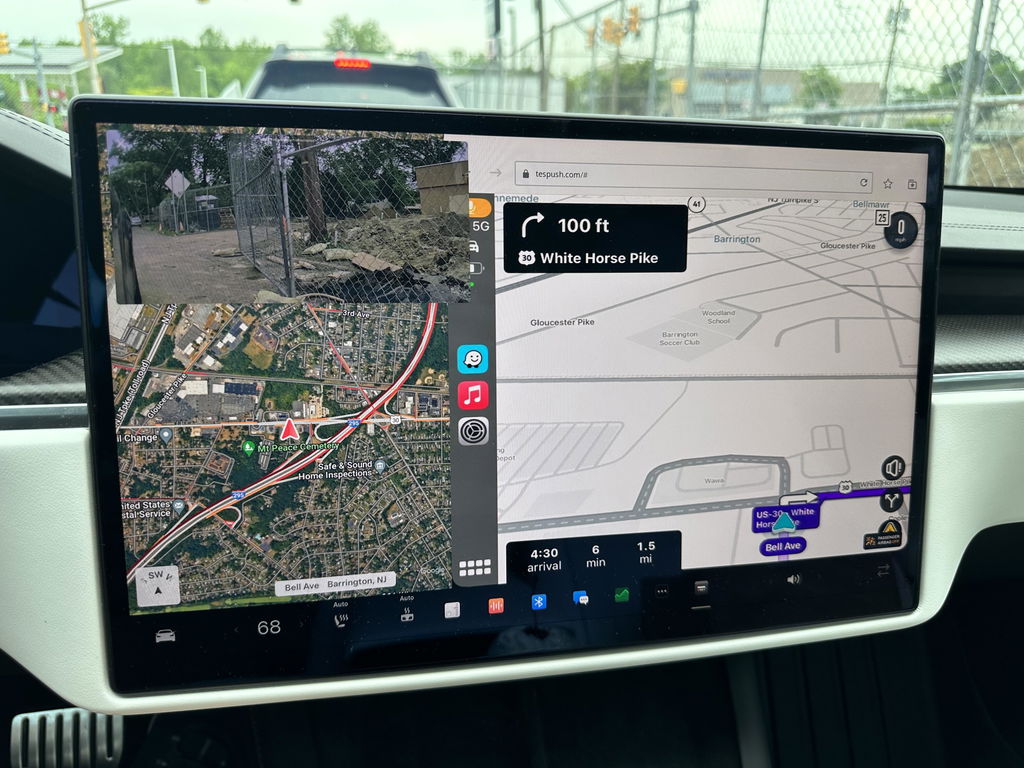
Have been using with my Tesla model 3. Not using SIM card. Works fantastic. Great to get Waze on Tesla screen. However sometimes the screen disappears and needs refreshing. But still love this device.
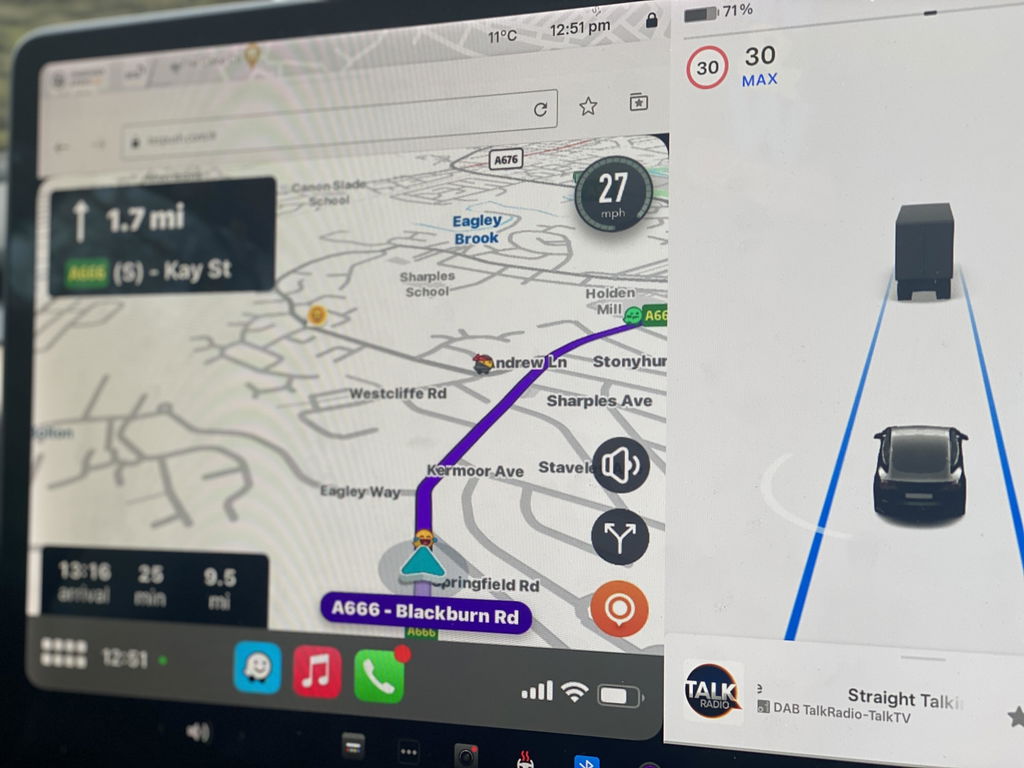
Definitely follow the latest YT video as it is much less complicated than the old instructions that it ships with. Working great and as advertised.
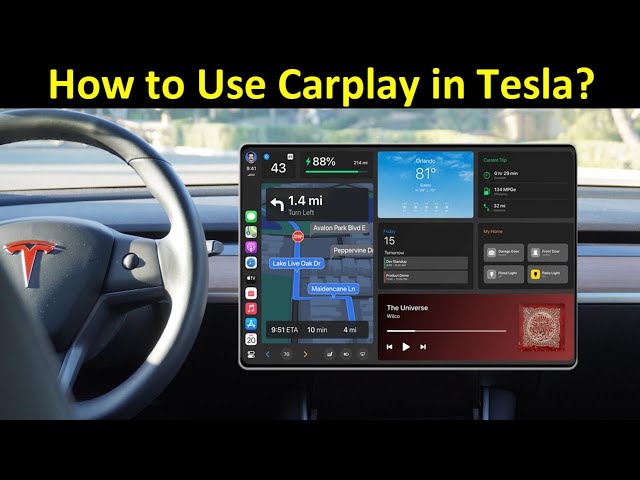
Equipment easy to install and start up. I had a problem when I started it because I got an ERROR: NET::ERR_CERT_DATE_INVALID I contacted the Carlinkit support department by email and in 3 days they sent me instructions to update the firmware and get it working.
You have all the features of Carplay and in my case I wanted WAZE which works very well.
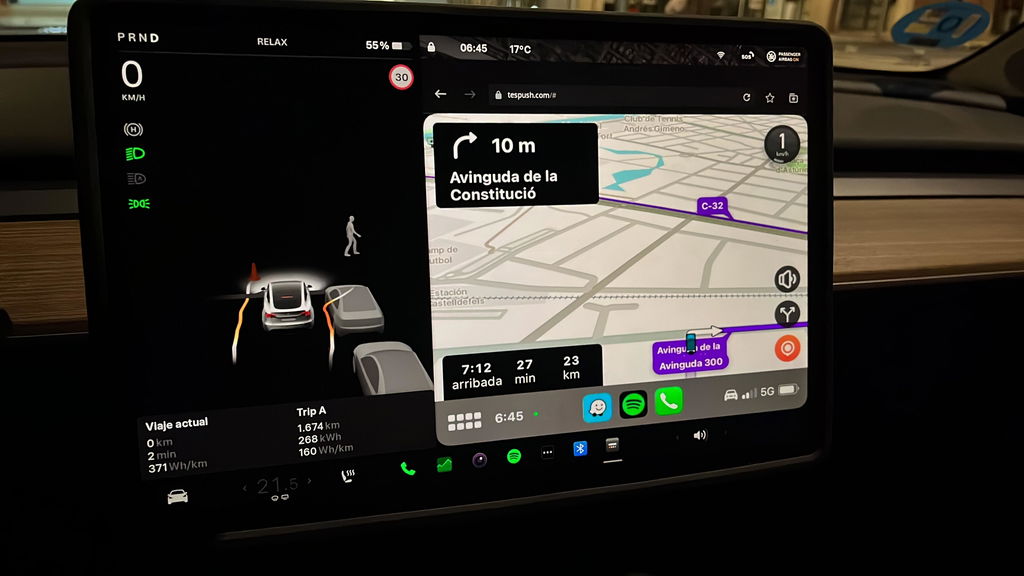
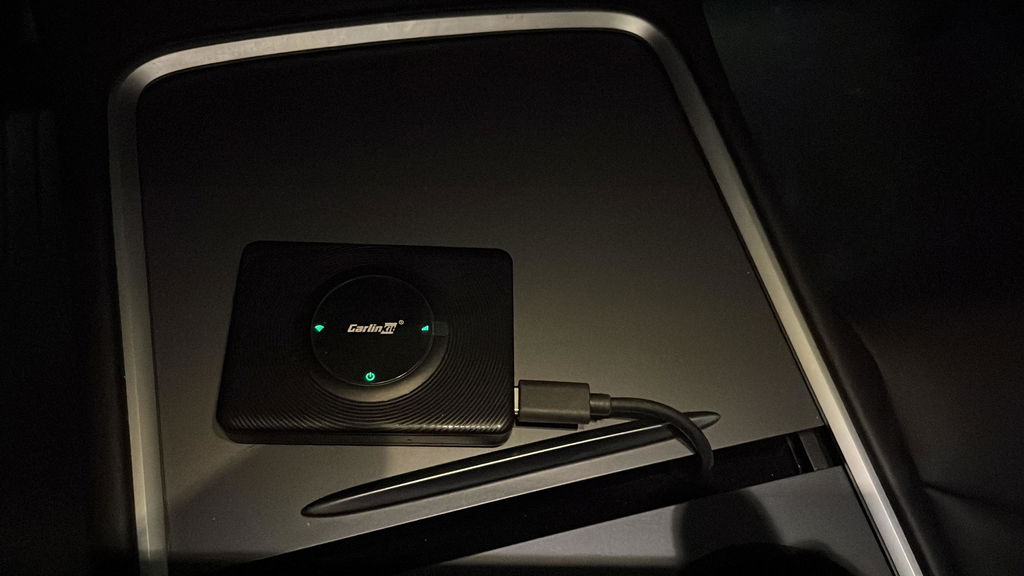
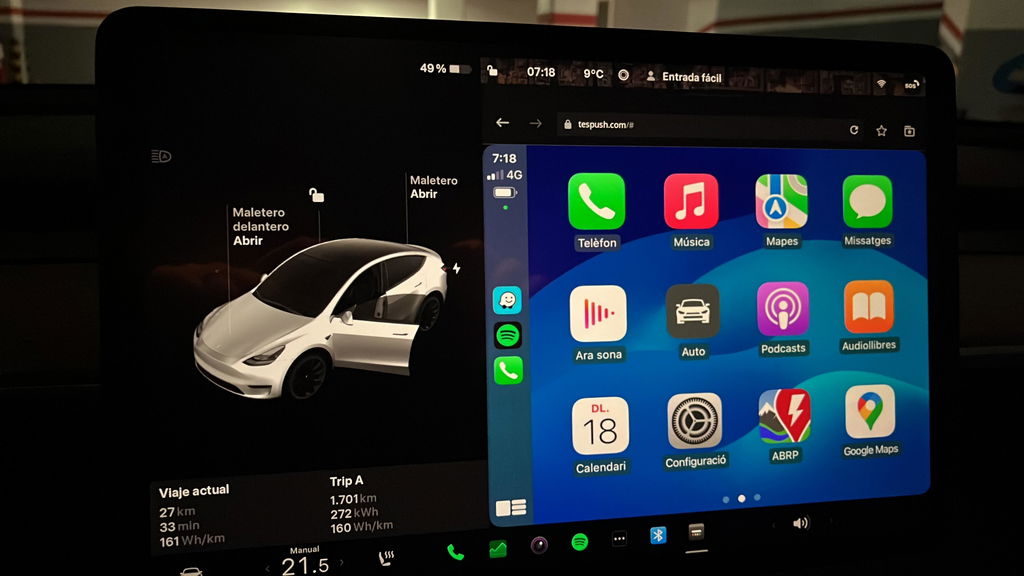
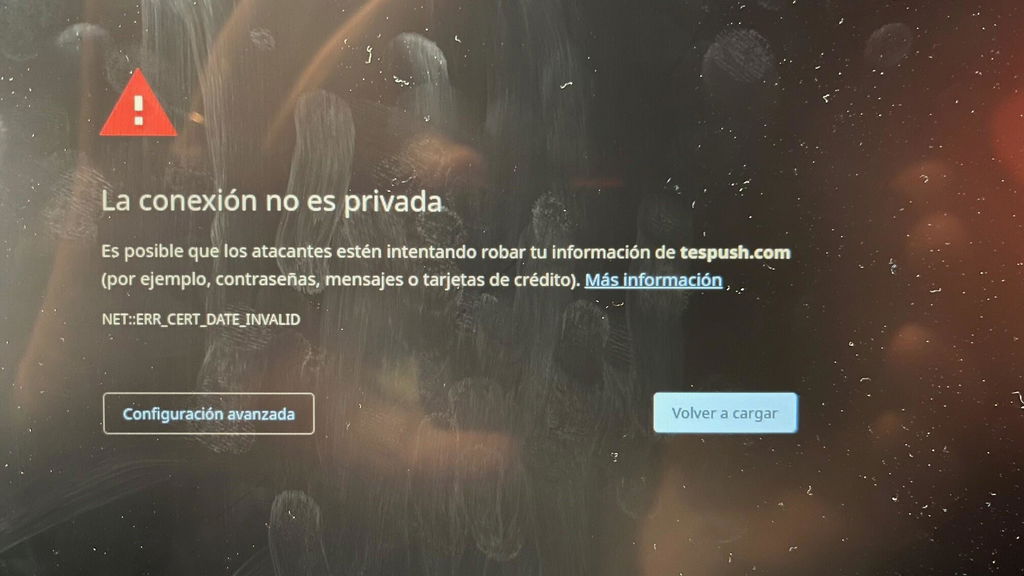
I like it and will be keeping it. I’m trying to optimize the connection at home to stop it from connecting to my phone when I don’t want it to (leave it switched on, unplug it, add a USB switch, disable CarPlay on the phone as I enter the house) but in the car it does the job nicely. The audio is clear (because it’s Bluetooth directly between car and phone) and it is fully functional for Hey Siri, phone calls etc. The Tesla browser window is a good size so the CarPlay map displays are large and easy to use. After buying the unit it is free to use now that it doesn’t require a SIM and I am expecting to not pay for Premium Connectivity when my trial expires since I get live traffic, and streaming audio through CarPlay. In theory, it pays for itself in the first 12 months.
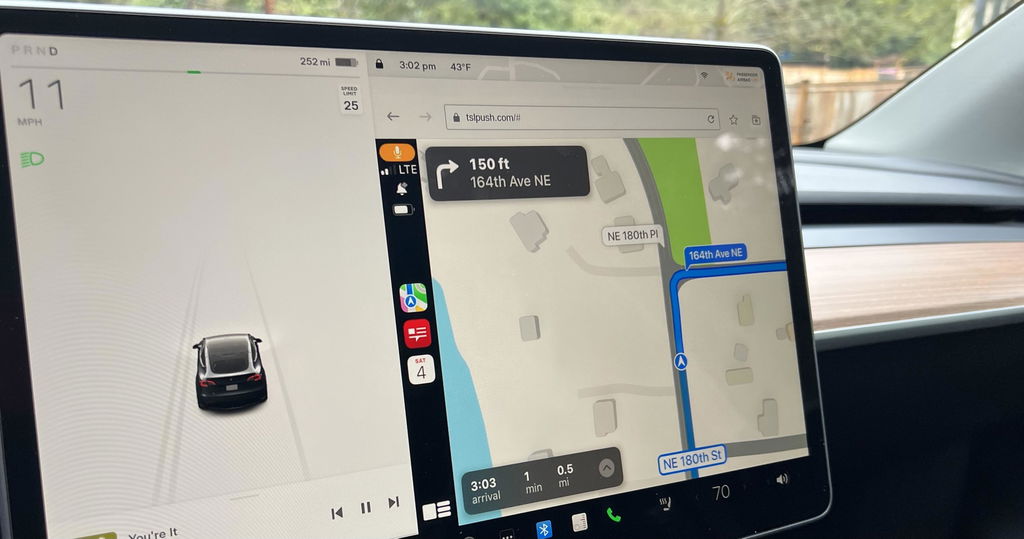
This should be part of the Tesla, OEM software.
The t2c is a very interesting device, works using my iPhone as a personal hotspot, device connects to my Tesla through Bluetooth and displays Apple CarPlay using the Tesla browser.
Initially had lots of browser crashes, usually within minutes of connecting, now fixed with Tesla V11 and t2c firmware updates. Ran for an hour yesterday with no glitches, so bumping up to 4 stars. Only issue is that you have to reconnect your personal hotspot to your car, which is more of a Tesla issue!
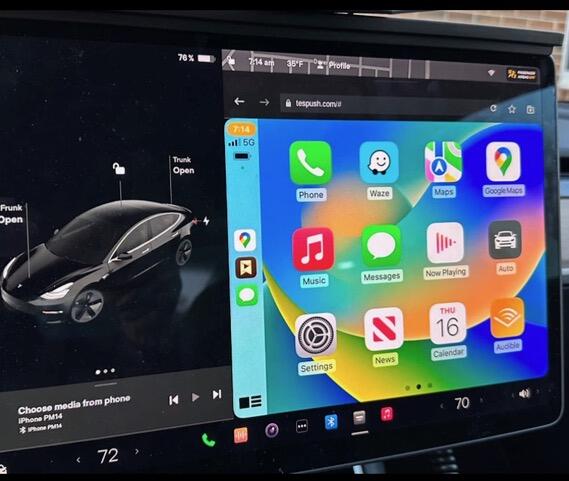
Over all a good purchase. Sometimes can be a bit fussy booting up after leaving the car and returning. This is easily dealt with by de- powering the carlink unit and then re starting it. Also you must make sure that he Tesla’s wifi is on and that carlink net is selected as sometimes the wifi defaults to off when the car is locked and left. Once Carlink is up and running, it’s very stable and works well.
I’m really pleased to be able to enjoy Apple CarPlay in my Tesla.
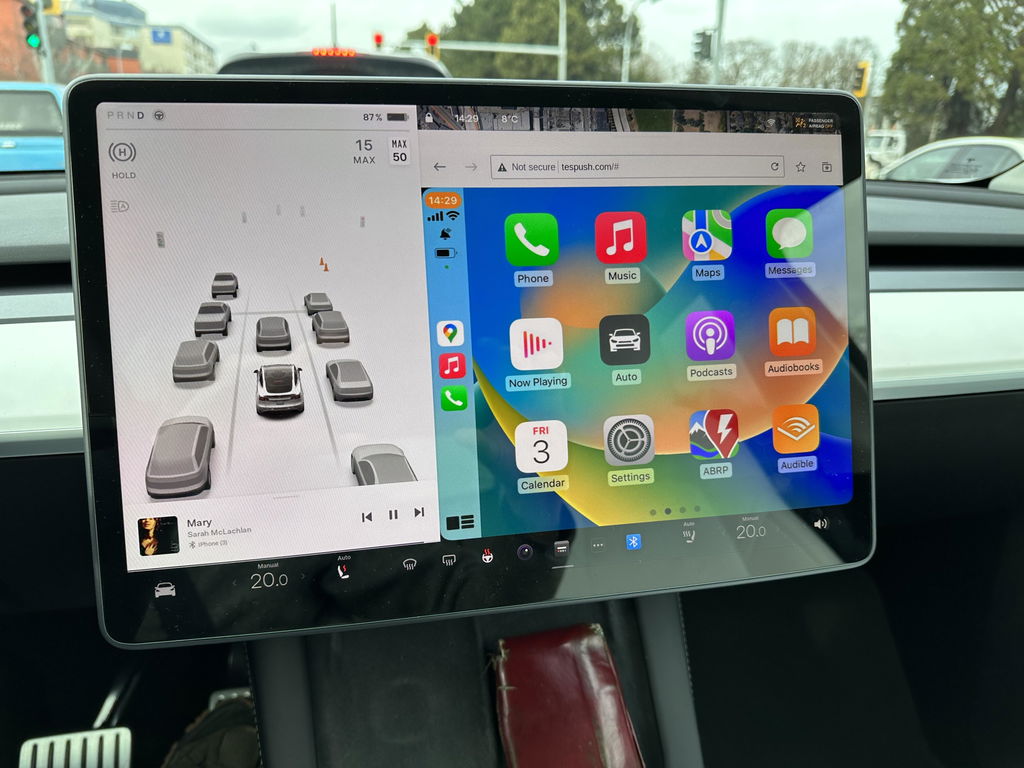
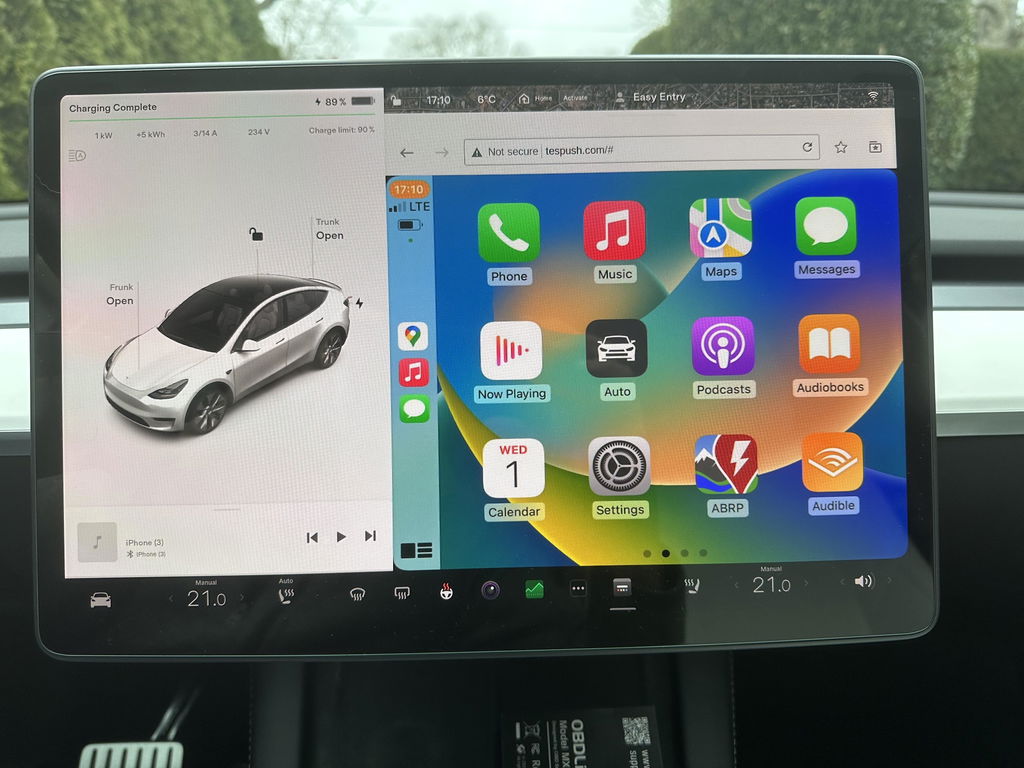
In a world where many gadgets don’t work. It worked perfectly. Simple to install and easy to use.
Thank you for your review! We're happy to hear the T2C was simple to install and works perfectly. If you ever need any help, our support team is always here. Enjoy your CarPlay!
This device is easy to set up and use. However, I have a 2018 model S and the screen is vertical, not horizontal like the newer models. The CarPlay display seems to be designed for the horizontal display not the vertical display. The right most portion of the screen looks like it’s been chopped off. Also, at least for my car the icons are huge, like it was designed for a low res display. Just be aware that for those model years that still have the vertical screen.
Thank you for sharing your feedback. For the vertical screen display issue on your 2018 Model S, please contact our support team at Support@carlinkitcarplay.com to get the appropriate firmware.
I tried to install in a 2026 Tesla Model 3 and had extreme difficulty in getting the Carlinkit to connect. After a dew days and many, many attempts (following the directions exactly as well as doing multiple internet searches for help), I was able to get it to connect once (with very poor resolution), but it quickly disconnected and was never able to connect again. Some of the issues may be on me since many others appear to have it working, but it should not be as hard and frustrating to connect a simple box for this function. I found an alternate mirroring app for 25% the price, no box, no use of a USB port and works flawlessly.
I opted to keep using the Tesla built in system
Thanks for your genuine review. We understand you prefer Tesla’s native system. Please reach out if you need support later.
Carlinkit T2C Tesla Apple CarPlay Adapter
Works great
Thank you so much for your positive feedback! We’re glad to hear the Carlinkit T2C works perfectly for your Tesla. Enjoy your wireless CarPlay experience! Feel free to reach out to us anytime should you need further support.
Bought the carlinkit for the Tesla . Connecton to the car was a breeze. Apple play works well. At times the apple car play gets disconnected on its own , maybe due to poor internet connection.
Overall a good product for those who wants to use applecarplay/android auto on their Tesla
Thanks for your valuable feedback! We’re delighted the adapter pairs seamlessly with your Tesla and works well with Apple CarPlay.
Intermittent disconnections usually stem from weak Wi-Fi network signals. You may enable the 'Remain connected in Drive' option to boost stability, or upgrade the device firmware for better signal performance.
We’re glad our unit meets the core demand of Tesla drivers to access wired CarPlay/Android Auto wirelessly, and appreciate your fair overall evaluation of our product.
Best Regards,
Carlinkit Carplay team
Sometimes it loses the GPS position
Working as stated.
Thank you for the kind review! 😊 It's great to hear that the T2C is performing just as expected — that's exactly what we aim for. Wishing you many smooth and enjoyable journeys with your Tesla!
Best Regards,
Carlinkit Carplay team
Took some time to get it to work. There are multiple steps ie wifi connection, software update etc. Once complete it works great.
Thanks for your feedback! Glad you got it set up successfully after going through the setup steps including Wi-Fi pairing and firmware update.
Feel free to reach out anytime if you need further assistance later.