




Wat is de Carlinkit T2C Tesla Apple CarPlay-adapter?
De Carlinkit T2C is speciaal ontworpen voor Tesla en helpt Tesla te upgraden met draadloze Carplay/Android Auto. Het werkt zonder simkaart en stelt u in staat de volledige CarPlay-functionaliteit via uw browser te gebruiken.

Functies:
✅Speel en speel, breng Apple Carplay en een comfortabele ervaring naar uw Tesla.
Met de Carlinkit T2C Tesla-dongle kunt u uw Tesla naadloos upgraden met draadloze Apple CarPlay en Android Auto. Geniet van luisteren naar muziek via je favoriete applicaties, voer telefoongesprekken en roep Siri op met alleen je stem. De T2C behoudt het originele besturingssysteem van Tesla voor het autoscherm en verbetert het met een interactieve interface, waardoor een snelle start van Tesla CarPlay en een soepelere werking wordt gegarandeerd.


✅Siri-assistent-ondersteuning, maakt het gemakkelijker om te rijden.
Als u alleen met uw Tesla rijdt en niemand anders u kan helpen bij het bedienen van het scherm, kan Carlinkit T2C u voorzien van een hulpmiddel om uw Tesla te manipuleren. Wek Siri gewoon op zoals u dat op een iPhone doet, en dan kunt u uw Tesla besturen. Carlinkit T2C maakt uw autorit veiliger en handiger.

✅Zoek naar "Carplay" in de zoekbalk voor meer rijplezier.

✅Meer navigatieopties voor veilig rijden en nauwkeurige navigatie.
Met de T2C Carplay Tesla-adapter heeft u meer opties bij het kiezen van navigatie-apps, zoals Waze en Google Maps. Het ondersteunt meer kaartsoftware die in realtime kan worden bijgewerkt.

✅Split-screen-functie.
Verbeter uw Tesla-ervaring met Split-Screen-functionaliteit voor Tesla Apple CarPlay. Navigeer moeiteloos tussen apps en geniet van naadloos multitasken met onze Carlinkit T2C draadloze adapter.

✅ Stabielere en soepelere werking met 2.4G+5.0G-Wifi.
Ervaar verbeterde stabiliteit en naadloze werking met de 2.4G+5.0G WiFi-connectiviteit van de Carlinkit T2C. Geniet van een soepelere draadloze verbinding voor uw Tesla Apple CarPlay.

✅Hoe gebruik je Carlinkit T2C in je Tesla?
Als u draadloze Carplay/Android Auto aan uw Tesla-auto wilt toevoegen, zorg er dan voor dat uw telefoon iPhone 6/IOS 10 of hoger is. Voor Android-telefoons moeten deze Android Auto ondersteunen. U kunt de simkaart plaatsen of de hotspot van de telefoon delen, zodat het apparaat toegang krijgt tot internet.
Verbind de T2C met uw Tesla nadat de auto in een versnelling staat. (Op dat moment kunt u inloggen op de browser van het autoscherm en http://tespuch.com openen)

T2C ondersteunt taalverandering, versie-upgrades, enz. in de verbindingsinterface.
LED-instructies
LED 1: Interconnectiestatus van mobiele telefoon. Langzaam knipperend na succesvolle verbinding.
LED 2: WIFI-verbindingsstatus. Het groene lampje blijft branden na een succesvolle verbinding.
LED 3: Indicatie van de voedingsstatus. Het groene lampje blijft branden nadat het apparaat is ingeschakeld.
LED 4: 4G-statusindicatie. Groen licht blijft branden na het netwerken.

Geschikt voor auto's en mobiele telefoons:
Toepasselijk model: voor Tesla alle seriemodellen.
Als uw modeljaar vóór 2018 ligt, moet aan de volgende voorwaarden worden voldaan bij het gebruik van T2C:
- Browserondersteuning is vereist.
- WiFi-ondersteuning is vereist (oudere auto's kunnen mogelijk niet naar 5G-signalen zoeken, dus u moet overschakelen naar 2,4G voor de verbinding van het mobiele apparaat).
- De browser van Tesla moet worden geüpgraded naar Chrome 94 of een nieuwere versie.
Ondersteun iPhone 6 en nieuwer IOS 10 of hoger.
Ondersteun Android-telefoons met Android 11.0+.
Opmerking: Tesla-bestuurders moeten zich op de weg concentreren, zelfs als het Tesla Autopilot-model is ingeschakeld.
Carlinkit T2C-parameters:
| Model | CPC200-T2C |
| MFI | 337S3959 |
| Stroomaansluiting | 5V±0,2V⎓1,0A |
| Energieverbruik | 3W |
| WiFi-frequentie | 802.11a/b/g/n/ac, 2.4G+5G |
| Bluetooth-versie | 4.2 |
| Materiaal | ABS+PC |
| Kleur | Zwart |
| Oppervlakte behandeling | CD-patroon |
| Persmethode | Gesp |
| Compatibele mobiele telefoon | iPhone 6 en hoger, iOS 10 en hoger |
| Compatibele auto | Voor Tesla alle seriemodellen |
| Oplossing | Adaptief (handhaaf de oorspronkelijke protocolresolutie) |
| Taal | Automatisch schakelen afhankelijk van de taalomgeving van het voertuig |
| Datum kabel | USB-A naar USB-C*1 L=500mm |
| Verbindingstips | Draadloze verbinding |
Paklijst:
Verpakkingsdoos * 1, Product * 1, Datakabel * 2, Producthandleiding * 1


Compatibele lijst:
Aangepast voor Tesla-voertuigen
Tesla Model Y
Tesla Model S
Tesla-model 3
Tesla CyberTruck
Tesla Model X (kan af en toe compatibiliteitsproblemen ondervinden met ons product, dus we raden dit niet aan voor eigenaren van dit voertuigmodel.)
Tips:
- T2C is alleen geschikt voor Tesla-modelauto's. Als degene die u hebt gekocht een simkaartpoort heeft, kunt u deze met of zonder simkaart gebruiken. Als u een simkaart plaatst (iPhone eSIM-kaart werkt ook), verbruikt de simkaart slechts een kleine hoeveelheid data, navigatie, muziek en andere applicaties die gebruik maken van het verkeer van de mobiele telefoon en niet van het verkeer van de T2C-simkaart.
- De volgende landen en regio's kunnen geen Carlinkit T2C-producten gebruiken: Taiwan, Hong Kong en Australië.
- Wanneer u Carlinkit T2C in Israël gebruikt en er een situatie is waarin de WiFi-box niet kan worden gevonden door zowel de mobiele telefoon als de auto, probeer dan het T2C Wi-Fi-kanaal te wijzigen naar 36-44 ( de reden is dat Israël alleen de kanalen 36-44 ondersteunt, en de T2C-box is standaard ingesteld op 149).
- T2C is compatibel met iPhone 6 of IOS 10 en hoger. Evenals Android-telefoons die Android Auto ondersteunen.
- Raadpleeg DE VIDEO-TUTORIAL om de T2C Tesla Apple Carplay-dongle te upgraden.


337 Uitstekende recensies

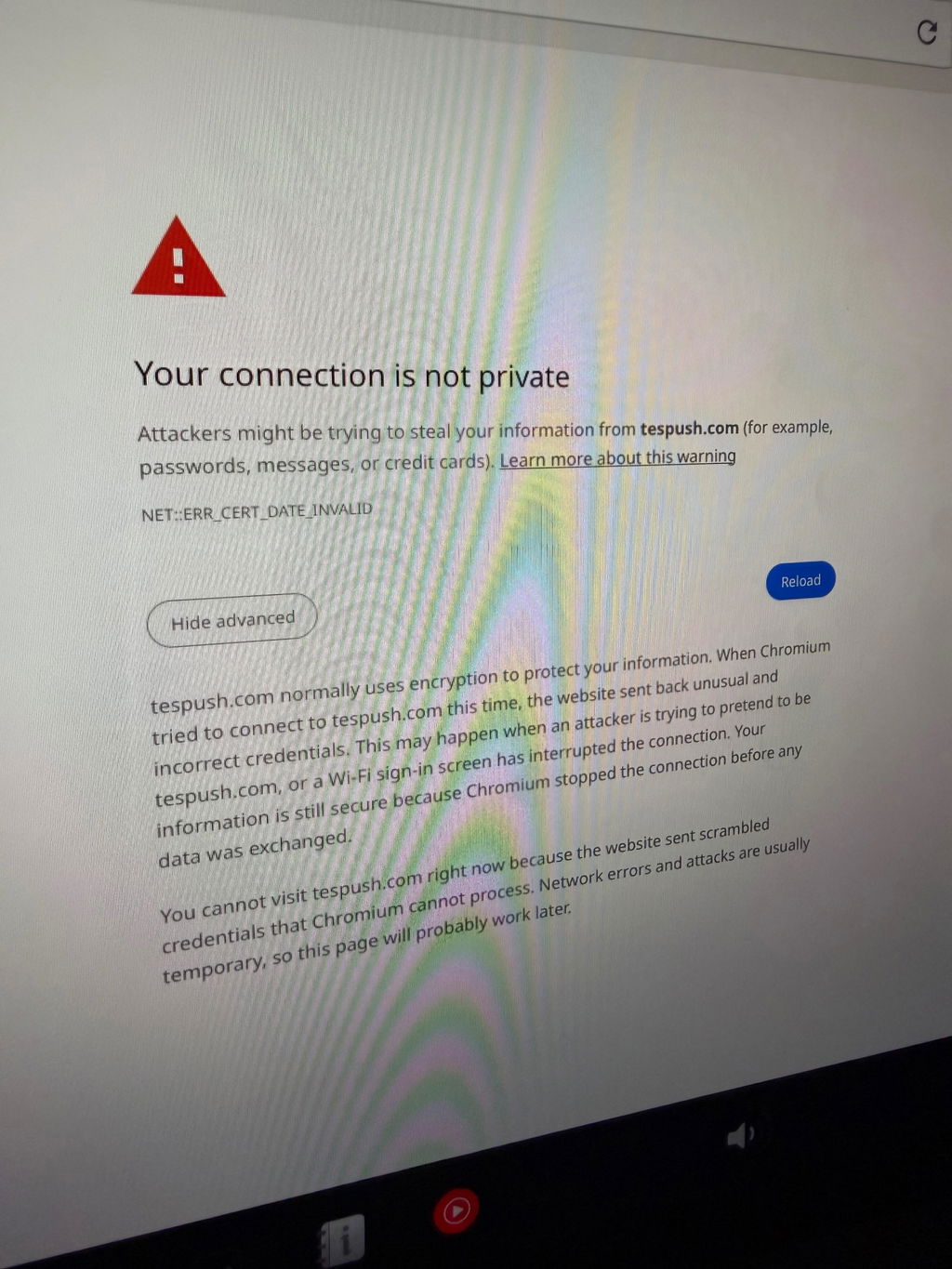
Unit needed to have firmware updated. Followed onscreen fix. Finally connected. Needed to add Waze to my Tesla.
Thank you for taking the time to share your feedback, and we sincerely apologize for the inconvenience caused by the firmware update process. We completely understand how frustrating it can be to receive a unit that requires updating straight out of the box.
Please rest assured that we will take your feedback seriously and work on improving this in future shipments to ensure customers receive the most up-to-date units possible.
In the meantime, if you need any further assistance, please feel free to contact our support team at support@carlinkitcarplay.com. We'll be more than happy to guide you through the process.
Perfetto. Funziona alla grande su la mia tesla Model s
Ringraziamo sinceramente per il tuo feedback positivo sul nostro prodotto: 'Super' e 'Perfetto'!È un piacere sapere che esso funziona alla grande sulla tua Tesla Model S.
Siamo impegnati a fornire prodotti di alta qualità per i nostri clienti, e il tuo commento ci motiva a fare di meglio.Se avrai bisogno di assistenza in futuro, non esitare a contattarci.
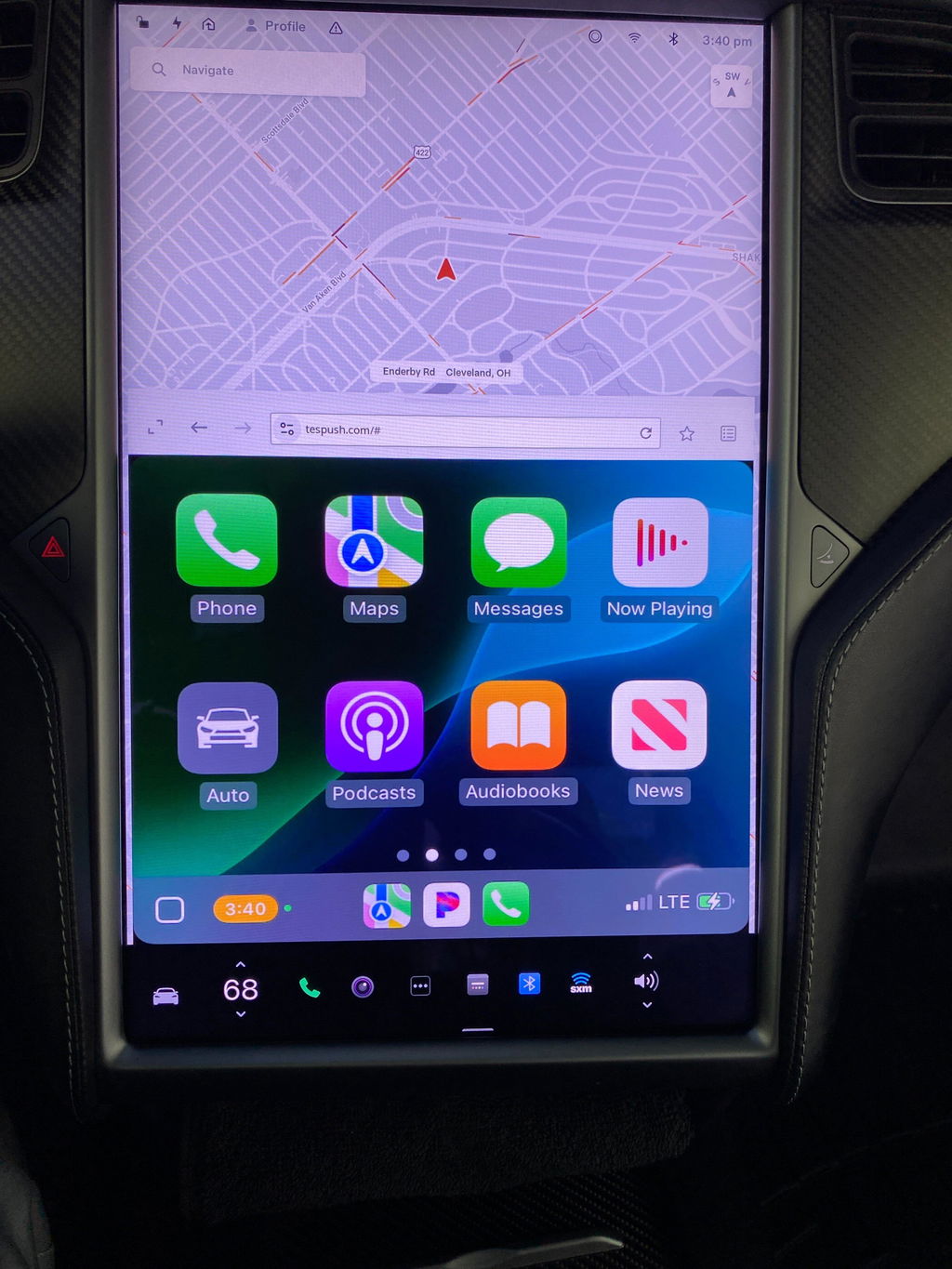
The Tesla CarPlay Adapter seems to be working. I really enjoy having Apple Carplay in the Tesla. I would recommend it to anyone driving a Tesla. I like the touch screen interface and playing Pandora.
Alles in allem ist das kleine Gerät top!
Was leider gegen eine 5 Sterne Bewertung spricht,
Mein Model S verbindet sich meist nicht selbstständig mit dem WLAN des T2C.
Wenn es sich dann doch das eine oder andere mal selbsttändig mit meinem Model S verbindet, kommt ewig der Einstellungsbildschirn, da es sich nicht mit meinem iPhone (14 Pro Max) verbindet.
Nichts desto trotz ist dies alles verschmerzter, da ich endlich wieder Apple CarPlay im Auto habe. und dies sogar Wireless.
Dies macht mich sehr glücklich!
Wenn in Zukunft die Defenzite per Firmware Update in den Griff bekommen werden können, habe wir hier ein Perfektes und Preiswertes Gerät um Wireless CarPlay auf jeden Webbrowser zu bekommen!
Ich liebe es!
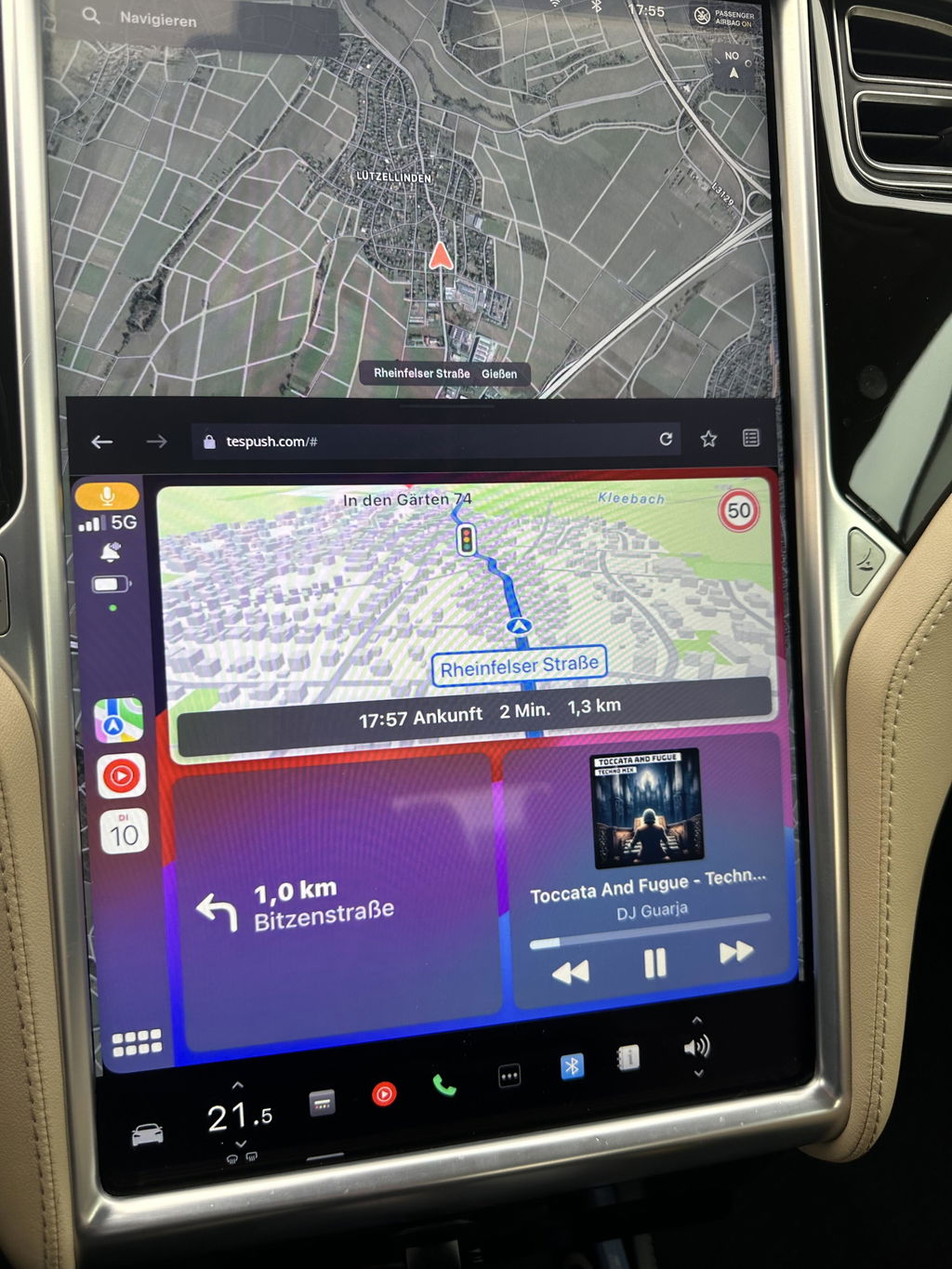
Works well, though a bit capricious. Needs to be rebooted regularly (uplug-replug, fast) when you re-enter your car, and gets disconnected when driving if your phone is out of network. But it does the job 95% of the time. I now have Waze, WhatsApp, GoogleMaps, Apple Music, etc. On my Tesla, for a very reasonable price. Thank you!
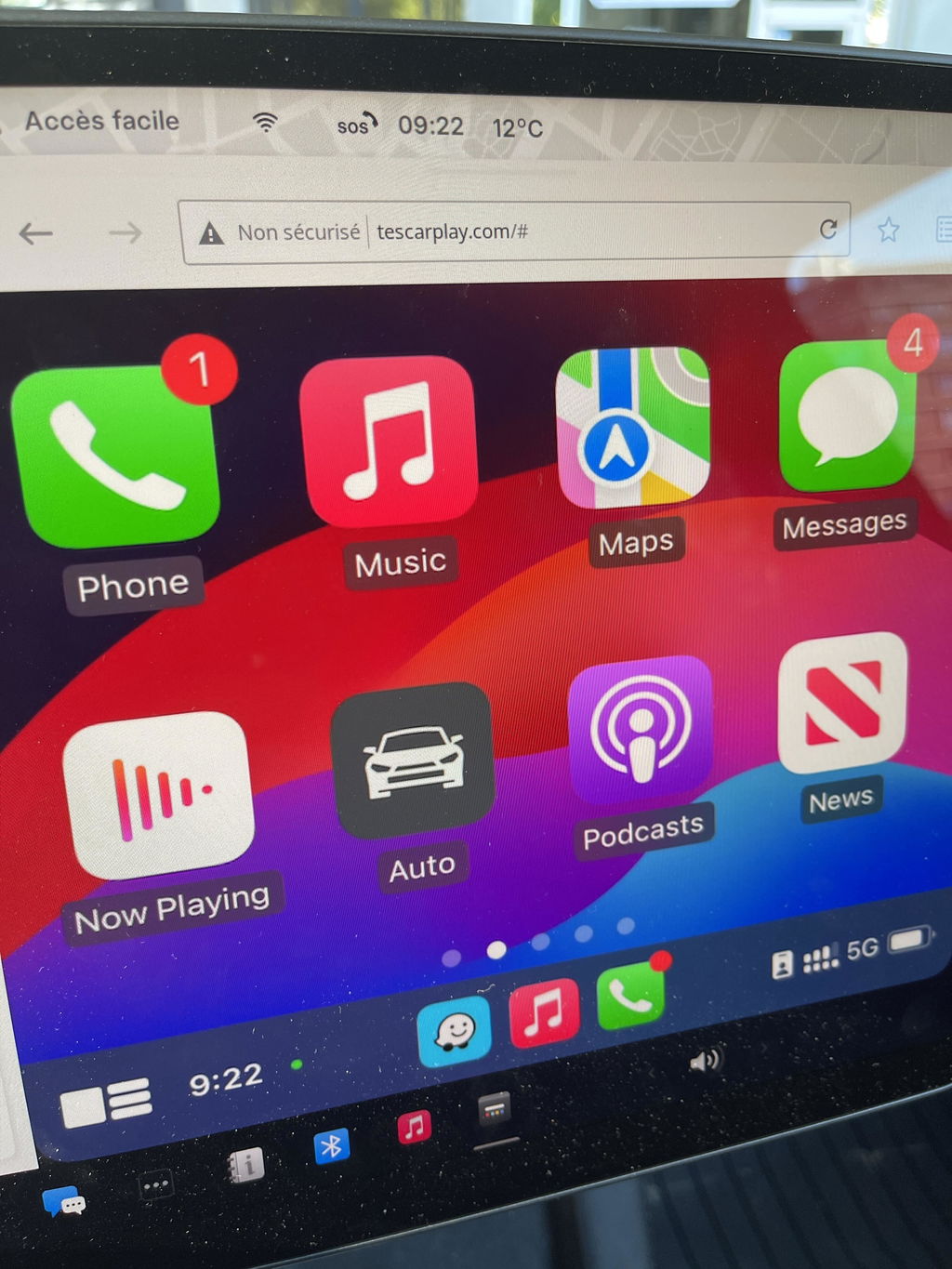
Product arrived quickly and in order, works great.
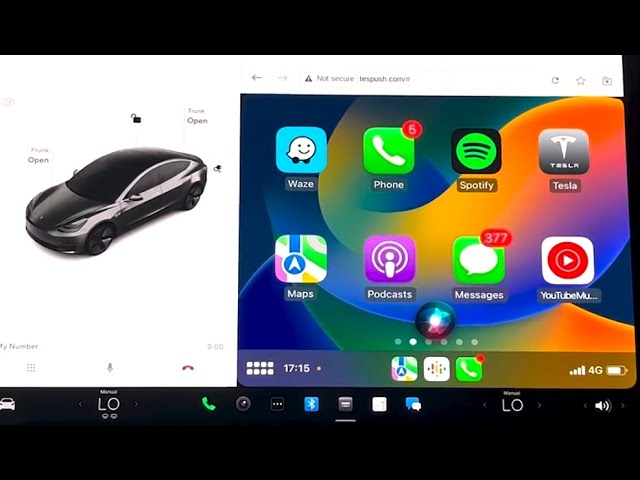
Wow, very impressed! Once everything we setup properly (CarPlay, Bluetooth, phone wifi sharing, "stay connected while in drive", etc — which took all of 3 mins) it started working right away. I found the "video" render mode instead of "picture" to be the smoothest, even with HD graphics on. Very happy with the product!
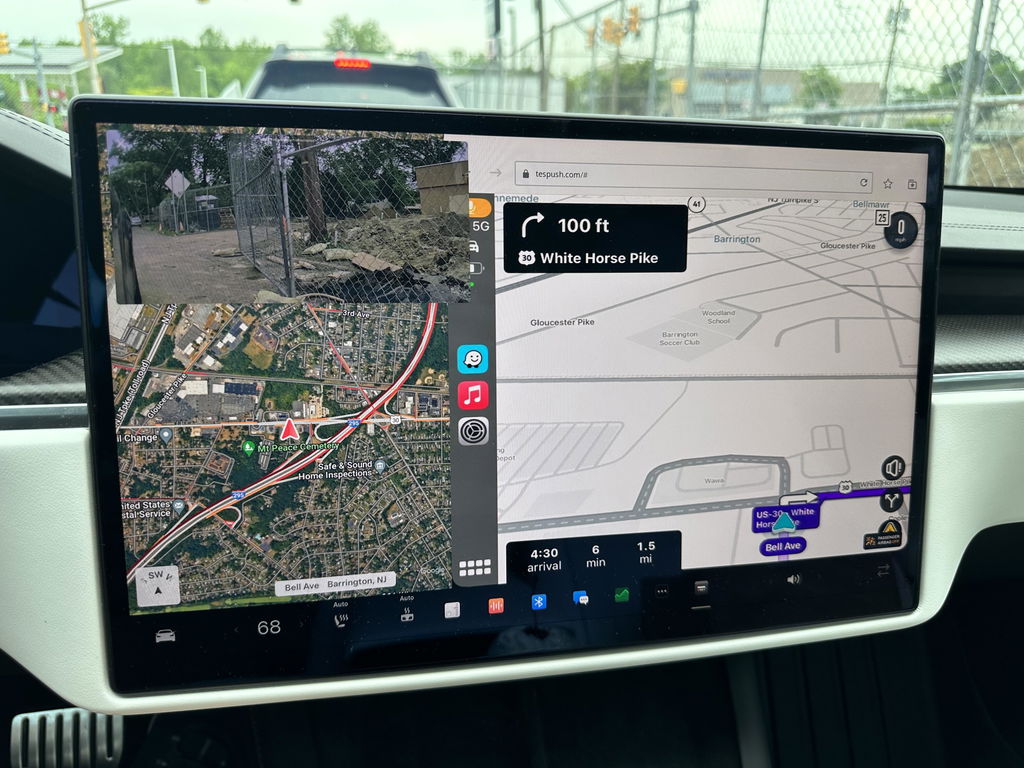
Have been using with my Tesla model 3. Not using SIM card. Works fantastic. Great to get Waze on Tesla screen. However sometimes the screen disappears and needs refreshing. But still love this device.
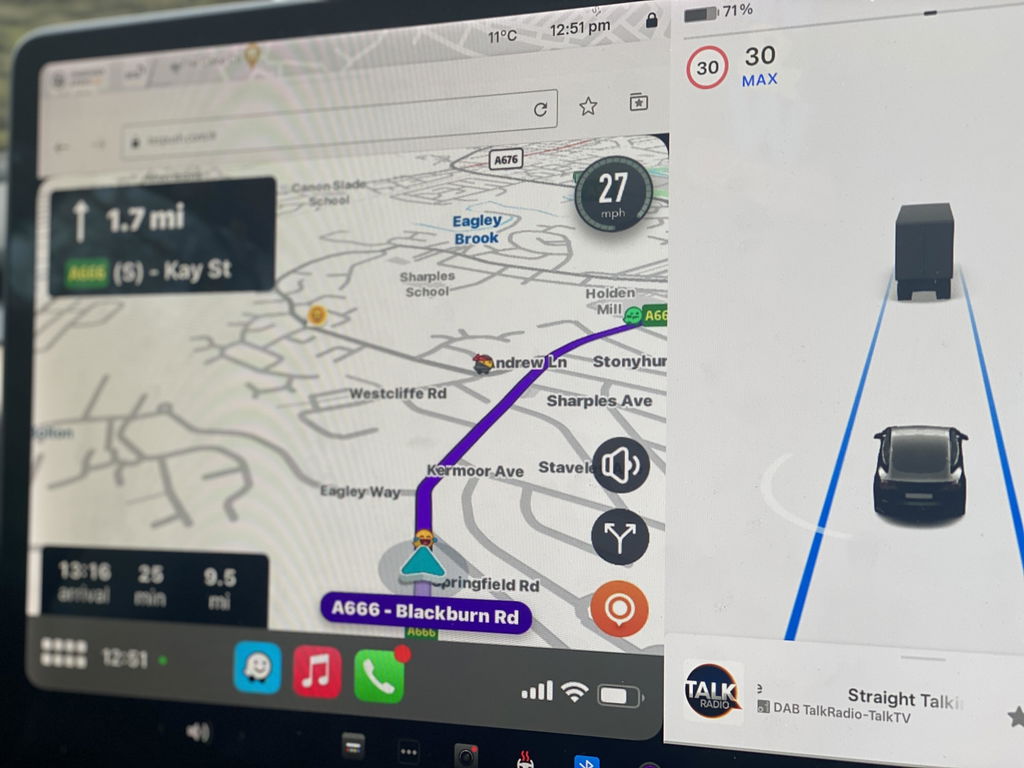
Definitely follow the latest YT video as it is much less complicated than the old instructions that it ships with. Working great and as advertised.
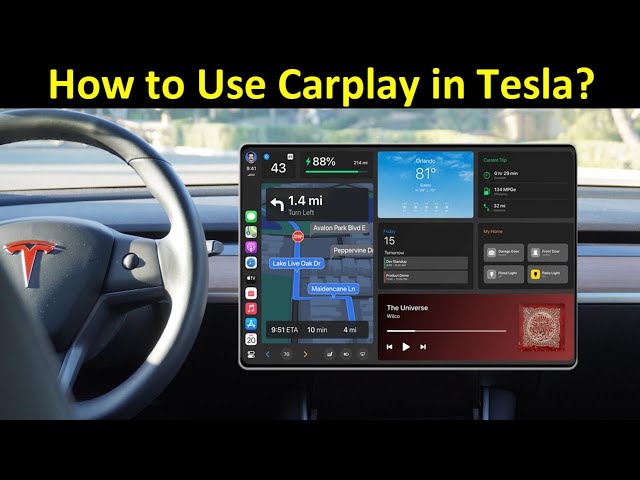
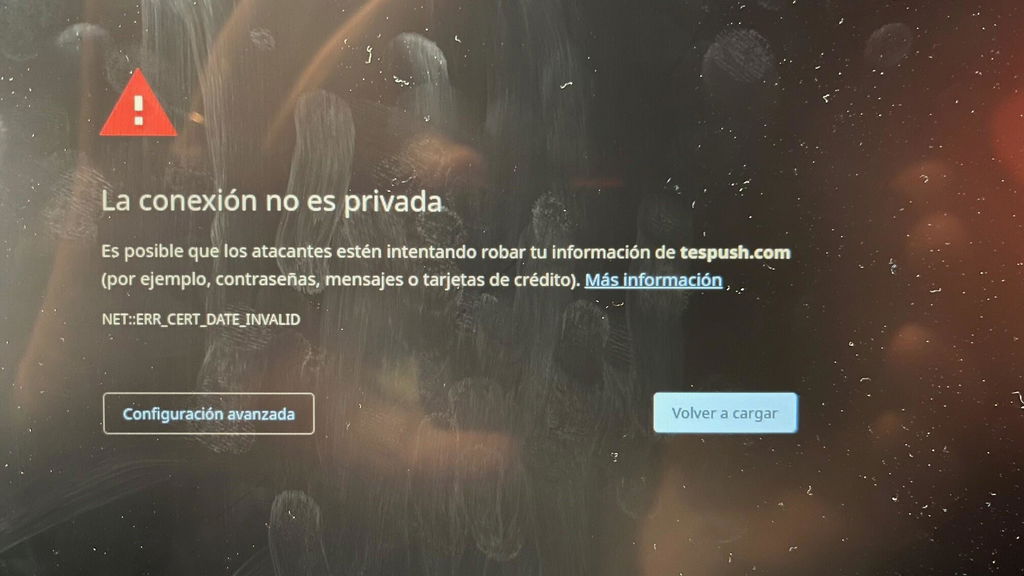
Equipment easy to install and start up. I had a problem when I started it because I got an ERROR: NET::ERR_CERT_DATE_INVALID I contacted the Carlinkit support department by email and in 3 days they sent me instructions to update the firmware and get it working.
You have all the features of Carplay and in my case I wanted WAZE which works very well.
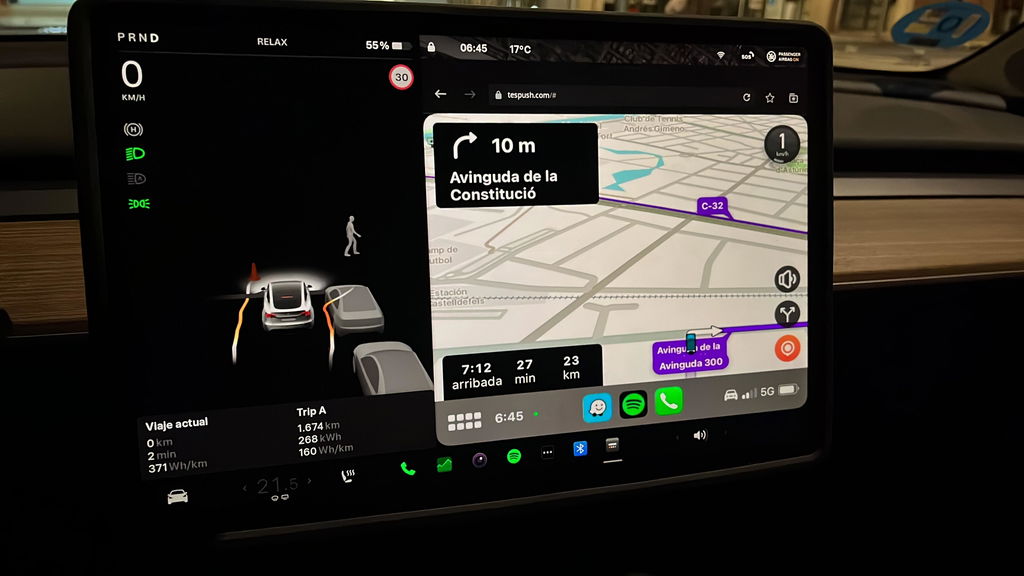
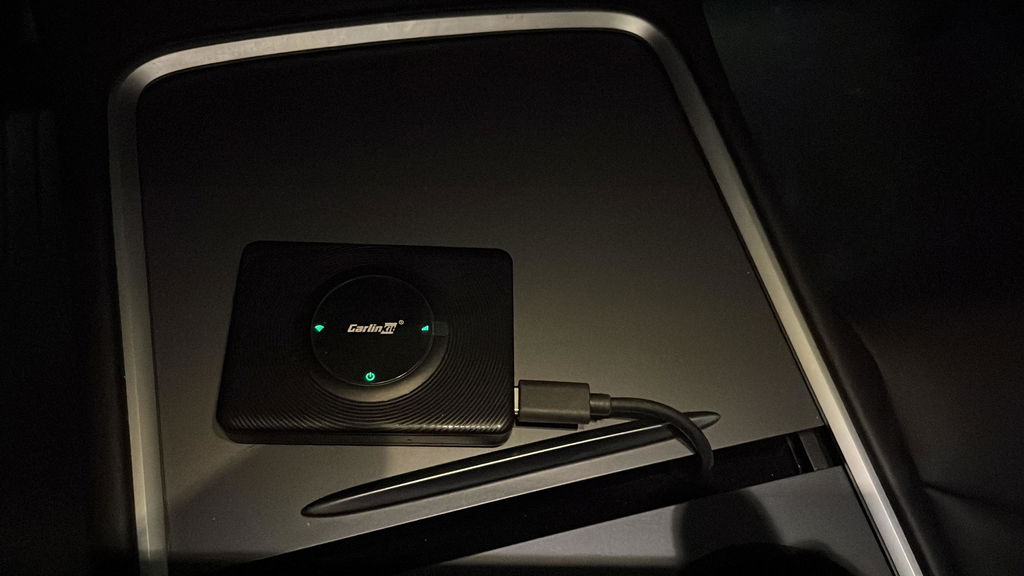
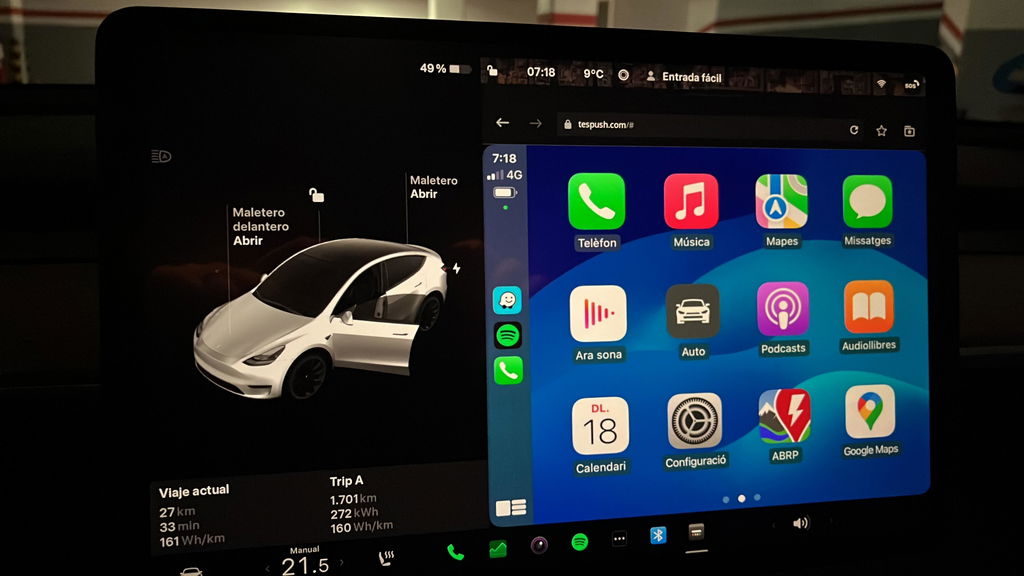
I like it and will be keeping it. I’m trying to optimize the connection at home to stop it from connecting to my phone when I don’t want it to (leave it switched on, unplug it, add a USB switch, disable CarPlay on the phone as I enter the house) but in the car it does the job nicely. The audio is clear (because it’s Bluetooth directly between car and phone) and it is fully functional for Hey Siri, phone calls etc. The Tesla browser window is a good size so the CarPlay map displays are large and easy to use. After buying the unit it is free to use now that it doesn’t require a SIM and I am expecting to not pay for Premium Connectivity when my trial expires since I get live traffic, and streaming audio through CarPlay. In theory, it pays for itself in the first 12 months.
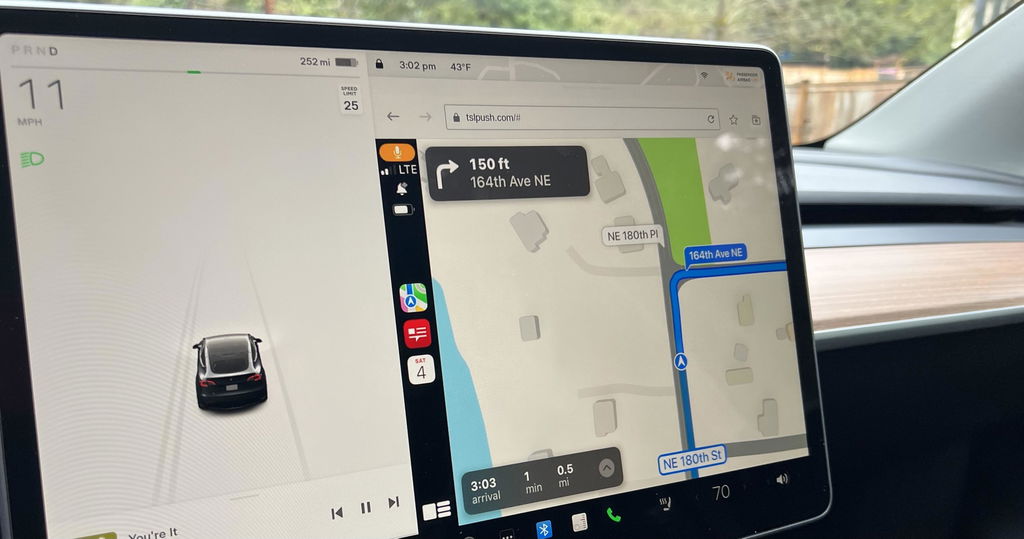
This should be part of the Tesla, OEM software.
The t2c is a very interesting device, works using my iPhone as a personal hotspot, device connects to my Tesla through Bluetooth and displays Apple CarPlay using the Tesla browser.
Initially had lots of browser crashes, usually within minutes of connecting, now fixed with Tesla V11 and t2c firmware updates. Ran for an hour yesterday with no glitches, so bumping up to 4 stars. Only issue is that you have to reconnect your personal hotspot to your car, which is more of a Tesla issue!
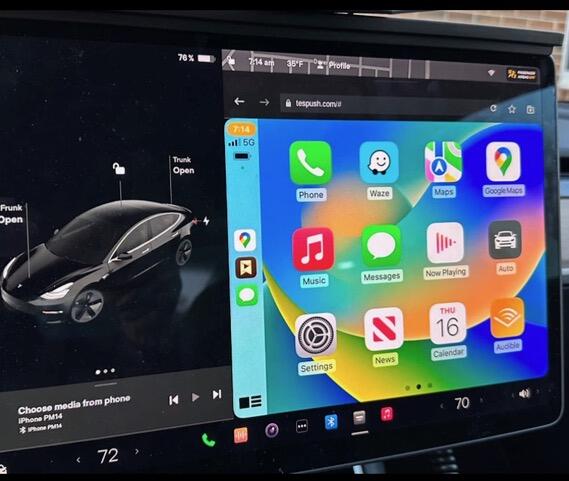
Over all a good purchase. Sometimes can be a bit fussy booting up after leaving the car and returning. This is easily dealt with by de- powering the carlink unit and then re starting it. Also you must make sure that he Tesla’s wifi is on and that carlink net is selected as sometimes the wifi defaults to off when the car is locked and left. Once Carlink is up and running, it’s very stable and works well.
I’m really pleased to be able to enjoy Apple CarPlay in my Tesla.
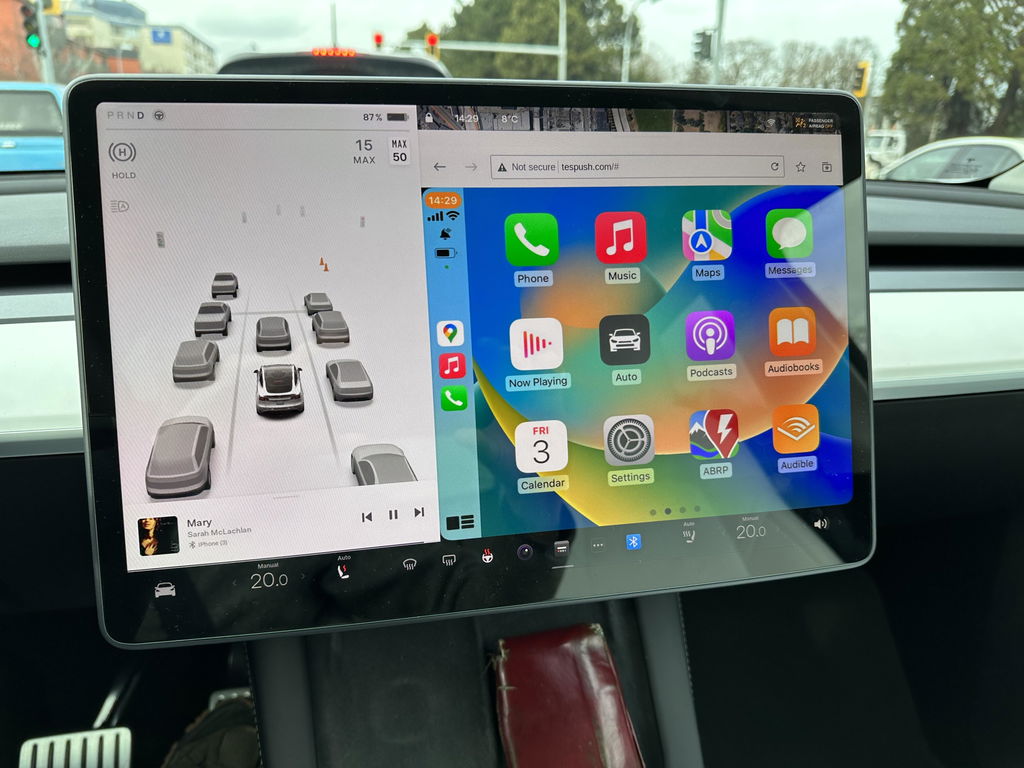
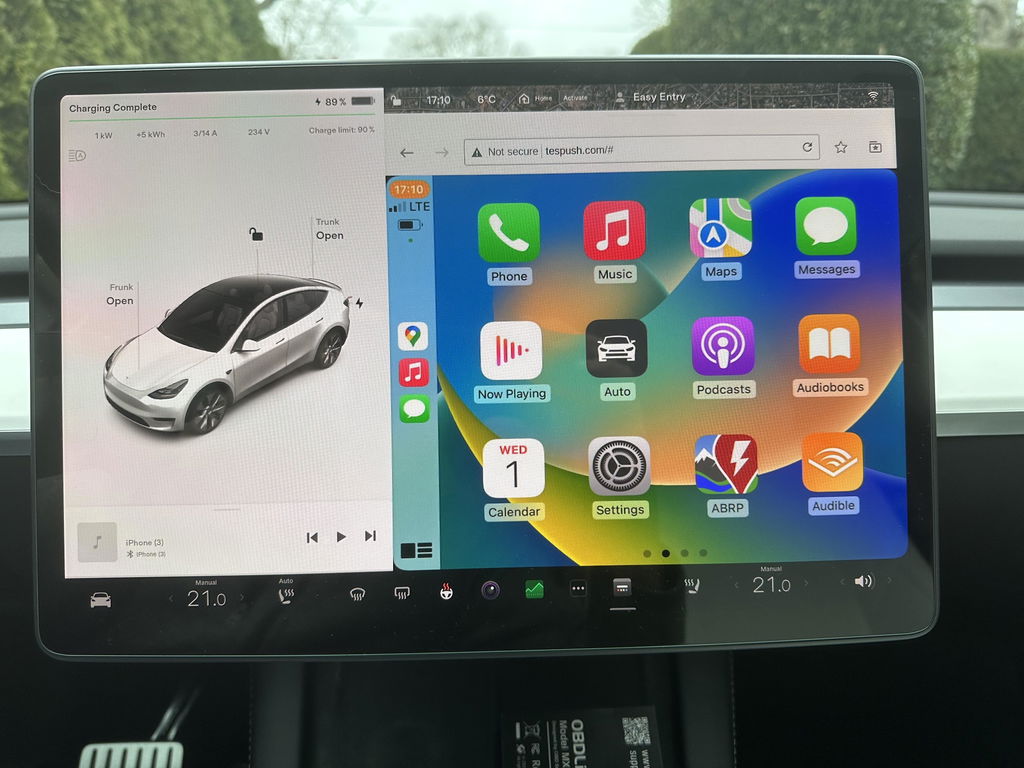
In a world where many gadgets don’t work. It worked perfectly. Simple to install and easy to use.
Thank you for your review! We're happy to hear the T2C was simple to install and works perfectly. If you ever need any help, our support team is always here. Enjoy your CarPlay!
This device is easy to set up and use. However, I have a 2018 model S and the screen is vertical, not horizontal like the newer models. The CarPlay display seems to be designed for the horizontal display not the vertical display. The right most portion of the screen looks like it’s been chopped off. Also, at least for my car the icons are huge, like it was designed for a low res display. Just be aware that for those model years that still have the vertical screen.
Thank you for sharing your feedback. For the vertical screen display issue on your 2018 Model S, please contact our support team at Support@carlinkitcarplay.com to get the appropriate firmware.
I tried to install in a 2026 Tesla Model 3 and had extreme difficulty in getting the Carlinkit to connect. After a dew days and many, many attempts (following the directions exactly as well as doing multiple internet searches for help), I was able to get it to connect once (with very poor resolution), but it quickly disconnected and was never able to connect again. Some of the issues may be on me since many others appear to have it working, but it should not be as hard and frustrating to connect a simple box for this function. I found an alternate mirroring app for 25% the price, no box, no use of a USB port and works flawlessly.
I opted to keep using the Tesla built in system
Thanks for your genuine review. We understand you prefer Tesla’s native system. Please reach out if you need support later.
Carlinkit T2C Tesla Apple CarPlay Adapter
Works great
Thank you so much for your positive feedback! We’re glad to hear the Carlinkit T2C works perfectly for your Tesla. Enjoy your wireless CarPlay experience! Feel free to reach out to us anytime should you need further support.
Bought the carlinkit for the Tesla . Connecton to the car was a breeze. Apple play works well. At times the apple car play gets disconnected on its own , maybe due to poor internet connection.
Overall a good product for those who wants to use applecarplay/android auto on their Tesla
Thanks for your valuable feedback! We’re delighted the adapter pairs seamlessly with your Tesla and works well with Apple CarPlay.
Intermittent disconnections usually stem from weak Wi-Fi network signals. You may enable the 'Remain connected in Drive' option to boost stability, or upgrade the device firmware for better signal performance.
We’re glad our unit meets the core demand of Tesla drivers to access wired CarPlay/Android Auto wirelessly, and appreciate your fair overall evaluation of our product.
Best Regards,
Carlinkit Carplay team
Sometimes it loses the GPS position
Working as stated.
Thank you for the kind review! 😊 It's great to hear that the T2C is performing just as expected — that's exactly what we aim for. Wishing you many smooth and enjoyable journeys with your Tesla!
Best Regards,
Carlinkit Carplay team
Took some time to get it to work. There are multiple steps ie wifi connection, software update etc. Once complete it works great.
Thanks for your feedback! Glad you got it set up successfully after going through the setup steps including Wi-Fi pairing and firmware update.
Feel free to reach out anytime if you need further assistance later.