




कारलिंकिट टी2सी टेस्ला एप्पल कारप्ले एडॉप्टर क्या है?
कारलिंकिट टी2सी विशेष रूप से टेस्ला के लिए डिज़ाइन किया गया है और टेस्ला को वायरलेस कारप्ले/एंड्रॉइड ऑटो के साथ अपग्रेड करने में मदद करता है। यह बिना सिम कार्ड के संचालित होता है और आपको अपने ब्राउज़र के माध्यम से पूर्ण कारप्ले कार्यक्षमता का उपयोग करने की अनुमति देता है।

विशेषताएँ:
✅खेलें और खेलें, अपने टेस्ला में एप्पल कारप्ले और एक आरामदायक अनुभव लाएं।
कारलिंकिट टी2सी टेस्ला डोंगल के साथ, आप अपने टेस्ला को वायरलेस ऐप्पल कारप्ले और एंड्रॉइड ऑटो की सुविधा के लिए आसानी से अपग्रेड कर सकते हैं। अपने पसंदीदा एप्लिकेशन के माध्यम से संगीत सुनने का आनंद लें, फोन कॉल करें और अपनी आवाज से सिरी को बुलाएं। T2C टेस्ला की मूल कार स्क्रीन ऑपरेटिंग सिस्टम को संरक्षित करता है, जबकि इसे एक इंटरैक्टिव इंटरफ़ेस के साथ बढ़ाता है, जिससे टेस्ला कारप्ले की त्वरित शुरुआत और सुचारू संचालन सुनिश्चित होता है।


✅सिरी असिस्टेंट सपोर्ट, ड्राइव करना आसान बनाता है।
यदि आप अपनी टेस्ला को अकेले चला रहे हैं और स्क्रीन को संचालित करने में कोई और आपकी सहायता नहीं कर सकता है, तो कारलिंकिट टी2सी आपको अपनी टेस्ला को संचालित करने में सहायता प्रदान कर सकता है। जैसे आप iPhone पर करते हैं, वैसे ही सिरी को जगाएं, और फिर आप अपने टेस्ला को कमांड कर सकते हैं। कारलिंकिट T2C आपकी कार यात्रा को सुरक्षित और अधिक सुविधाजनक बनाता है।

✅अधिक ड्राइविंग आनंद का पता लगाने के लिए खोज बार में "कारप्ले" खोजें।

✅आपकी सुरक्षित ड्राइविंग और सटीक नेविगेशन के लिए अधिक नेविगेशन विकल्प।
T2C कारप्ले टेस्ला एडाप्टर के साथ, आपके पास नेविगेशन ऐप्स चुनने में अधिक विकल्प हो सकते हैं, जैसे वेज़, और Google मैप्स। यह अधिक मानचित्र सॉफ़्टवेयर का समर्थन करता है जिसे वास्तविक समय में अद्यतन किया जा सकता है।

✅स्प्लिट-स्क्रीन फ़ंक्शन.
टेस्ला एप्पल कारप्ले के लिए स्प्लिट-स्क्रीन कार्यक्षमता के साथ अपने टेस्ला अनुभव को बेहतर बनाएं। आसानी से ऐप्स के बीच नेविगेट करें और हमारे कारलिंकिट T2C वायरलेस एडाप्टर के साथ सहज मल्टीटास्किंग का आनंद लें।

✅2.4G+5.0G-Wifi के साथ अधिक स्थिर और सुचारू संचालन।
कारलिंकिट T2C की 2.4G+5.0G वाईफाई कनेक्टिविटी के साथ बेहतर स्थिरता और निर्बाध संचालन का अनुभव करें। अपने टेस्ला ऐप्पल कारप्ले के लिए एक सहज वायरलेस कनेक्शन का आनंद लें।

✅अपने टेस्ला में कारलिंकिट T2C का उपयोग कैसे करें?
यदि आप अपनी टेस्ला कार में वायरलेस कारप्ले/एंड्रॉइड ऑटो जोड़ना चाहते हैं, तो कृपया सुनिश्चित करें कि आपका फोनआईफोन 6/आईओएस 10 या उससे ऊपर है, एंड्रॉइड फोन के लिए, उन्हें एंड्रॉइड ऑटो का समर्थन करना चाहिए। आप इंटरनेट एक्सेस के लिए डिवाइस में सिम कार्ड डाल सकते हैं या फ़ोन का हॉटस्पॉट साझा कर सकते हैं
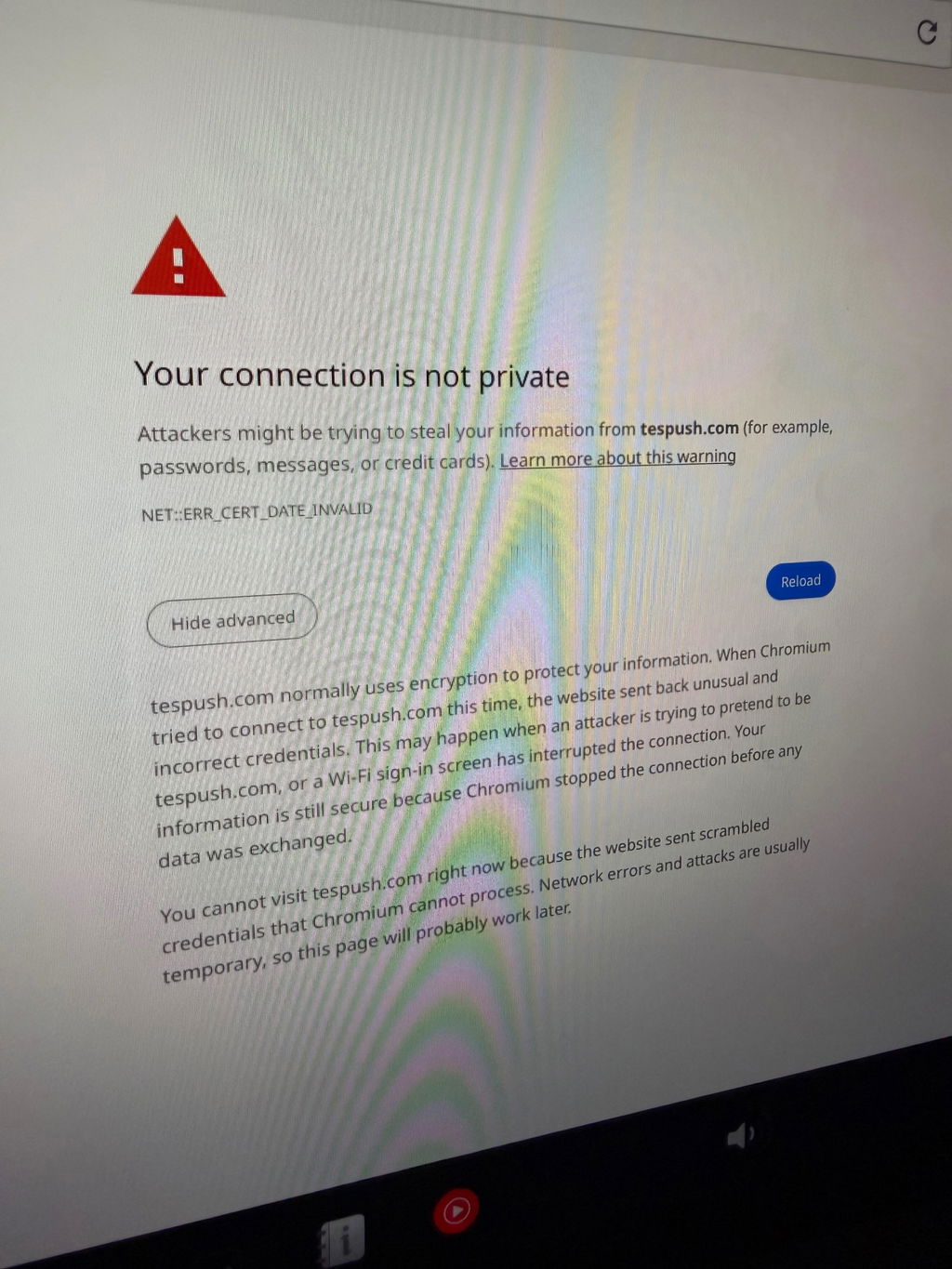
कृपया कार के गियर में होने के बाद T2C को अपने टेस्ला से कनेक्ट करें। (उस समय आप http://tespuch.com दर्ज करने के लिए कार स्क्रीन के ब्राउज़र में लॉग इन कर सकते हैं)

T2C कनेक्शन इंटरफ़ेस में भाषा परिवर्तन, संस्करण उन्नयन आदि का समर्थन करता है।
एलईडी निर्देश
एलईडी 1: मोबाइल फोन इंटरकनेक्शन स्थिति। सफल इंटरकनेक्शन के बाद धीमी फ्लैशिंग।
एलईडी 2: वाईफ़ाई कनेक्शन स्थिति। सफल कनेक्शन के बाद हरी बत्ती जलती रहेगी।
एलईडी 3:पावर स्थिति संकेत। बिजली चालू करने के बाद हरी बत्ती जलती रहेगी।
LED 4: 4G स्थिति संकेत। नेटवर्किंग के बाद ग्रीनलाइट चालू रहेगी।

कारों और मोबाइल फोन के लिए उपयुक्त:
लागू मॉडल: टेस्ला के लिए सभी श्रृंखला मॉडल।
यदि आपका मॉडल वर्ष 2018 से पहले का है, तो T2C का उपयोग करते समय निम्नलिखित शर्तें पूरी होनी चाहिए:
- ब्राउज़र समर्थन आवश्यक है.
- वाईफाई समर्थन आवश्यक है (पुरानी कारें 5जी सिग्नल खोजने में असमर्थ हो सकती हैं, इसलिए आपको मोबाइल डिवाइस के कनेक्शन के लिए 2.4जी पर स्विच करना होगा)।
- टेस्ला के ब्राउज़र को क्रोम 94 या नए संस्करण में अपग्रेड किया जाना चाहिए।
iPhone 6 और नए IOS 10 या इससे ऊपर का समर्थन करें।
एंड्रॉइड फ़ोन को एंड्रॉइड 11.0+ के साथ सपोर्ट करें।
नोट: टेस्ला ऑटोपायलट मॉडल चालू होने पर भी टेस्ला ड्राइवरों को सड़क पर ध्यान केंद्रित करना चाहिए।
कार्लिंकिट T2C पैरामीटर:
| नमूना | सीपीसी200-टी2सी |
| एमएफआई | 337S3959 |
| पावर इनपुट | 5वी±0.2वी⎓1.0ए |
| बिजली की खपत | 3W |
| वाईफ़ाई आवृत्ति | 802.11a/b/g/n/ac, 2.4G+5G |
| ब्लूटूथ संस्करण | 4.2 |
| सामग्री | एबीएस+पीसी |
| रंग | काला |
| सतह का उपचार | सीडी पैटर्न |
| दबाने की विधि | बकसुआ |
| संगत मोबाइल फ़ोन | iPhone 6 और ऊपर, iOS 10 और ऊपर |
| संगत कार | टेस्ला सभी श्रृंखला मॉडल के लिए |
| संकल्प | अनुकूली (मूल प्रोटोकॉल रिज़ॉल्यूशन बनाए रखें) |
| भाषा | वाहन भाषा परिवेश के अनुसार स्वचालित रूप से स्विच करें |
| दिनांक केबल | USB-A से USB-C*1 L=500mm |
| कनेक्शन संकेत | तार - रहित संपर्क |
पैकिंग सूची:
पैकिंग बॉक्स * 1, उत्पाद * 1, डेटा केबल * 2, उत्पाद मैनुअल*1


संगत सूची:
टेस्ला वाहनों के लिए अनुकूलित
टेस्ला मॉडल Y
टेस्ला मॉडल एस
टेस्ला मॉडल 3
टेस्ला साइबरट्रक
टेस्ला मॉडल एक्स (कभी-कभी हमारे उत्पाद के साथ संगतता समस्याओं का अनुभव कर सकता है, इसलिए हम इस वाहन मॉडल के मालिकों के लिए इसकी अनुशंसा नहीं करते हैं।)
सुझावों:
- T2C केवल टेस्ला मॉडल कारों के लिए उपयुक्त है। यदि आपने जो सिम कार्ड पोर्ट के साथ खरीदा है, तो आप उसे सिम कार्ड के साथ या उसके बिना भी उपयोग कर सकते हैं। यदि आप एक सिम कार्ड डालते हैं (iPhone eSIM कार्ड भी काम करता है), तो सिम कार्ड केवल थोड़ी मात्रा में डेटा, नेविगेशन, संगीत और अन्य एप्लिकेशन का उपभोग करता है जो मोबाइल फोन के ट्रैफ़िक का उपयोग करते हैं और T2C'SIM कार्ड ट्रैफ़िक का उपयोग नहीं करते हैं।
- निम्नलिखित देश और क्षेत्र कारलिंकिट T2C उत्पादों का उपयोग नहीं कर सकते: ताइवान, हांगकांग, और ऑस्ट्रेलिया।
- इज़राइल में कारलिंकिट टी2सी का उपयोग करते समय, यदि ऐसी स्थिति है जहां बॉक्स वाईफाई मोबाइल फोन और कार दोनों द्वारा नहीं मिल सकता है, तो कृपया टी2सी वाई-फाई चैनल को 36-44 पर संशोधित करने का प्रयास करें। इसका कारण यह है कि इज़राइल केवल चैनल 36-44 का समर्थन करता है, और टी2सी बॉक्स डिफ़ॉल्ट रूप से 149) पर है।
- T2C iPhone 6 या IOS 10 और इसके बाद के संस्करण के साथ संगत है। साथ ही एंड्रॉइड फोन जो एंड्रॉइड ऑटो को सपोर्ट करते हैं।
- T2C टेस्ला एप्पल कारप्ले डोंगल को अपग्रेड करने के लिए, कृपया वीडियो ट्यूटोरियल देखें।


337 उत्कृष्ट समीक्षाएँ

Unit needed to have firmware updated. Followed onscreen fix. Finally connected. Needed to add Waze to my Tesla.
Thank you for taking the time to share your feedback, and we sincerely apologize for the inconvenience caused by the firmware update process. We completely understand how frustrating it can be to receive a unit that requires updating straight out of the box.
Please rest assured that we will take your feedback seriously and work on improving this in future shipments to ensure customers receive the most up-to-date units possible.
In the meantime, if you need any further assistance, please feel free to contact our support team at support@carlinkitcarplay.com. We'll be more than happy to guide you through the process.
Perfetto. Funziona alla grande su la mia tesla Model s
Ringraziamo sinceramente per il tuo feedback positivo sul nostro prodotto: 'Super' e 'Perfetto'!È un piacere sapere che esso funziona alla grande sulla tua Tesla Model S.
Siamo impegnati a fornire prodotti di alta qualità per i nostri clienti, e il tuo commento ci motiva a fare di meglio.Se avrai bisogno di assistenza in futuro, non esitare a contattarci.
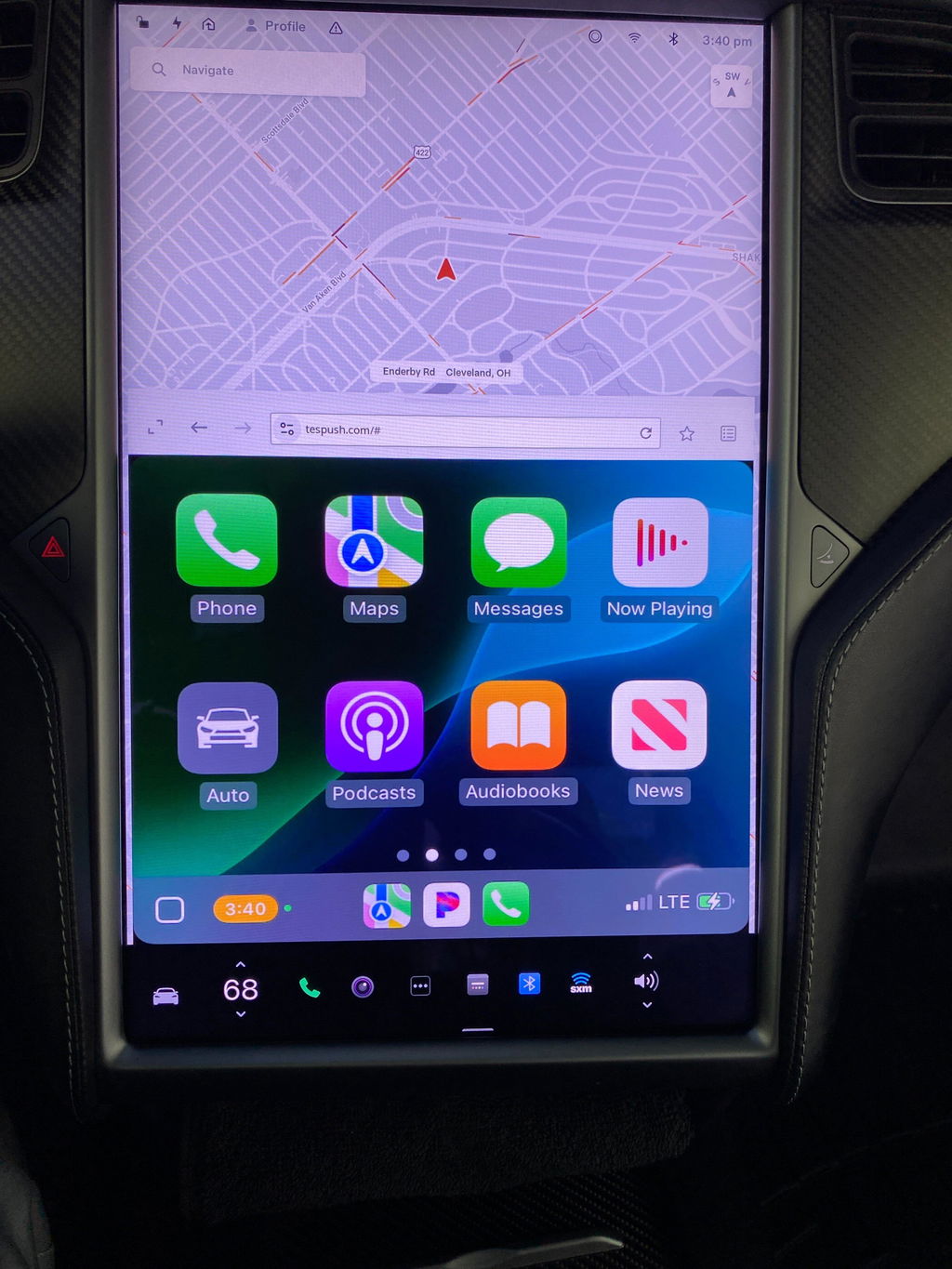
The Tesla CarPlay Adapter seems to be working. I really enjoy having Apple Carplay in the Tesla. I would recommend it to anyone driving a Tesla. I like the touch screen interface and playing Pandora.
Alles in allem ist das kleine Gerät top!
Was leider gegen eine 5 Sterne Bewertung spricht,
Mein Model S verbindet sich meist nicht selbstständig mit dem WLAN des T2C.
Wenn es sich dann doch das eine oder andere mal selbsttändig mit meinem Model S verbindet, kommt ewig der Einstellungsbildschirn, da es sich nicht mit meinem iPhone (14 Pro Max) verbindet.
Nichts desto trotz ist dies alles verschmerzter, da ich endlich wieder Apple CarPlay im Auto habe. und dies sogar Wireless.
Dies macht mich sehr glücklich!
Wenn in Zukunft die Defenzite per Firmware Update in den Griff bekommen werden können, habe wir hier ein Perfektes und Preiswertes Gerät um Wireless CarPlay auf jeden Webbrowser zu bekommen!
Ich liebe es!
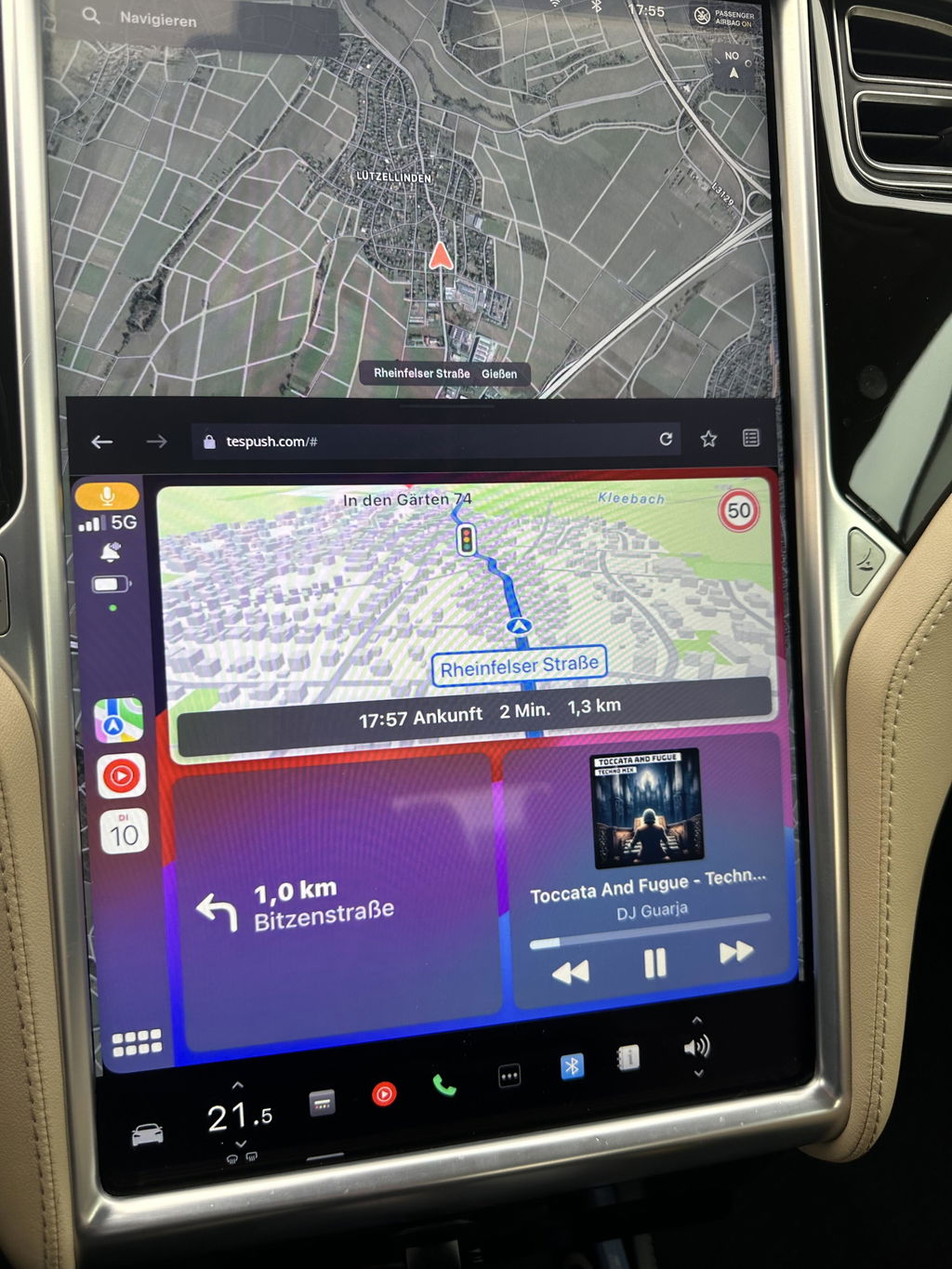
Works well, though a bit capricious. Needs to be rebooted regularly (uplug-replug, fast) when you re-enter your car, and gets disconnected when driving if your phone is out of network. But it does the job 95% of the time. I now have Waze, WhatsApp, GoogleMaps, Apple Music, etc. On my Tesla, for a very reasonable price. Thank you!
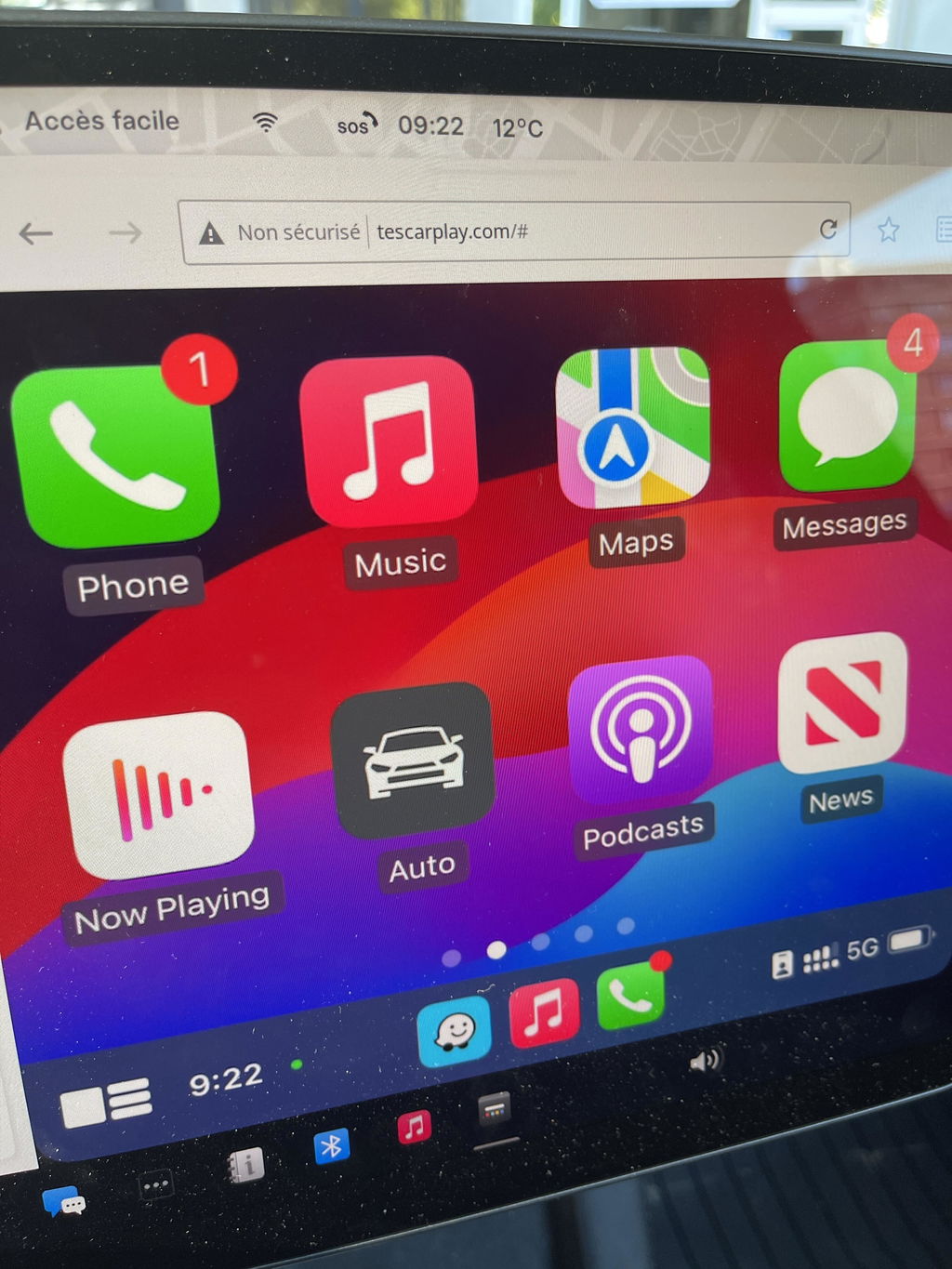
Product arrived quickly and in order, works great.
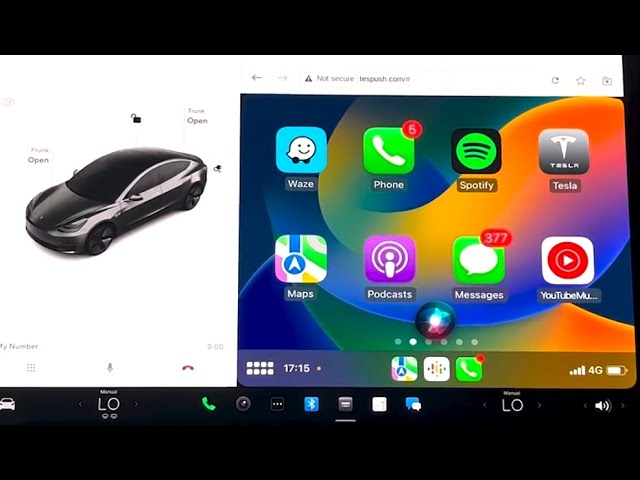
Wow, very impressed! Once everything we setup properly (CarPlay, Bluetooth, phone wifi sharing, "stay connected while in drive", etc — which took all of 3 mins) it started working right away. I found the "video" render mode instead of "picture" to be the smoothest, even with HD graphics on. Very happy with the product!
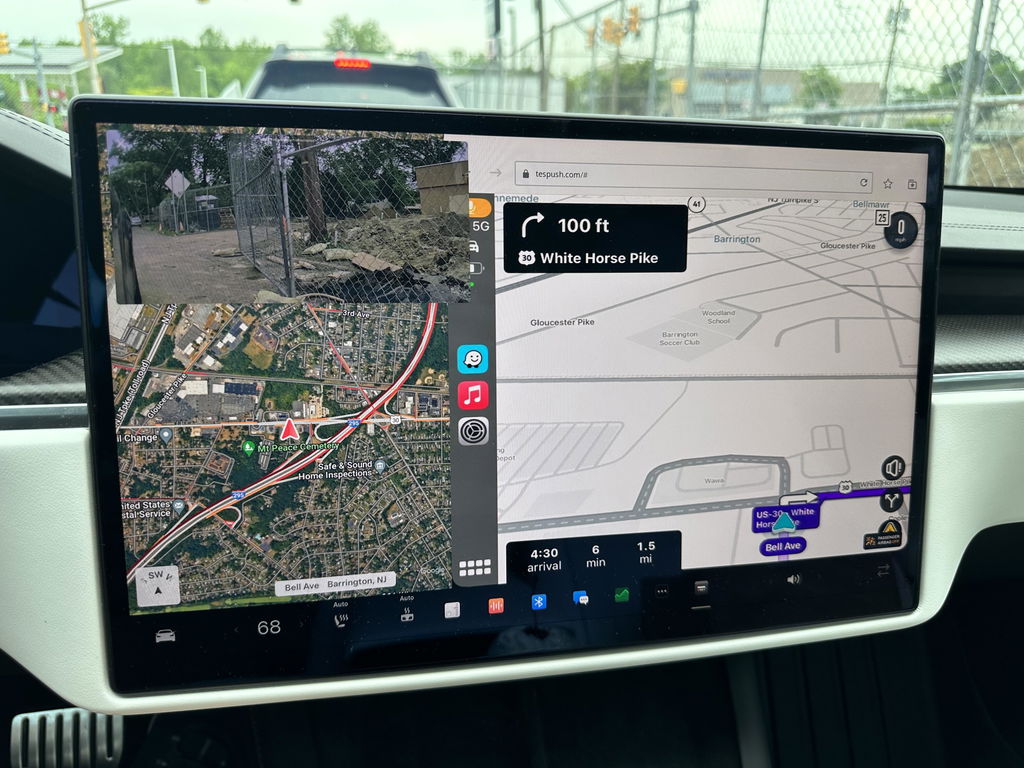
Have been using with my Tesla model 3. Not using SIM card. Works fantastic. Great to get Waze on Tesla screen. However sometimes the screen disappears and needs refreshing. But still love this device.
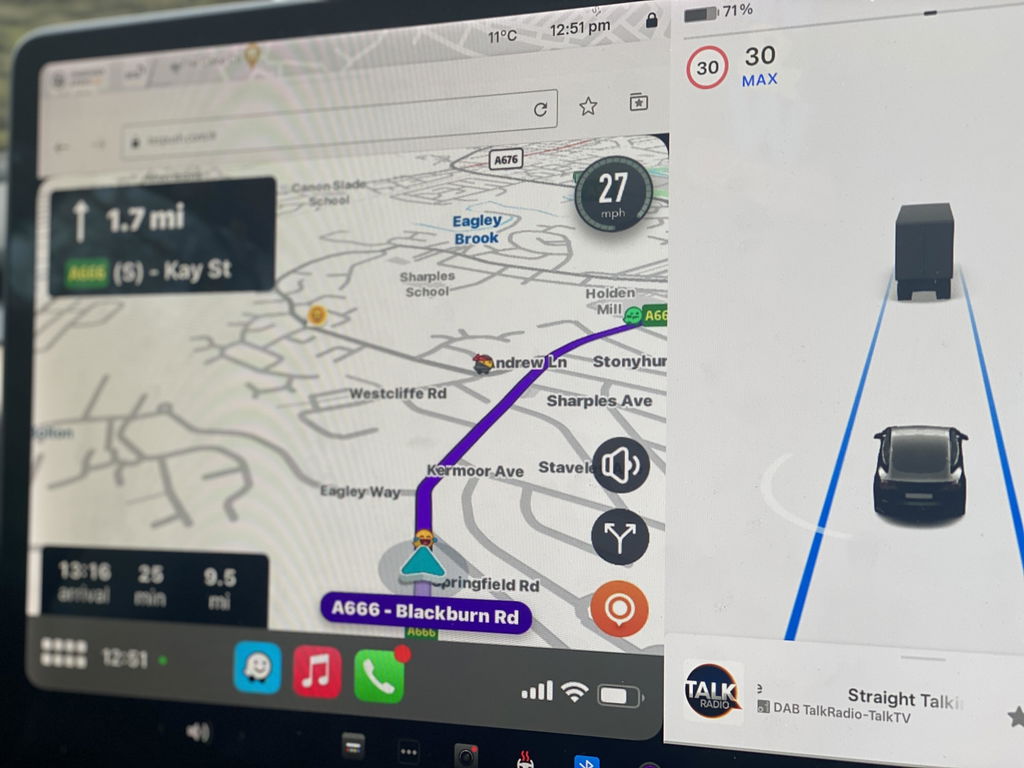
Definitely follow the latest YT video as it is much less complicated than the old instructions that it ships with. Working great and as advertised.
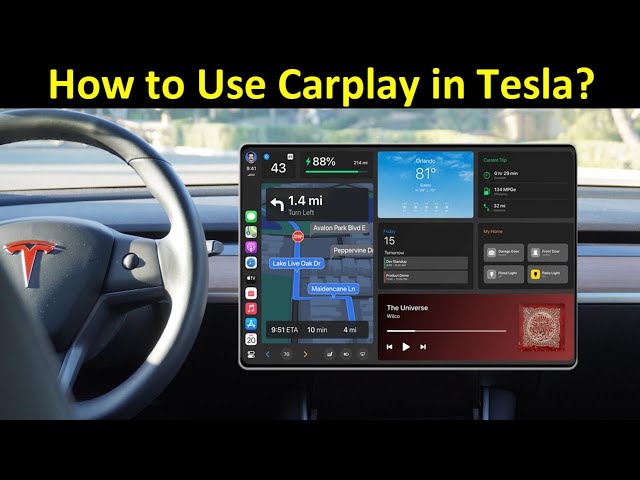
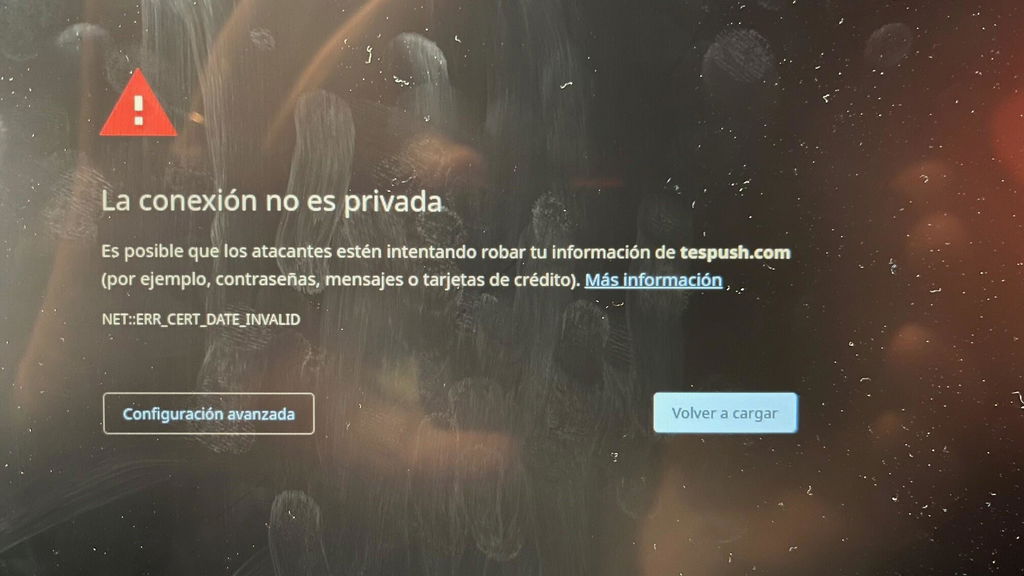
Equipment easy to install and start up. I had a problem when I started it because I got an ERROR: NET::ERR_CERT_DATE_INVALID I contacted the Carlinkit support department by email and in 3 days they sent me instructions to update the firmware and get it working.
You have all the features of Carplay and in my case I wanted WAZE which works very well.
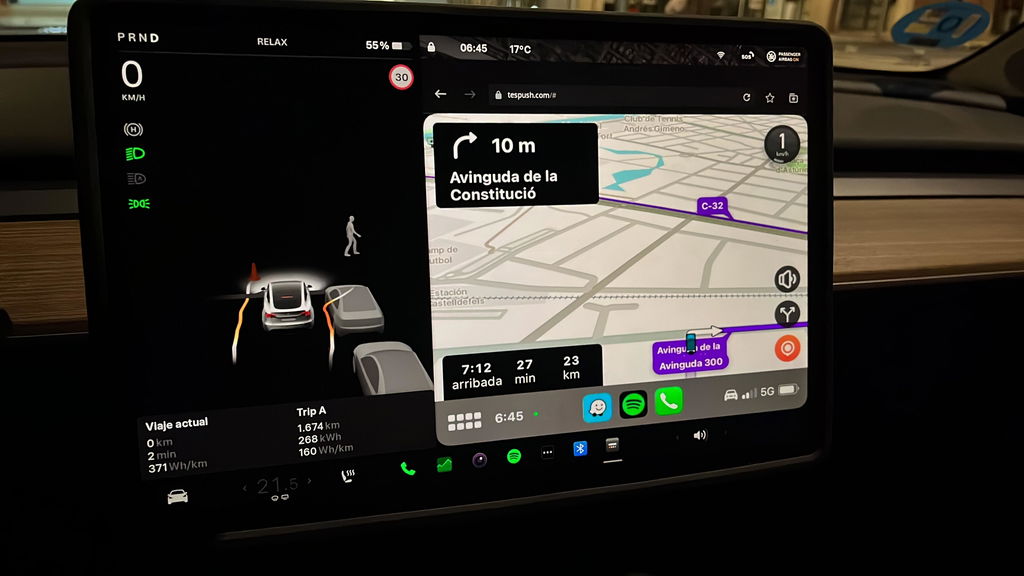
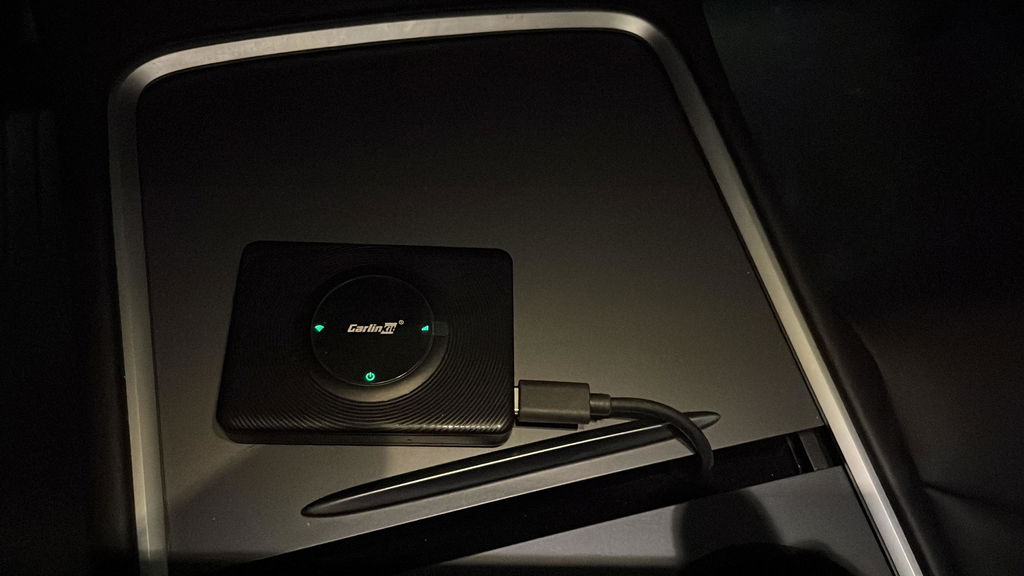
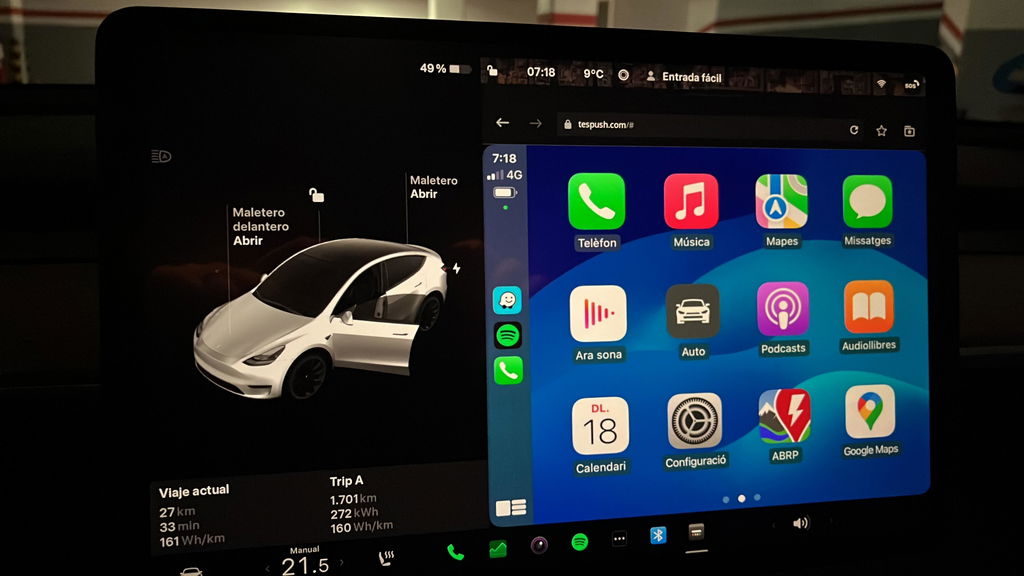
I like it and will be keeping it. I’m trying to optimize the connection at home to stop it from connecting to my phone when I don’t want it to (leave it switched on, unplug it, add a USB switch, disable CarPlay on the phone as I enter the house) but in the car it does the job nicely. The audio is clear (because it’s Bluetooth directly between car and phone) and it is fully functional for Hey Siri, phone calls etc. The Tesla browser window is a good size so the CarPlay map displays are large and easy to use. After buying the unit it is free to use now that it doesn’t require a SIM and I am expecting to not pay for Premium Connectivity when my trial expires since I get live traffic, and streaming audio through CarPlay. In theory, it pays for itself in the first 12 months.
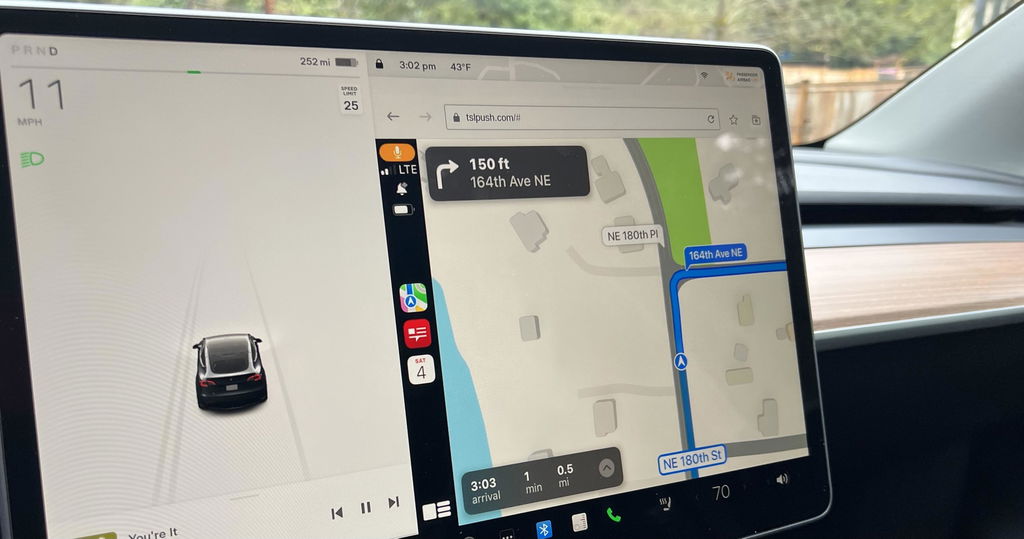
This should be part of the Tesla, OEM software.
The t2c is a very interesting device, works using my iPhone as a personal hotspot, device connects to my Tesla through Bluetooth and displays Apple CarPlay using the Tesla browser.
Initially had lots of browser crashes, usually within minutes of connecting, now fixed with Tesla V11 and t2c firmware updates. Ran for an hour yesterday with no glitches, so bumping up to 4 stars. Only issue is that you have to reconnect your personal hotspot to your car, which is more of a Tesla issue!
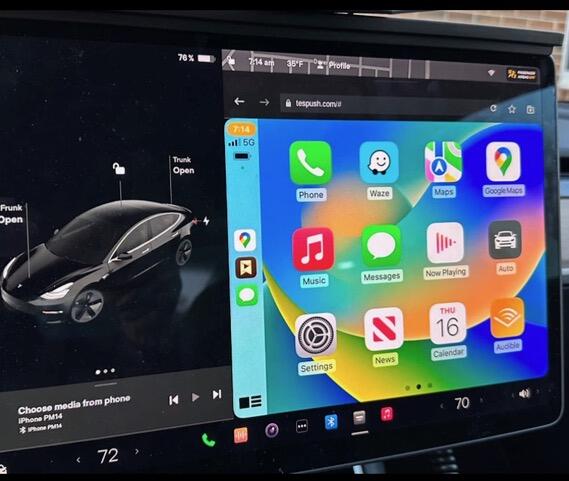
Over all a good purchase. Sometimes can be a bit fussy booting up after leaving the car and returning. This is easily dealt with by de- powering the carlink unit and then re starting it. Also you must make sure that he Tesla’s wifi is on and that carlink net is selected as sometimes the wifi defaults to off when the car is locked and left. Once Carlink is up and running, it’s very stable and works well.
I’m really pleased to be able to enjoy Apple CarPlay in my Tesla.
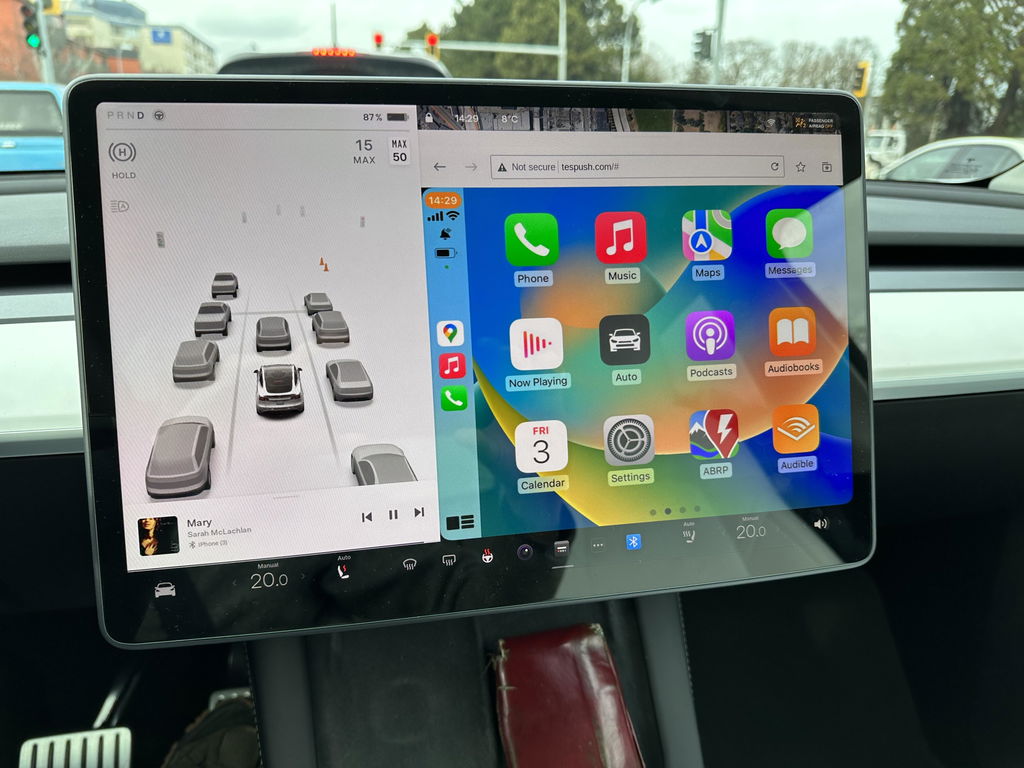
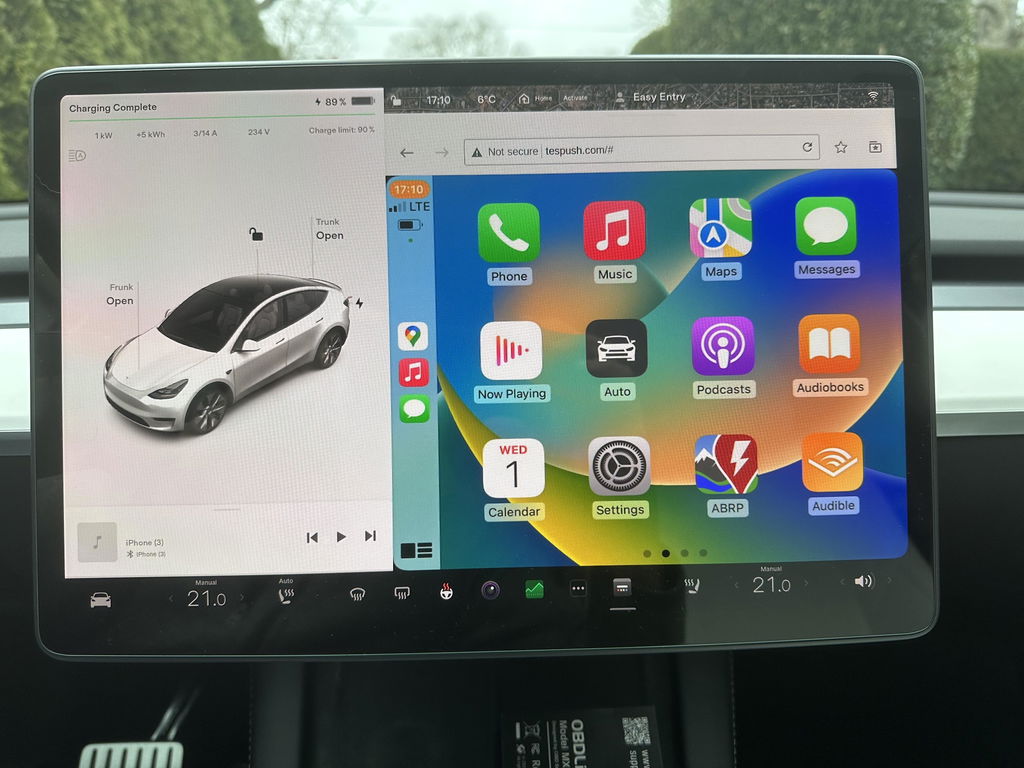
In a world where many gadgets don’t work. It worked perfectly. Simple to install and easy to use.
Thank you for your review! We're happy to hear the T2C was simple to install and works perfectly. If you ever need any help, our support team is always here. Enjoy your CarPlay!
This device is easy to set up and use. However, I have a 2018 model S and the screen is vertical, not horizontal like the newer models. The CarPlay display seems to be designed for the horizontal display not the vertical display. The right most portion of the screen looks like it’s been chopped off. Also, at least for my car the icons are huge, like it was designed for a low res display. Just be aware that for those model years that still have the vertical screen.
Thank you for sharing your feedback. For the vertical screen display issue on your 2018 Model S, please contact our support team at Support@carlinkitcarplay.com to get the appropriate firmware.
I tried to install in a 2026 Tesla Model 3 and had extreme difficulty in getting the Carlinkit to connect. After a dew days and many, many attempts (following the directions exactly as well as doing multiple internet searches for help), I was able to get it to connect once (with very poor resolution), but it quickly disconnected and was never able to connect again. Some of the issues may be on me since many others appear to have it working, but it should not be as hard and frustrating to connect a simple box for this function. I found an alternate mirroring app for 25% the price, no box, no use of a USB port and works flawlessly.
I opted to keep using the Tesla built in system
Thanks for your genuine review. We understand you prefer Tesla’s native system. Please reach out if you need support later.
Carlinkit T2C Tesla Apple CarPlay Adapter
Works great
Thank you so much for your positive feedback! We’re glad to hear the Carlinkit T2C works perfectly for your Tesla. Enjoy your wireless CarPlay experience! Feel free to reach out to us anytime should you need further support.
Bought the carlinkit for the Tesla . Connecton to the car was a breeze. Apple play works well. At times the apple car play gets disconnected on its own , maybe due to poor internet connection.
Overall a good product for those who wants to use applecarplay/android auto on their Tesla
Thanks for your valuable feedback! We’re delighted the adapter pairs seamlessly with your Tesla and works well with Apple CarPlay.
Intermittent disconnections usually stem from weak Wi-Fi network signals. You may enable the 'Remain connected in Drive' option to boost stability, or upgrade the device firmware for better signal performance.
We’re glad our unit meets the core demand of Tesla drivers to access wired CarPlay/Android Auto wirelessly, and appreciate your fair overall evaluation of our product.
Best Regards,
Carlinkit Carplay team
Sometimes it loses the GPS position
Working as stated.
Thank you for the kind review! 😊 It's great to hear that the T2C is performing just as expected — that's exactly what we aim for. Wishing you many smooth and enjoyable journeys with your Tesla!
Best Regards,
Carlinkit Carplay team
Took some time to get it to work. There are multiple steps ie wifi connection, software update etc. Once complete it works great.
Thanks for your feedback! Glad you got it set up successfully after going through the setup steps including Wi-Fi pairing and firmware update.
Feel free to reach out anytime if you need further assistance later.